
Best Budgeting App for Families in 2026 (And Why Most Apps Fail)

Managing money without the best budgeting app for families is more complex than ever.
Between shared expenses, subscriptions, groceries, bills, and long-term savings goals, it’s easy for things to slip through the cracks. That’s why many families turn to budgeting apps—but here’s the problem:
Most budgeting apps aren’t built for real family life.
They’re either too complicated, too individual-focused, or too rigid to handle shared finances.
In this guide, we’ll break down:
- What makes the best budgeting app for families in 2026
- Why most apps fail
- And what to look for if you want a system that actually works
The best budgeting app for families like EMOH Pay is one that supports shared visibility, automatic expense tracking, simple categories, and real-time insights across multiple users. It should be easy to use, adaptable to household needs, and provide a clear view of both spending and overall financial health.
Why Most Budgeting Apps Fail for Families
1. Built for Individuals, Not Households
Most apps are designed for single users, not shared finances.
This creates problems like:
- Lack of visibility between partners
- Duplicate tracking
- Confusion over shared expenses
2. Too Complicated to Maintain
Many budgeting tools require:
- Manual inputs
- Complex category setups
- Constant adjustments
Families don’t have time for that.
3. No Real-Time Financial Clarity
Without real-time tracking:
- Overspending goes unnoticed
- Budgets become outdated quickly
4. Poor User Experience
Cluttered dashboards and confusing layouts make it harder to stay consistent.
What Makes the Best Budgeting App for Families?
1. Shared Financial Visibility
Everyone in the household should be able to:
- See expenses
- Track budgets
- Stay aligned
2. Automatic Expense Tracking
Manual entry is the #1 reason people quit budgeting.
The best apps:
- Track expenses automatically
- Categorize spending
- Reduce effort
3. Simple, Intuitive Interface
If it’s not easy to use, it won’t be used.
Look for:
- Clean dashboards
- Minimal setup
- Clear insights
4. Multi-Currency Support (US & Canada Friendly)
Helpful for:
- Cross-border families
- Remote workers
- Travelers
5. Complete Financial Overview
Beyond expenses, great apps show:
- Savings
- Net worth
- Spending trends
How to Choose the Right Budgeting App for Your Family
- Identify your household needs
- Choose an app with shared access
- Ensure automation features are included
- Keep the system simple
- Review finances weekly
Top Budgeting Apps for Families in 2026
1. EMOH Pay (Best for Simplicity + Household Visibility)
EMOH Pay is designed for people who want a clear, simple view of their finances without complexity.
It focuses on:
- Household-level budgeting
- Automatic expense tracking
- Clean, easy-to-use interface
- Multi-currency support
Unlike many traditional apps, it avoids overwhelming users with unnecessary features and instead prioritizes clarity and consistency—two things most families struggle with.
If you’re looking for a simpler way to manage your family budget, you can try EMOH Pay on Google Play or the App Store to see how automatic tracking and shared visibility work in practice.
2. Mint (Good for Basic Tracking)
- Popular in the US
- Strong bank integrations
- Can feel cluttered for families
3. YNAB (You Need A Budget)
- Great for disciplined budgeting
- Steeper learning curve
- Requires active involvement
4. EveryDollar
- Simple interface
- Manual tracking heavy
- Limited automation
EMOH Pay vs Traditional Budgeting Apps
Common Mistakes Families Make When Budgeting
1. Overcomplicating the System
Simple systems are more sustainable.
2. Not Tracking Shared Expenses Clearly
Leads to confusion and imbalance.
3. Ignoring Small Recurring Costs
Subscriptions quietly add up.
4. Inconsistency
The best system is the one you stick to.
Who Should Use a Family Budgeting App?
This is ideal for:
- Couples managing shared finances
- Families with multiple income sources
- Households trying to reduce expenses
- Anyone who wants financial clarity without stress
Frequently Asked Questions (FAQs)
What is the best budgeting app for families?
The best budgeting app for families is one that offers shared access, automatic tracking, and simple budgeting tools that multiple users can easily manage together.
Are budgeting apps safe to use?
Yes, most reputable apps use bank-level encryption and security measures to protect your financial data.
Do couples need a shared budgeting app?
Yes, shared budgeting apps improve transparency, reduce financial conflicts, and help align spending goals.
How do families stick to a budget?
By using simple tools, automating tracking, and reviewing finances regularly, families are more likely to stay consistent.
Conclusion
The truth is, most budgeting apps fail because they don’t fit how families actually manage money.
They’re too complex, too individual-focused, or too time-consuming.
The best budgeting app for families in 2026 is one that:
- Works automatically
- Keeps everyone aligned
- And simplifies—not complicates—your financial life
Try the free budget calculator
Reading is step one — EMOH Pay makes it automatic. Free to start on phone and web.
Open it➜What should you know about everyday budgeting?
Everyday budgeting comes down to three habits: know what comes in, decide where it goes, and check in daily. EMOH Pay makes all three effortless — free expense tracking and budgets on phone and web, a Daily Money Digest each morning, and bank-grade AES-256 security throughout.
Everyday budgeting: the essentials
Five minutes a week with a daily digest beats a perfect spreadsheet you abandon in February.
Money works better as a team sport — shared live numbers end the guesswork and the arguments.
You can start everyday budgeting today at $0 — no card required, on iPhone, Android or the web.
The first win in everyday budgeting is simply seeing where money goes. Tracking alone typically surfaces 10–15% of easy savings.
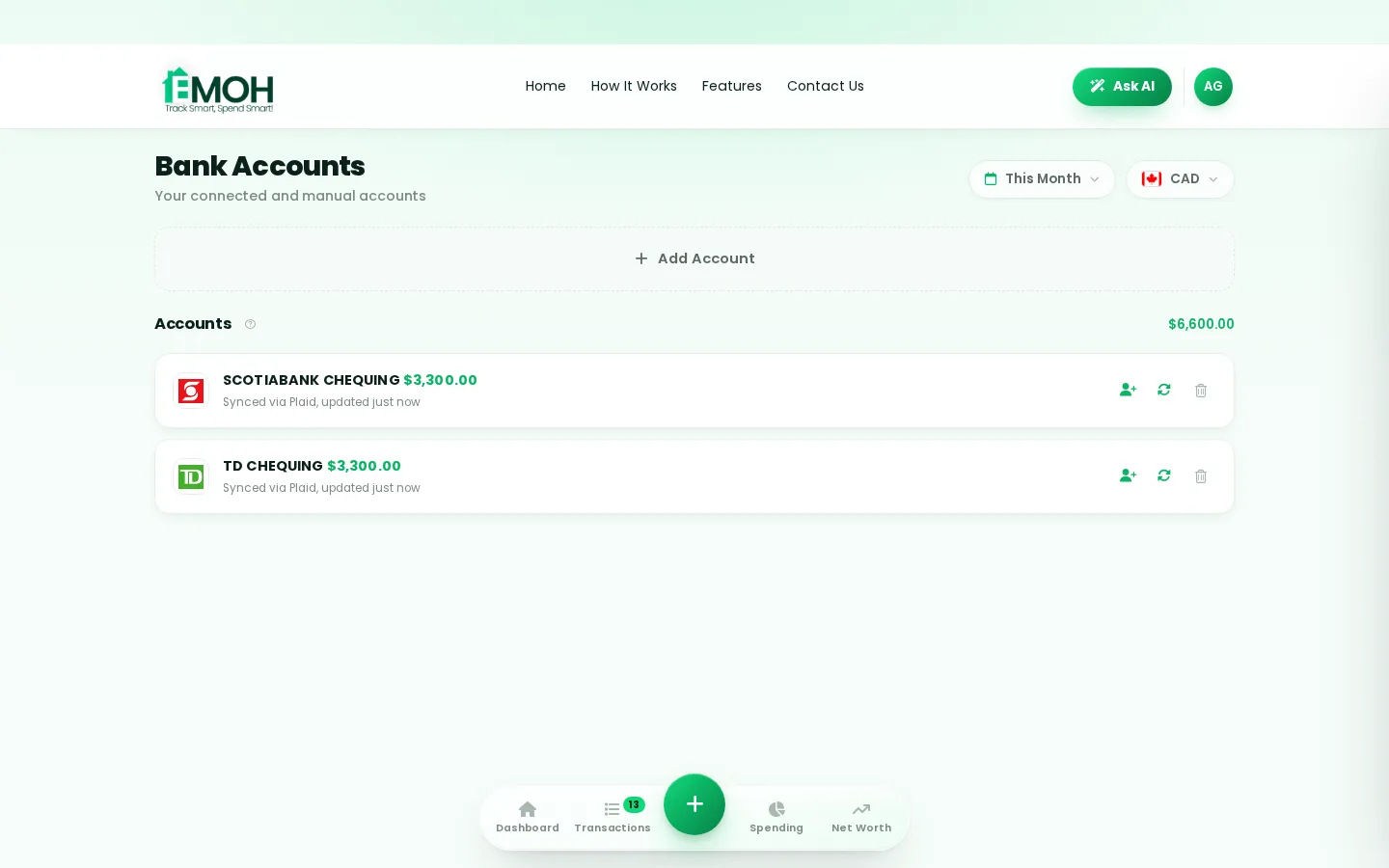
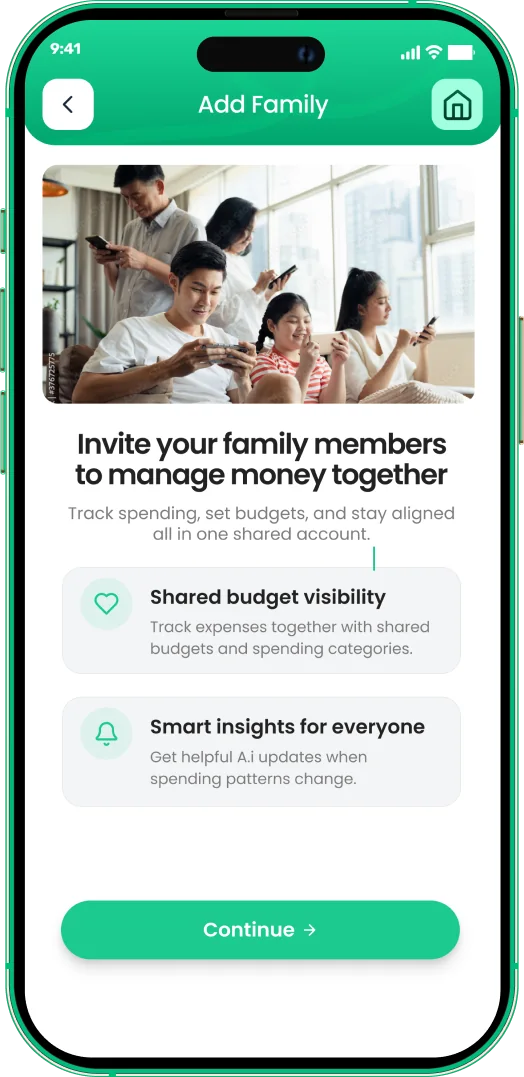
One app for everyday budgeting — on every screen.
Track on your phone in the checkout line, review on the web app at your desk. EMOH Pay keeps everyday budgeting in sync the second anything changes, so the numbers you act on are always current.
Start free on the web➜ Explore all features➜Real spending, really tracked
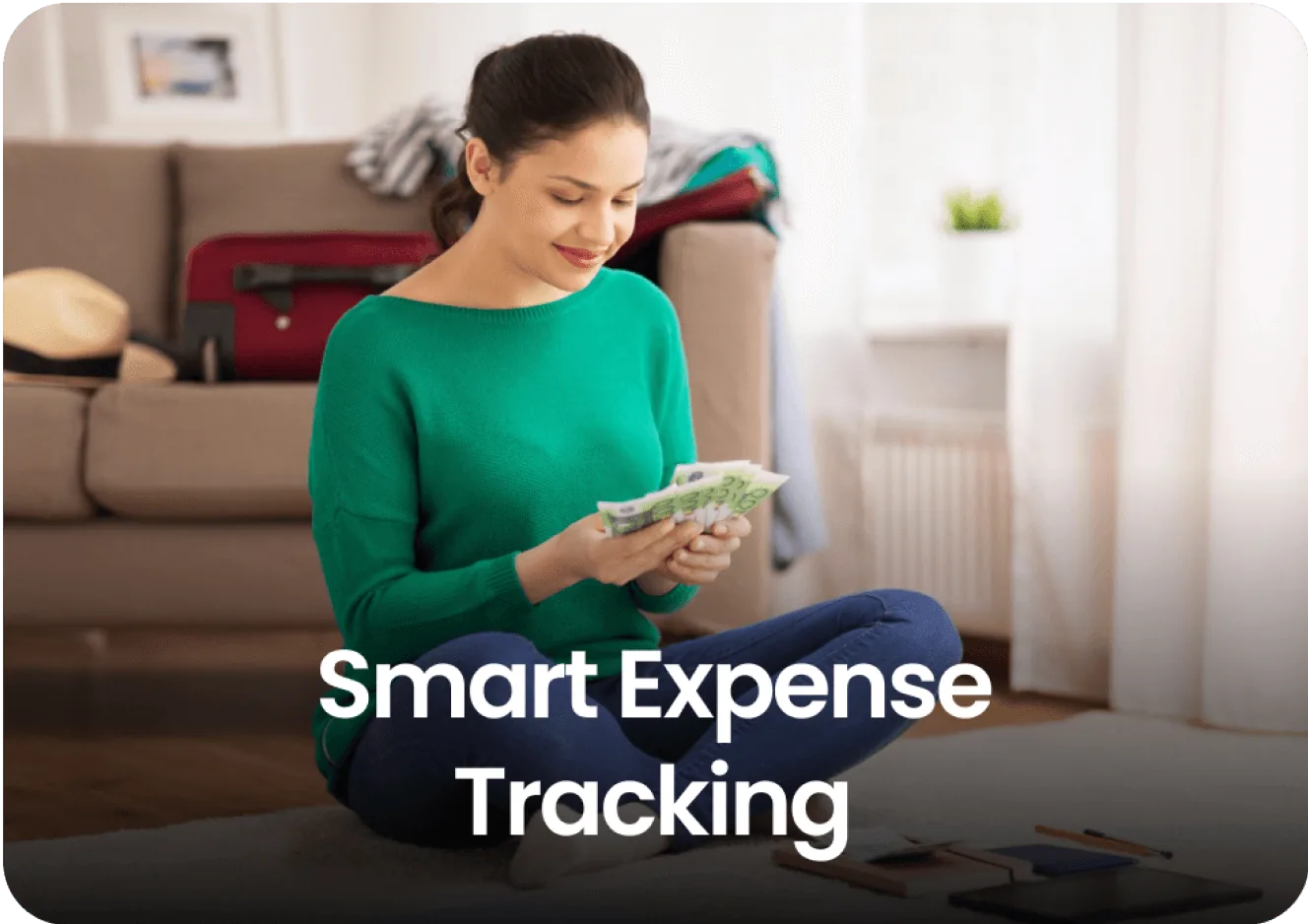
From the morning coffee to the monthly rent — Canadians log, tag and learn from every expense on EMOH Pay.


Everything you need for everyday budgeting
Track Smart, Spend Smart! The complete toolkit, free to start:
Log any expense in two taps — or let bank sync do it automatically. Every dollar gets a category.
Vacations, emergencies, down payments — set the target and watch it fill.
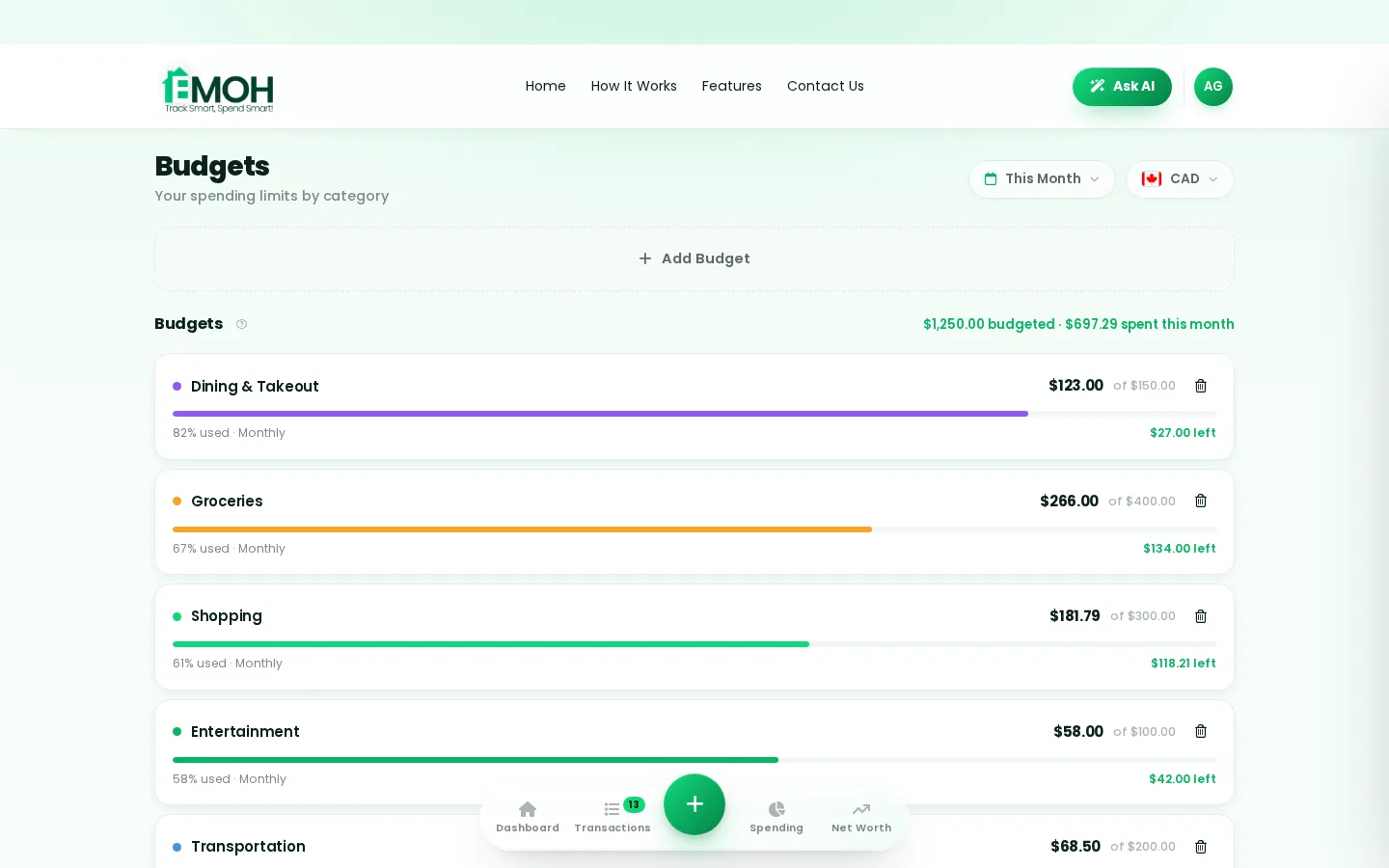
Digital envelopes for groceries, rent and fun, with gentle alerts before you overspend.
Assets minus debts, always current — watch the number that actually measures progress.
The tax portion of every expense, separated automatically for a calmer tax season.
Everyone sees the same live numbers, each with their own login. Free forever.
How to start everyday budgeting with EMOH Pay
Four small steps, five minutes total:
- 1Make your account — free, on phone or web
- 2Enter your income & accounts
- 3Set budgets — your digital envelopes
- 4Track smart, spend smart — EMOH digests daily
EMOH Pay vs. the usual ways to handle everyday budgeting
| EMOH Pay | Spreadsheet | Typical budgeting app | |
|---|---|---|---|
| Free tier | Free forever | Free | Limited trial |
| Paid tier | EMOH Pro — $4.99/mo | — | $10–15/mo |
| Expense tracking | ✔ Two taps or automatic | Manual entry | ✔ |
| Budgets & overspend alerts | ✔ Built in | ✖ None | Varies |
| Net worth tracking | ✔ Live | Formula gymnastics | Often paid add-on |
| Phone + web sync | ✔ Instant | ✖ Manual | Varies |
| Family sharing | ✔ Free | ✖ Shared-file chaos | Often paid add-on |
| GST/HST tracking | ✔ Automatic | ✖ Formula gymnastics | ✖ Rare |
| 148 currencies | ✔ Automatic conversion | ✖ None | Limited |
| Ask AI | ✔ Included | ✖ None | ✖ Rare |
| Daily Money Digest | ✔ Built in | ✖ None | Push spam |
| PDF & Excel exports | ✔ One tap | ✔ Manual | Varies |
| Bank sync (Canada) | ✔ Plaid, read-only — free up to 3 banks | ✖ None | US-first, patchy |
Everything above is free to start — and the full EMOH Pro upgrade is just $4.99/month, a third of what typical budgeting apps charge.
Real everyday budgeting problems we actually solve

Everyday budgeting that fits real life
Money habits only stick when they fit the life you already live. EMOH Pay was built for the checkout line, the kitchen-table conversation and the Sunday five-minute review — not for accountants. Two taps to log an expense, one glance to know where you stand.
Get started free➜ See how it works➜Your money data, protected like a bank's
The same encryption standard banks use, protecting your data at rest and in transit.
Bank connections run through Plaid and can only read transactions — never move money.
Built in Canada to Canadian privacy law. Your data is yours — never sold, ever.
Everyday budgeting — frequently asked questions
Can I share my budget with my family?
Yes — Family Account Sharing is included free. Each member gets their own login while budgets and expenses stay shared in real time, which makes everyday budgeting a team effort instead of a solo chore.
Does EMOH Pay work on both phone and computer?
Yes. EMOH Pay has full apps for iPhone and Android plus a complete web app, and everything syncs instantly. Phone in your pocket, web app at your desk — the same live numbers everywhere.
What is the best way to get started with everyday budgeting?
Start simple: create a free EMOH Pay account, enter your income and accounts, then set budgets for your top three spending categories. Most people are fully set up in about five minutes, and the Daily Money Digest keeps the habit going.
Is EMOH Pay free for everyday budgeting?
Yes — EMOH Pay is free to start on iPhone, Android and the web. Budgeting, expense tracking and net worth are all included, which covers everything you need for everyday budgeting. EMOH Pro lifts the limits for just $4.99/month — unlimited bank connections, family members and EMOH Smart, plus full report history and exports.
How is EMOH Pay different from a spreadsheet?
Spreadsheets are flexible but manual: no reminders, no sync, no automatic categorization. EMOH Pay gives you the same control with live sync across devices, daily digests, gentle overspend alerts and one-tap reports.
Is my financial data safe with EMOH Pay?
Yes. EMOH Pay uses AES-256 encryption, bank connections are read-only through Plaid, and the app is built to Canadian PIPEDA privacy standards. Your data is never sold.
More from EMOH Pay
When it comes to managing money, choosing the right budgeting method can make all the difference. Two of the most popular…
Top Ad-Free Budgeting App of 2025 | Try EMOH Pay FreeIn 2025, managing personal finances shouldn’t come at the cost of privacy or focus. Yet, many budgeting apps still bombard…
AI Budgeting AppEMOH Pay's Ask AI is a conversational money assistant. Ask 'how much did I spend on groceries last month?' or 'can I afford…
Free Budget CalculatorThe 50/30/20 rule splits after-tax income: 50% to needs, 30% to wants, 20% to savings. Enter your monthly take-home pay to…
Free Budgeting App CanadaEMOH Pay is a budgeting app made in Canada — free to start on iPhone, Android and the web. Set monthly budgets, track…
Family Budgeting AppEMOH Pay is a family budgeting app made in Canada — shared budgets, shared goals, and everyone on the same page, from…
Start free today
Free on iPhone, Android and the web. Upgrade to EMOH Pro anytime for bank sync and advanced AI.
Download for iOS➜ Get it on Android➜
