
How EMOH Pay works
Three steps, five minutes: add your accounts, set your budgets, and let EMOH track, digest and alert. On your phone and the web, always in sync.
Get started free➜ Try the web app➜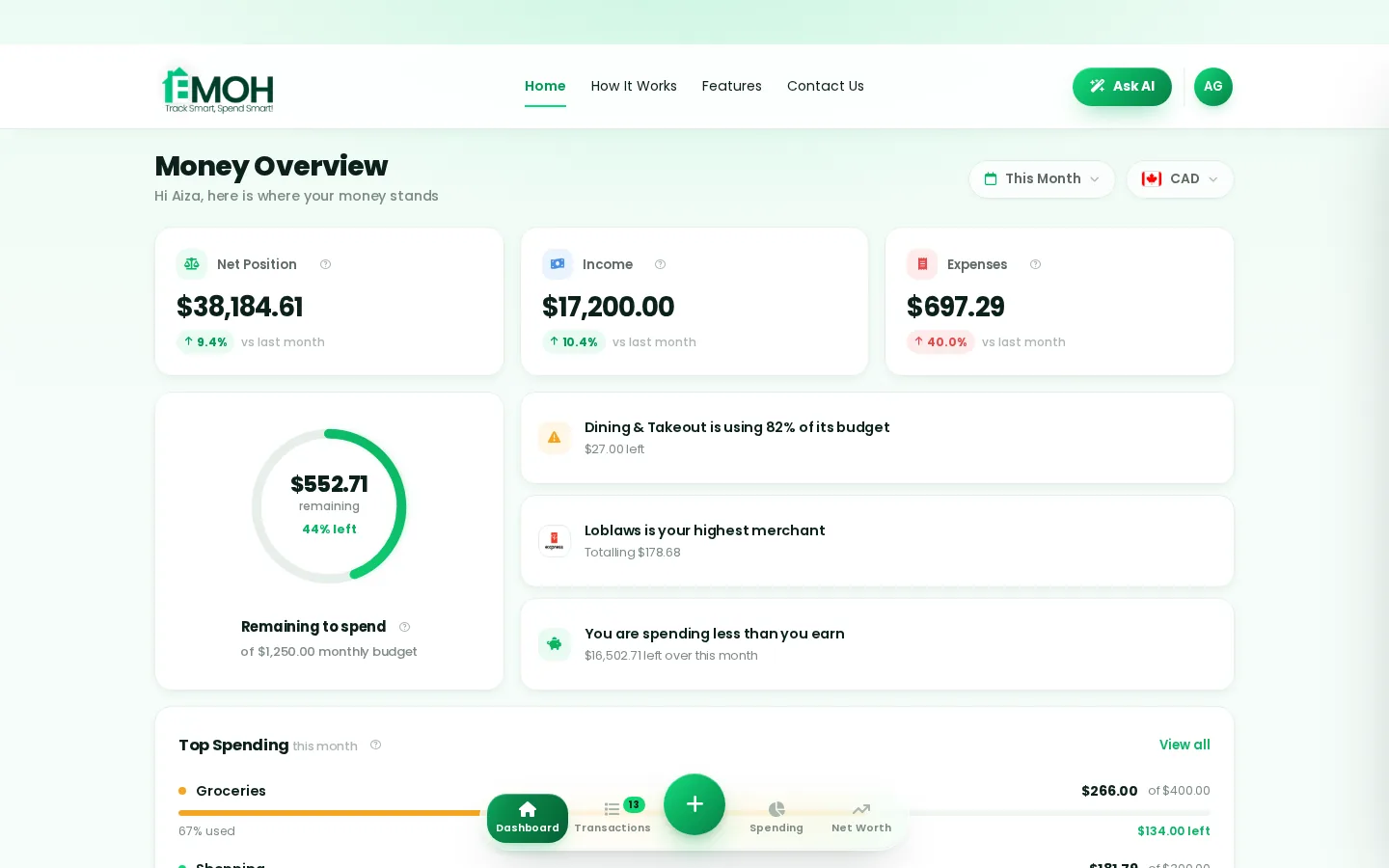
How EMOH works
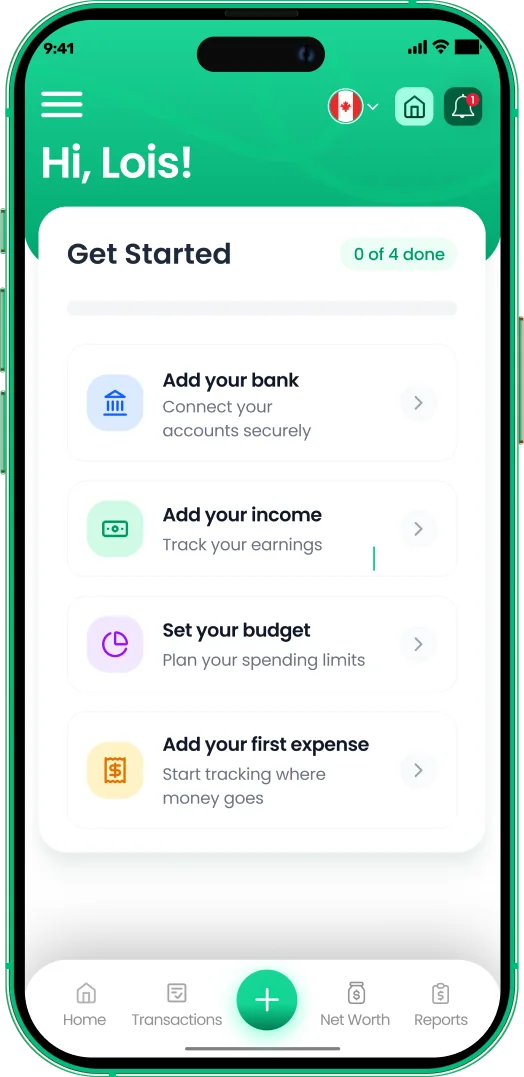
Managing money should be effortless. Four small steps, five minutes total:
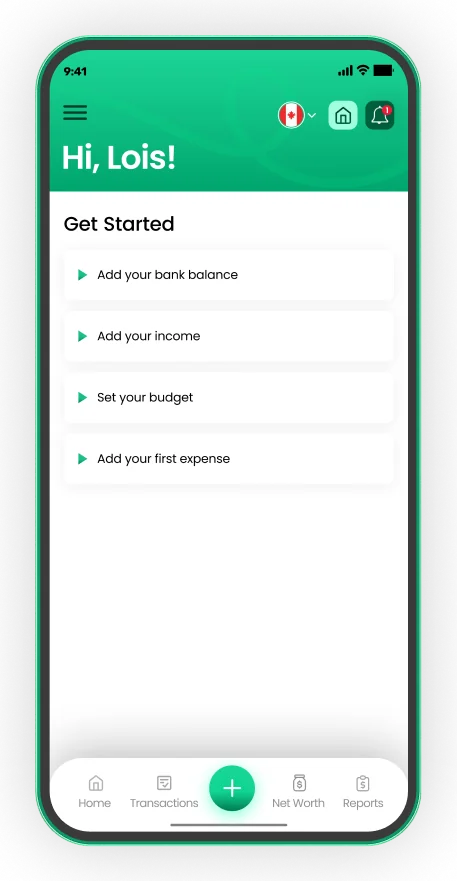
- 1Make your account — free, on phone or web
- 2Enter your income & accounts
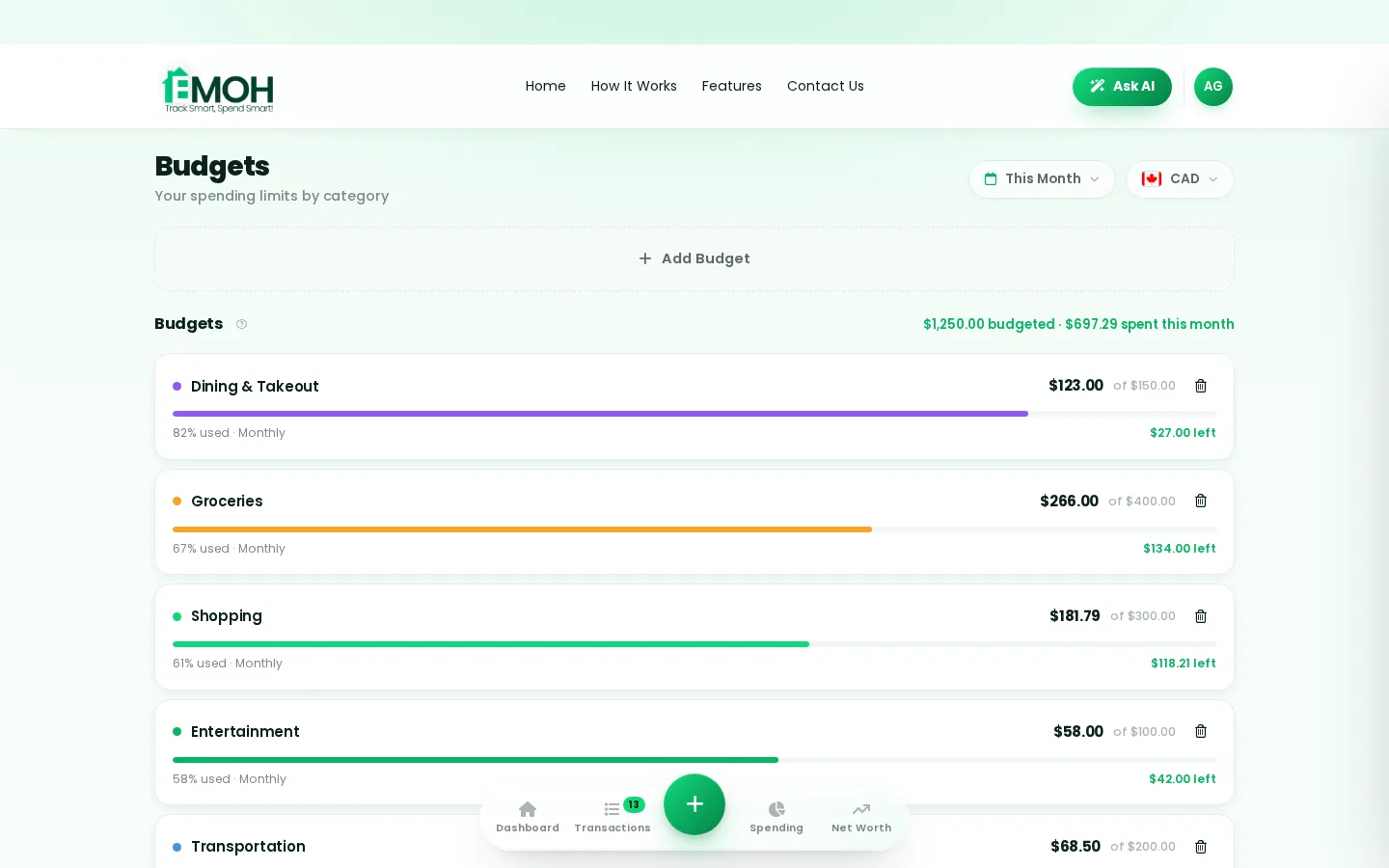
- 3Set budgets — your digital envelopes
- 4Track smart, spend smart — EMOH digests daily
Enter balances manually in seconds — or connect your Canadian bank via Plaid on Pro and let transactions import themselves.
Pick categories, set monthly amounts. Digital envelopes with progress bars — satisfying and honest.
EMOH tracks, categorizes and sends one calm Daily Money Digest. You spend smarter without thinking harder.
One account. Every screen.
Phone in your pocket, web app on your laptop — the same live numbers everywhere, synced the second anything changes.
Rated ★★★★★ by our users


Frequently asked questions
Is EMOH Pay free?
EMOH Pay is free to start on iPhone, Android and the web — budgeting, expense tracking and net worth included. EMOH Pro lifts the limits for just $4.99/month — unlimited bank connections, family members and EMOH Smart, plus full report history and exports.
Does EMOH Pay work on my computer?
Yes. EMOH Pay has a full web app, so you can use it on your laptop or desktop — and everything syncs instantly with the mobile app on your phone.
Is my financial data safe?
Yes. EMOH Pay uses AES-256 encryption, bank connections are read-only through Plaid, and the app is built to Canadian PIPEDA privacy standards.
How to use EMOH Pay — every feature, step by step
From your first expense to family sharing and tax-ready reports, here is exactly how to use everything in EMOH Pay — on your phone or on the web app. Everything below is free to start; EMOH Pro (just $4.99/month) adds bank sync and advanced AI.
How to track your expenses
The habit that powers everything else. Logging an expense takes two taps — do it at the till and you are done before the receipt prints.
- 1Tap the green + button on any screen (phone or web)
- 2Enter the amount, pick a category — groceries, rent, fun
- 3Optional: tag a family member, add a note or receipt
- 4Save — your budgets, reports and net worth update instantly
How to set budgets that stick
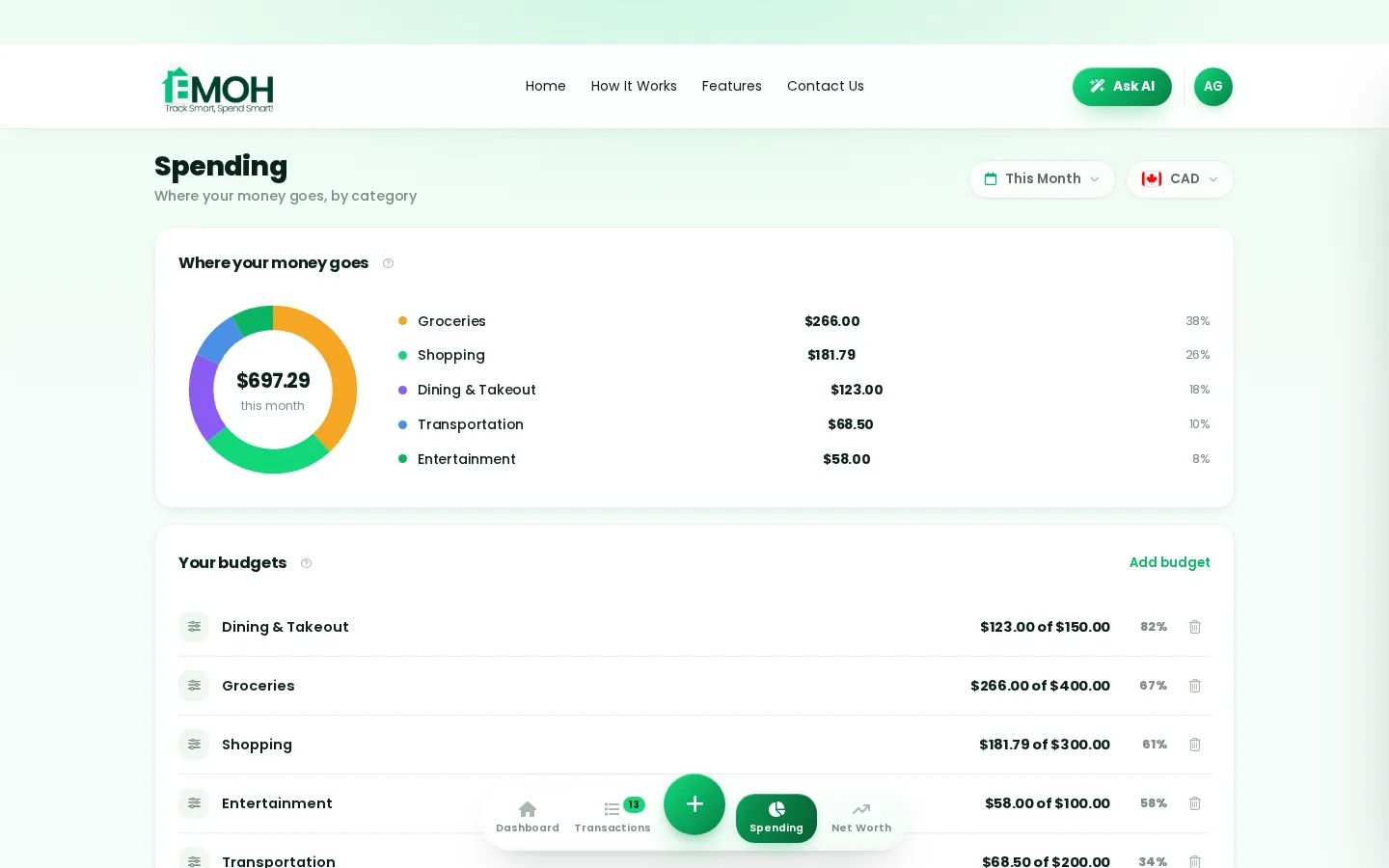
Budgets in EMOH Pay are digital envelopes: give every category a monthly limit and get a gentle nudge before you cross it — never judgment after.
- 1Open Budgets from the bottom bar (or sidebar on web)
- 2Tap Add budget, choose a category and a monthly amount
- 3Repeat for your top categories — most people start with 3-5
- 4Watch the progress bars; EMOH alerts you before you overspend
How to calculate your net worth
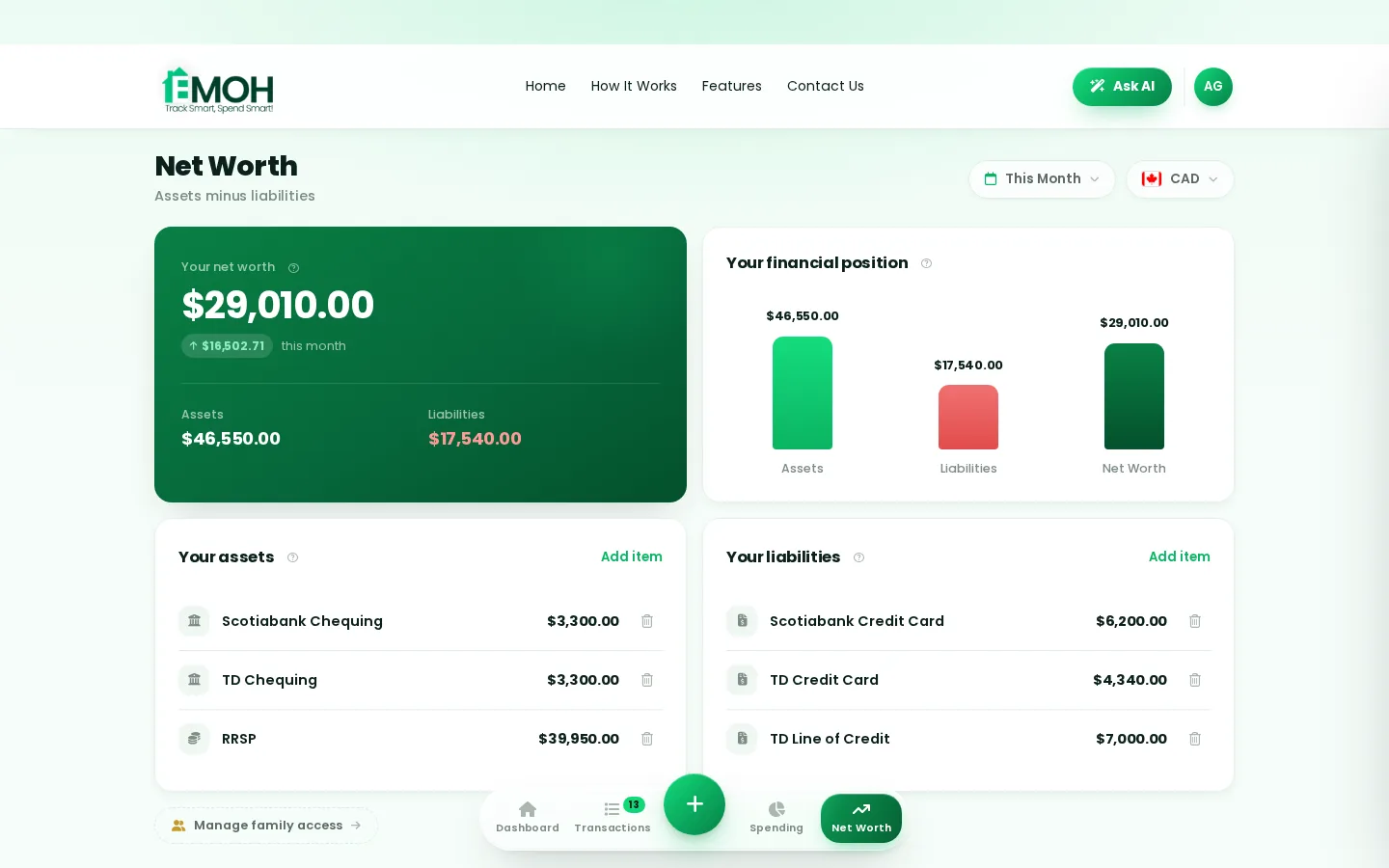
Assets minus debts — the one number that measures real progress. EMOH Pay keeps it live as your accounts change.
- 1Open Net Worth and tap Add item
- 2Add assets: chequing, savings, TFSA, RRSP, property, vehicles
- 3Add liabilities: credit cards, loans, mortgage
- 4Your net position updates automatically as you track
How to set up family sharing
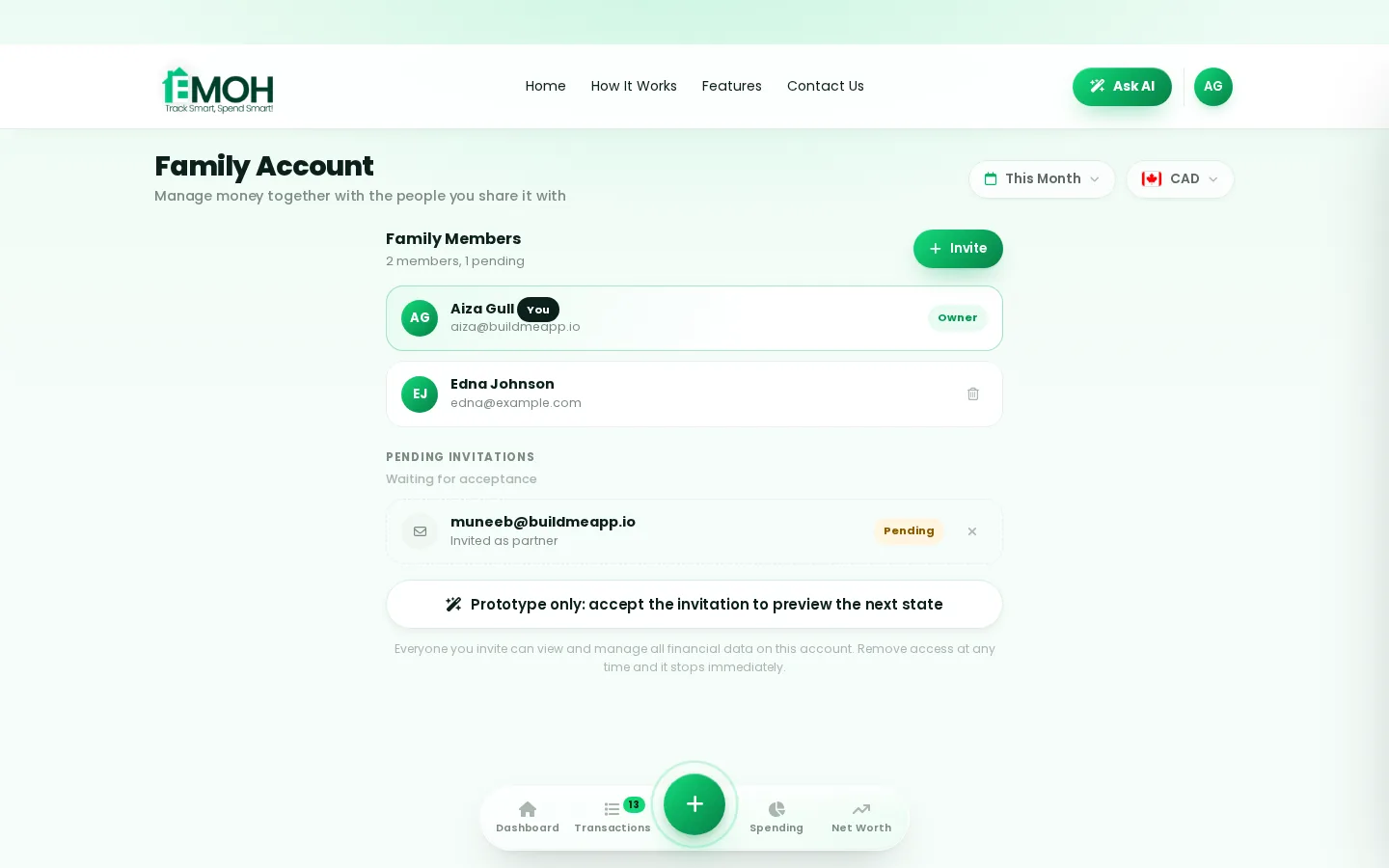
Everyone sees the same live numbers with their own login — included free. Money conversations get easier when the picture is shared.
- 1Go to Settings → Family and tap Invite member
- 2Enter their email — they get their own secure login
- 3Choose what is shared: budgets, expenses, or everything
- 4Tag expenses per person to see who spent what
How to make monthly reports
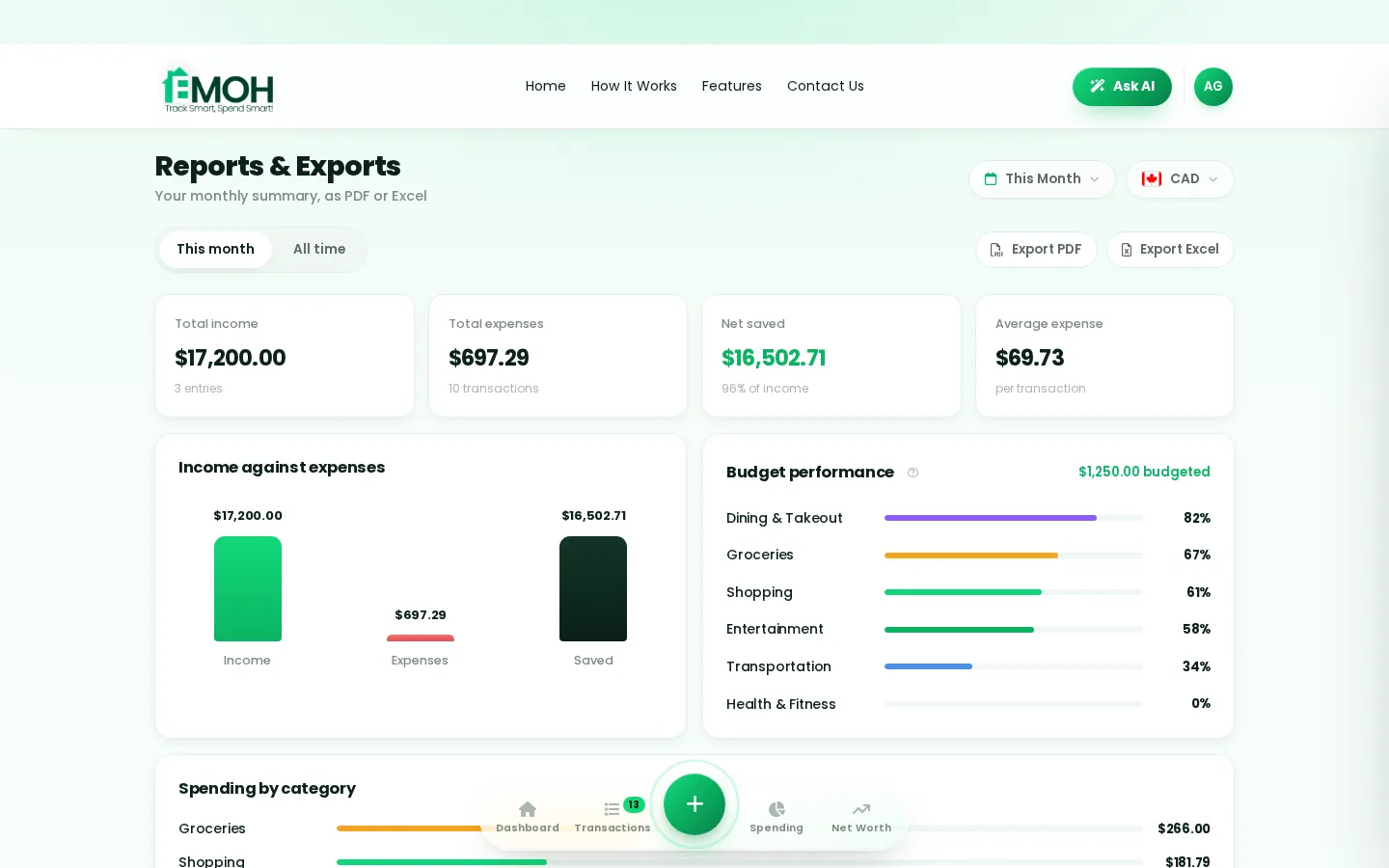
One tap turns your month into a clear picture: income against expenses, budget performance and top merchants — exportable whenever you need it.
- 1Open Reports and pick a month (or all time)
- 2Review income vs expenses, category performance, top merchants
- 3Tap Export PDF for sharing or Export Excel for deep dives
- 4Freelancers: pair with the GST/HST tracker at tax time
The rest of the toolkit, in 30 seconds each
1. Turn it on in Settings → Taxes. 2. Log expenses normally. 3. EMOH separates the tax portion automatically — export it at tax season.
1. Tap Ask AI in the header. 2. Ask in plain language — "how much did I spend on dining in March?" 3. Get an instant answer from your own data.
1. Allow notifications. 2. Every morning you get one calm summary: what you spent, what is left. 3. One minute, total clarity.
1. Open Plan → Goals. 2. Name it — vacation, emergency fund — and set a target. 3. Contribute any amount; watch the ring fill.
1. Add an account in any of 148 currencies. 2. EMOH converts automatically. 3. One honest net worth across countries.
1. Upgrade to EMOH Pro — just $4.99/month. 2. Connect your Canadian bank via Plaid (read-only). 3. Transactions import and categorize themselves.
How to use EMOH Pay properly — every question answered
How do I add my first expense?
Tap the green + button on any screen, enter the amount, pick a category and save. It takes two taps and works the same on iPhone, Android and the web app. Your budgets and reports update instantly.
How do I set up my first budget?
Open Budgets, tap Add budget, choose a category (groceries is a great first one) and set a monthly amount. Start with your top 3-5 spending categories — you can add more anytime, and EMOH alerts you gently before you overspend.
How do I add my income?
Open Income and tap Add income. Enter your pay amount and how often it arrives — EMOH uses it to show what is left to spend and whether you are spending less than you earn.
How do I track my net worth?
Open Net Worth and add your assets (bank accounts, TFSA, RRSP, property) and liabilities (cards, loans, mortgage). EMOH calculates assets minus debts and keeps the number current as you track.
How do I invite my partner or family?
Go to Settings → Family and tap Invite member. They get their own secure login, and you choose what is shared. Family sharing is included free — everyone sees the same live numbers.
How do I connect my bank account?
Bank sync is included on every plan — three connected banks on Free, unlimited on EMOH Pro ($4.99/month). Open Settings → Bank Accounts, then connect your Canadian bank through Plaid. The connection is read-only — EMOH can see transactions but can never move money.
How do I export a report for my accountant?
Open Reports, pick the month or period, and tap Export PDF or Export Excel. The GST/HST tracker keeps the tax portion of every expense separated so tax season is already organized.
How do I use Ask AI?
Tap Ask AI in the app header and ask a question in plain language — like "what was my biggest expense last month?" or "am I on track this week?". It answers from your own data instantly.
How do I set a savings goal?
Open Plan → Goals, name the goal (vacation, emergency fund, down payment), set a target amount, and contribute whenever you can. The progress ring shows exactly how close you are.
How do I track money in two currencies?
Add accounts in any of 148 currencies and EMOH converts them automatically, so your budgets and net worth stay accurate across countries — ideal for newcomers and families supporting relatives abroad.
How do I switch between phone and web?
Just log in with the same account at emohpay.com — everything syncs instantly in both directions. Track on your phone in the checkout line, review on the web at your desk.
What does EMOH Pro cost and include?
EMOH Pro is just $4.99/month and adds automatic bank sync via Plaid and advanced Ask AI analysis. Everything else — budgets, tracking, net worth, family sharing, GST/HST — is in the free tier, and you can cancel anytime.
Start free today
Free on iPhone, Android and the web. Upgrade to EMOH Pro anytime for bank sync and advanced AI.
Download for iOS➜ Get it on Android➜