Money stress is one of the most common — and most solvable — problems in modern life. Yet fewer than 30% of people follow a formal budget, even though study after study shows that people who budget save more, carry less debt, and feel significantly less financial anxiety.
This is your complete, no-fluff guide to budgeting in 2026. Whether you’ve never made a budget before, tried and failed with spreadsheets, or just want to modernize your approach with the best tools available today — you’re in the right place.
By the end of this guide, you’ll know exactly which budgeting method suits your life, how to set it up in under 20 minutes, and which app will do the heavy lifting for you.
| Quick Start
Want to skip straight to building your budget? Download EMOH Pay free and follow the in-app setup. Most users have their first budget running in under 20 minutes. |
What Is Budgeting — And Why Most People Get It Wrong
A budget is simply a plan for your money. It tells every pound, dollar, or euro you earn where to go — before you spend it. That’s it. No complicated spreadsheets required.
Most people who ‘fail’ at budgeting aren’t failing at the maths. They’re using the wrong method for their lifestyle, or they’re relying on willpower alone instead of a system.
The three biggest budgeting mistakes:
- Making the budget too rigid — life changes and your budget must be able to flex with it
- Tracking only some expenses — one missed subscription or cash purchase unravels the whole plan
- Reviewing too infrequently — a budget checked monthly is far less effective than one checked weekly
Related: → How to Track Expenses Automatically (No Spreadsheets)
Step 1: Know Your Numbers — Income & Fixed Expenses
Before you choose a method or open any app, you need two pieces of information: your total monthly take-home income, and your fixed monthly commitments.
Calculate Your Net Monthly Income
Net income is what lands in your account after tax and any automatic deductions. If you’re salaried, check your pay slip. If you’re self-employed or freelance, use a 3-month average as your baseline.
- Salary / wages (after tax)
- Freelance or side income (average last 3 months)
- Rental income, dividends, or other passive income
- Government benefits or child credits
List Your Fixed Expenses
Fixed expenses are bills that are the same (or nearly the same) every month:
- Rent or mortgage
- Loan repayments (car, student, personal)
- Insurance premiums
- Phone, internet, and streaming subscriptions
- Gym memberships
| Pro Tip — Bank Sync
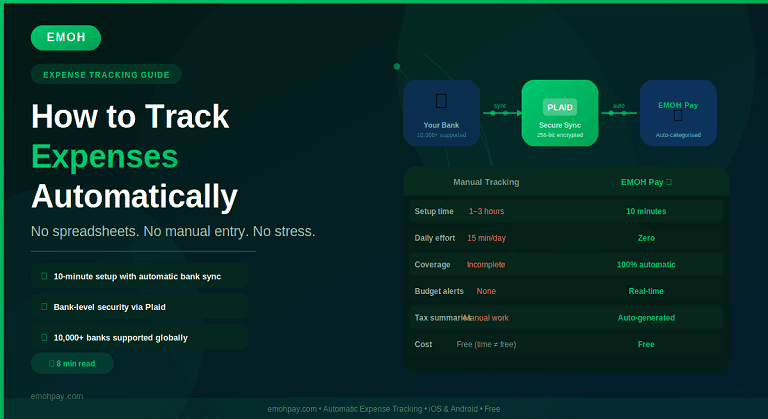
Instead of manually listing every expense, connect your bank account to EMOH Pay via Plaid. It automatically imports your last 90 days of transactions, categorizes them, and shows you exactly where your money has been going. Setup takes under 5 minutes. |
See how bank syncing works: → How EMOH Pay Works
Step 2: Choose a Budgeting Method
There is no single ‘best’ budgeting method. The right one is the one you’ll actually use. Here are the four most popular, with honest assessments of who each suits:
1. The 50/30/20 Rule (Best for Beginners)
Split your after-tax income into three buckets: 50% needs, 30% wants, 20% savings and debt repayment. Simple, flexible, and requires almost no maintenance.
- Best for: People new to budgeting, those with stable income
- Weakness: Too broad for people trying to eliminate debt quickly or save aggressively
Read our deep-dive: → The 50/30/20 Rule: Budget Your Salary Smarter
2. Zero-Based Budgeting (Best for Control)
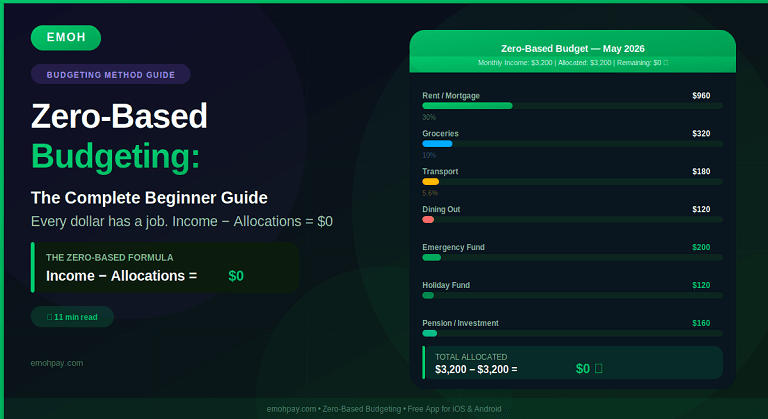
Every pound of income is assigned a job. Income minus all outgoings — including savings — equals zero. You’re not spending everything; you’re intentionally allocating every dollar.
- Best for: Debt payoff, aggressive savers, people living paycheck-to-paycheck
- Weakness: Time-intensive without the right app
Read our deep-dive: → Zero-Based Budgeting: The Complete Beginner Guide
3. The Envelope Method (Best for Over spenders)
Cash is divided into labelled envelopes by category. When an envelope is empty, spending in that category stops. In 2026, digital apps replicate this without actual cash.
- Best for: Curbing impulsive spending, grocery and dining budgets
- Weakness: Less practical in a cashless world without a digital app
4. The Pay-Yourself-First Method (Best for Savers)
The moment you’re paid, a set amount is automatically transferred to savings or investments. You budget only with what’s left. Savings become non-negotiable.
- Best for: Long-term wealth building, people who find budgeting tedious
- Weakness: Can mask overspending in day-to-day categories
Step 3: Set Up Your Budget in EMOH Pay (20-Minute Walkthrough)
EMOH Pay supports all four methods above. Here’s how to get your first real budget running in under 20 minutes:
- Download EMOH Pay from the App Store or Google Play
- Create your account — enter your name, email, and set a secure password
- Connect your bank account via Plaid (or enter balances manually if preferred)
- Enter your monthly income when prompted
- Review the auto-imported transactions — confirm or adjust categories
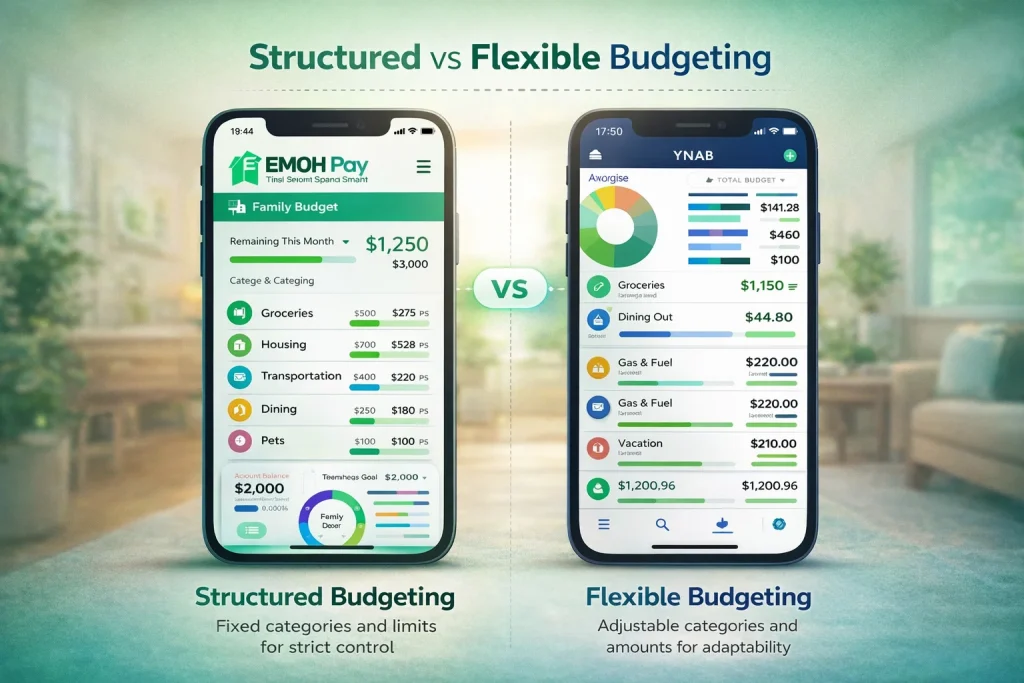
- Set budget limits for each spending category (groceries, utilities, dining, transport, etc.)
- Add your savings goals — emergency fund, holiday, home deposit
- Enable weekly summary notifications so you stay on track
| EMOH Pay’s Household Feature
Unlike most budgeting apps, EMOH Pay lets you tag expenses to specific household members — ‘Mum’s grocery run’, ‘Dad’s commute’, ‘Kids’ school supplies. This gives families granular visibility into spending patterns without needing separate accounts. |
Explore all features: → EMOH Pay Features
Step 4: Budget Categories You Shouldn’t Miss
Most people set up the obvious categories (rent, food, transport) but forget the ones that silently drain their budget:
| Category | Common Mistake | EMOH Pay Fix |
| Subscriptions | Forgetting half of them | Plaid sync surfaces every recurring charge |
| Annual expenses | Not saving monthly for them | Use savings goals for car tax, insurance renewals |
| Medical / dental | Treating it as unexpected | Set a monthly ‘health buffer’ category |
| Gifts & celebrations | Only budgeting at Christmas | Monthly sinking fund allocated year-round |
| Home maintenance | Ignoring until emergency | 1% of home value per year set aside monthly |
| Personal care | Lumped into ‘miscellaneous’ | Own category to reveal true spend pattern |
| Pet expenses | Treated as occasional | Monthly category including vet fund |
Step 5: Review, Adjust, and Stay Consistent
A budget is not a document you set once and forget. It’s a living plan that evolves with your life. Here’s a simple review rhythm:
Weekly Check-In (5 minutes)
- Open EMOH Pay and review spending since last check
- Ensure no unrecognized transactions
- Check remaining budget in any categories running low
Monthly Reset (30 minutes)
- Review last month’s totals vs budget in each category
- Identify any consistent overruns and adjust limits realistically
- Check savings goal progress and adjust contributions if needed
- Review net worth dashboard — are assets growing?
Annual Audit (1–2 hours)
- Export full year report from EMOH Pay (PDF or Excel)
- Review tax-relevant expenses using the Tax Summary feature
- Reassess financial goals for the coming year
- Adjust income figures if salary has changed
Generate your monthly report: → EMOH Pay Solutions
Common Budgeting Questions Answered
Q: How much should I save each month?
A commonly cited benchmark is 20% of your take-home income (the 50/30/20 rule). However, the ‘right’ amount depends on your goals and debts. If you have high-interest debt, prioritize paying that off first. If you’re building an emergency fund, aim for 3–6 months of expenses before investing.
Q: What if my income is irregular?
Use a baseline budget built on your lowest expected monthly income from the past 6 months. Anything earned above that baseline gets allocated to savings or debt when it arrives. EMOH Pay’s goal-setting feature is ideal for irregular earners who want to capture income spikes.
Q: Is it worth connecting my bank account to a budgeting app?
Yes — bank syncing removes the biggest barrier to consistent budgeting: manual data entry. EMOH Pay connects via Plaid, which uses bank-level 256-bit encryption. Your credentials are never stored in the app.
Q: How is EMOH Pay different from a spreadsheet?
A spreadsheet requires manual entry, is prone to formula errors, and gives you no alerts when you’re overspending. EMOH Pay imports transactions automatically, categorizes them, sends alerts, tracks net worth, supports multiple currencies, and generates tax summaries — all for free.
| Ready to Take Control of Your Finances?
Download EMOH Pay Free — Available on iOS & Android App Store: apps.apple.com/pk/app/emoh/id6743326641 Google Play: play.google.com/store/apps/details?id=com.buildmeapp.emoh |
Related Guides from EMOH Pay
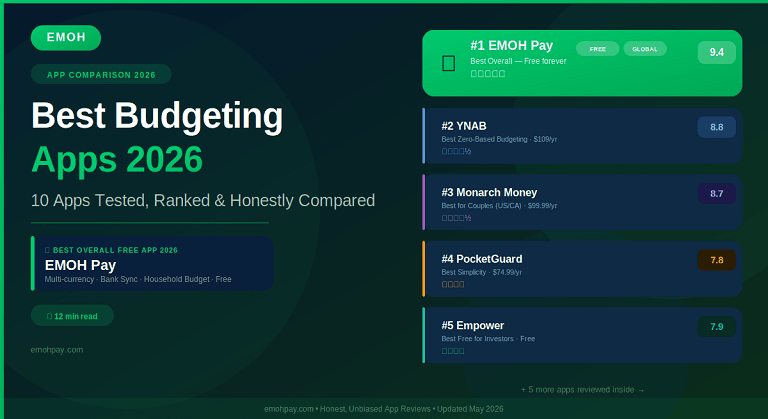
→ Best Budgeting Apps 2026: Tested & Ranked
→ How to Track Expenses Automatically
→ How Couples Can Manage Money Together