
A Beginner's Guide to Zero Based Budgeting Personal Finance

Taking control of your money can feel like a monumental task. You work hard for your income, but at the end of the month, do you ever wonder where it all went? If you’re looking for a proactive way to manage your finances and give every dollar a job, the answer might be found in a powerful method: zero-based budgeting. This approach helps you gain clarity and control over your spending, ensuring your money aligns with your goals.
This guide will walk you through the fundamentals of zero based budgeting personal finance. We will explore how it works, why it’s so effective for beginners, and how modern tools can simplify the entire process. By the end, you will have a clear roadmap to start your own journey toward financial wellness.
Understanding the Zero-Based Budgeting Method
At its core, zero-based budgeting is a simple concept. It’s a system where your income minus your expenses equals zero. This doesn’t mean you spend everything you earn until your bank account is empty. Instead, it means you purposefully budget every dollar allocate expense. Every single dollar that comes in is assigned a specific role, whether that’s for bills, groceries, savings, debt repayment, or investments.
Think of your monthly income as a team of employees. With a zero-based budget, you become the manager, giving each “employee” (each dollar) a specific task to complete. No dollar is left idle or unaccounted for. This method forces you to be intentional with your spending and saving habits. Unlike traditional budgeting where you might just track past spending, this system requires you to plan for the future, one month at a time.
How Does It Differ From Traditional Budgeting?
Traditional budgeting often involves looking at last month’s spending and adjusting it slightly for the current month. For example, if you spent $400 on groceries last month, you might budget the same amount for this month. The weakness here is that it can lead to mindless spending and perpetuate habits that don’t serve your financial goals.
Zero-based budgeting, on the other hand, starts from scratch each month. You justify every expense, forcing you to ask, “Is this purchase necessary? Does it align with my priorities?” This level of scrutiny helps you identify and eliminate wasteful spending, freeing up more money for things that truly matter, like building an emergency fund or saving for a down payment on a house.
Getting Started with Zero-Based Budgeting: A Step-by-Step Guide
Embarking on a zero based budgeting personal finance journey is easier than you might think. It requires some initial effort, but the long-term benefits of financial clarity and control are well worth it.
Step 1: Calculate Your Total Monthly Income
First, you need to know exactly how much money you have to work with. Add up all your sources of income for the month. This includes your regular paycheck after taxes, any side hustle income, and any other cash you expect to receive. If your income varies, it’s best to use a conservative estimate or the lowest amount you’ve earned in recent months. This ensures you don’t budget money you don’t have.
Step 2: List All Your Monthly Expenses
Next, create a comprehensive list of all your anticipated expenses for the month. It’s helpful to break these down into categories:
- Fixed Expenses: These are consistent costs that rarely change, like rent or mortgage payments, insurance premiums, and loan payments.
- Variable Expenses: These are costs that fluctuate, such as groceries, utilities, transportation, and entertainment. Review your bank and credit card statements from the past few months to get a realistic idea of what you typically spend in these areas.
- Irregular Expenses: Don’t forget about expenses that don’t occur every month, like car maintenance, annual subscriptions, or holiday gifts. It’s wise to set aside a small amount each month into a “sinking fund” for these.
- Savings and Investments: Treat your savings goals as non-negotiable expenses. This includes contributions to your emergency fund, retirement accounts, or other investment goals.
Step 3: Allocate Your Income Until It Reaches Zero
Now for the main event. Start assigning your income to the expense categories you listed. Begin with your essential needs—housing, food, utilities, and transportation. Then, allocate funds to your financial goals, like debt repayment and savings. Finally, distribute the remaining money to your wants, such as dining out, hobbies, and entertainment.
The goal is to make your income minus your allocated expenses equal zero. If you have money left over, don’t just leave it sitting there! Assign it a job. You could put extra toward a debt, boost your savings, or invest it. If you find your expenses exceed your income, you need to make adjustments. Look for areas in your variable spending where you can cut back.
Step 4: Track Your Spending and Adjust
A budget is not a “set it and forget it” document. Throughout the month, you must track your spending diligently to ensure you’re staying on course. This is where many people stumble, as manual tracking can be tedious. This is also where beginner budgeting app strategies become incredibly valuable.
Using an app simplifies tracking and gives you a real-time view of your financial situation. If you overspend in one category, you can see it immediately and adjust by moving funds from another non-essential category to cover the difference. At the end of the month, review what worked and what didn’t. Each month is a new opportunity to refine your budget and get better at managing your money.
Leveraging Technology for Success
Manually managing a zero-based budget with spreadsheets can be time-consuming. Fortunately, technology has made it much simpler. Budgeting apps automate much of the process, from tracking expenses to visualizing your progress.
An effective app can connect to your bank accounts, automatically categorize transactions, and show you how much you have left to spend in each category. This makes the entire process more engaging and less of a chore. For those new to this method, finding a tool with a dedicated EMOH Pay zero-based feature can be a game-changer. By using a platform designed for this specific strategy, you can streamline your workflow and focus on making smart financial decisions.
The EMOH Pay app , for example, is designed to help users implement budgeting strategies with ease. It provides the tools you need to create a plan, track your progress, and ultimately achieve your financial objectives. By connecting your accounts, you get a clear, up-to-date picture of your finances, allowing you to manage your zero-based budget effectively.
The Long-Term Benefits of a Zero-Based Budget
Adopting this detailed approach to zero based budgeting personal finance offers more than just a balanced checkbook. It transforms your relationship with money. You’ll develop a heightened awareness of your spending habits, enabling you to plug financial leaks you never knew you had. This method empowers you to be the boss of your money, directing it toward what you value most.
Over time, you will build strong financial discipline, reduce money-related stress, and make significant progress toward your most important life goals. Whether you want to become debt-free, buy a home, or retire early, a zero-based budget provides the framework to make it happen. It’s a proactive, forward-looking strategy that puts you firmly in the driver’s seat of your financial future.
Frequently Asked Questions
What is zero-based budgeting and how does it work? It’s a budgeting method where you plan for every dollar of your income, ensuring that your income minus all your expenses (including savings and debt payments) equals zero.
How can budgeting apps implement zero-based budgeting? Budgeting apps can link to your bank accounts to track income and expenses in real-time, allowing you to create categories and allocate every dollar to a specific purpose.
Try the free budget calculator
Reading is step one — EMOH Pay makes it automatic. Free to start on phone and web.
Open it➜What should you know about everyday budgeting?
Everyday budgeting comes down to three habits: know what comes in, decide where it goes, and check in daily. EMOH Pay makes all three effortless — free expense tracking and budgets on phone and web, a Daily Money Digest each morning, and bank-grade AES-256 security throughout.
Everyday budgeting: the essentials
Five minutes a week with a daily digest beats a perfect spreadsheet you abandon in February.
The first win in everyday budgeting is simply seeing where money goes. Tracking alone typically surfaces 10–15% of easy savings.
You can start everyday budgeting today at $0 — no card required, on iPhone, Android or the web.
Auto-categorization, recurring bills and bank sync take the admin out of the habit.
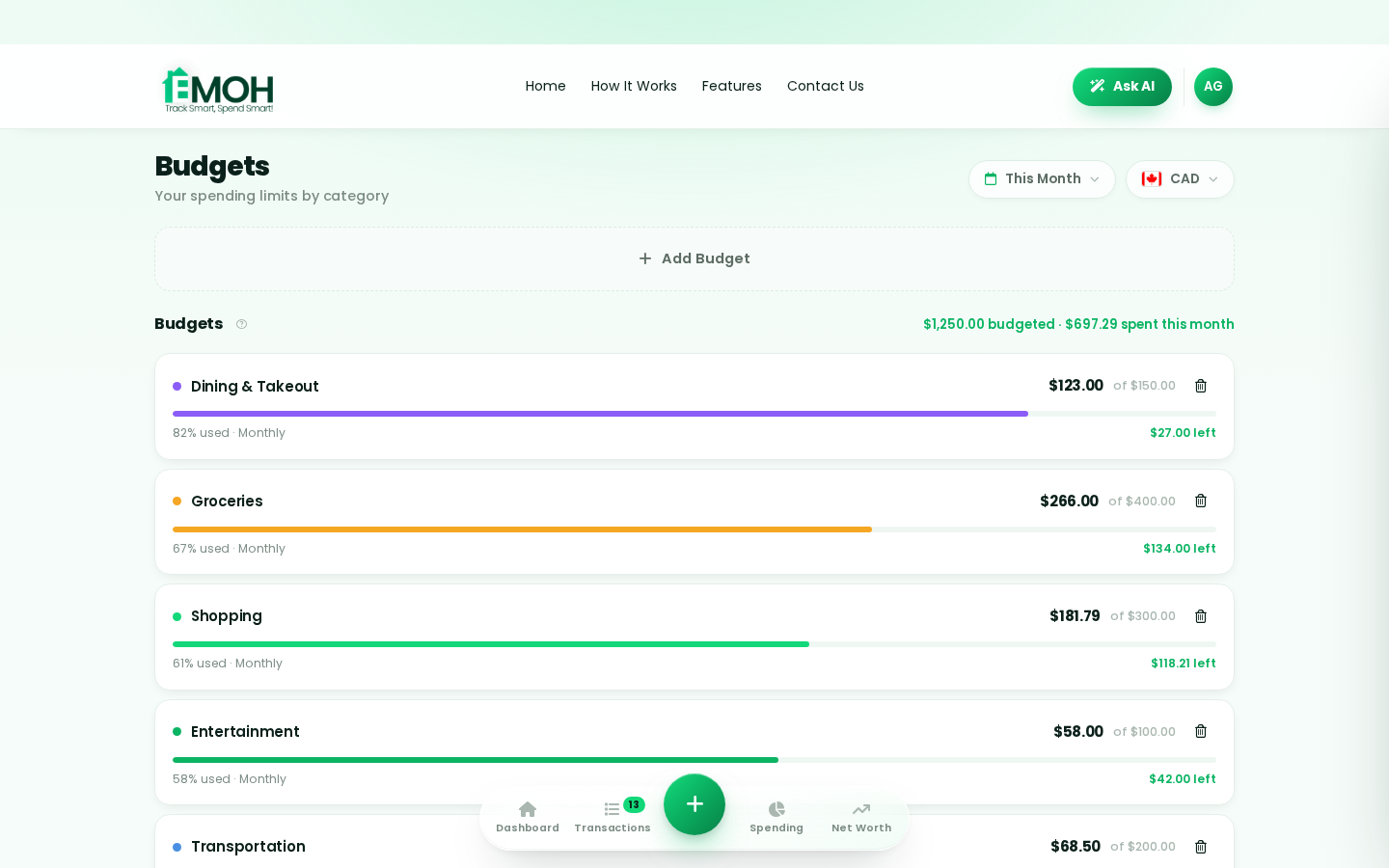
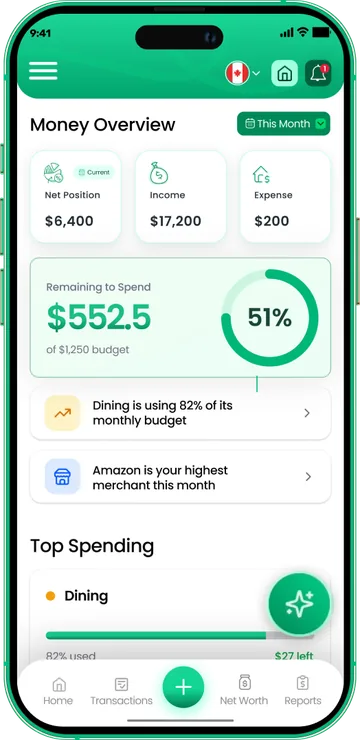
One app for everyday budgeting — on every screen.
Track on your phone in the checkout line, review on the web app at your desk. EMOH Pay keeps everyday budgeting in sync the second anything changes, so the numbers you act on are always current.
Start free on the web➜ Explore all features➜Real spending, really tracked
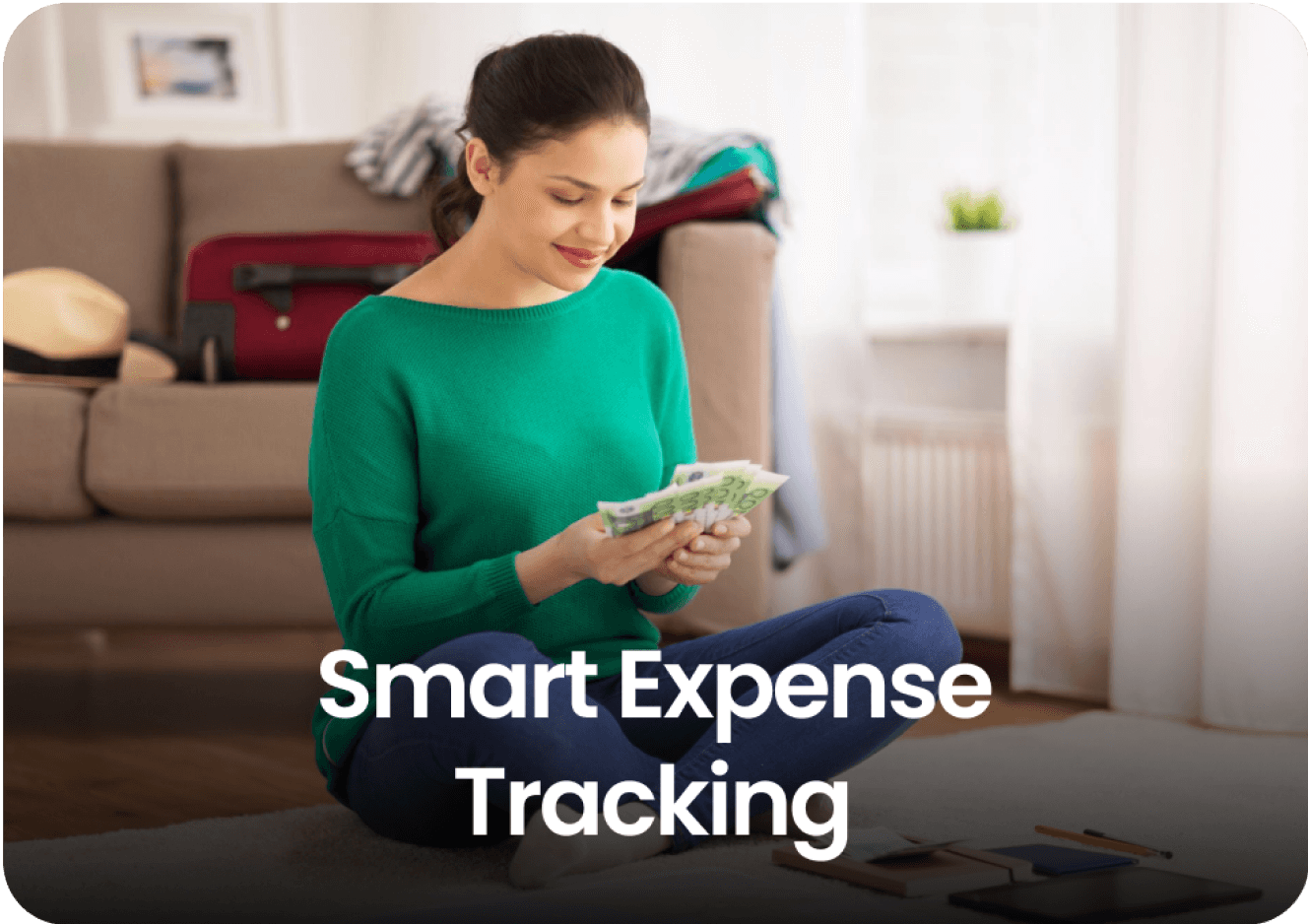
From the morning coffee to the monthly rent — Canadians log, tag and learn from every expense on EMOH Pay.

Everything you need for everyday budgeting
Track Smart, Spend Smart! The complete toolkit, free to start:
Assets minus debts, always current — watch the number that actually measures progress.
Digital envelopes for groceries, rent and fun, with gentle alerts before you overspend.
Log any expense in two taps — or let bank sync do it automatically. Every dollar gets a category.
Ask questions about your own spending in plain language and get instant answers.
Automatic conversion for money that lives in more than one country.
One calm summary every morning: what you spent, what's left, what needs attention.
How to start everyday budgeting with EMOH Pay
Four small steps, five minutes total:
EMOH Pay vs. the usual ways to handle everyday budgeting
| EMOH Pay | Spreadsheet | Typical budgeting app | |
|---|---|---|---|
| Free tier | Free forever | Free | Limited trial |
| Paid tier | EMOH Pro — $4.99/mo | — | $10–15/mo |
| Expense tracking | ✔ Two taps or automatic | Manual entry | ✔ |
| Budgets & overspend alerts | ✔ Built in | ✖ None | Varies |
| Net worth tracking | ✔ Live | Formula gymnastics | Often paid add-on |
| Phone + web sync | ✔ Instant | ✖ Manual | Varies |
| Family sharing | ✔ Free | ✖ Shared-file chaos | Often paid add-on |
| GST/HST tracking | ✔ Automatic | ✖ Formula gymnastics | ✖ Rare |
| 148 currencies | ✔ Automatic conversion | ✖ None | Limited |
| Ask AI | ✔ Included | ✖ None | ✖ Rare |
| Daily Money Digest | ✔ Built in | ✖ None | Push spam |
| PDF & Excel exports | ✔ One tap | ✔ Manual | Varies |
| Bank sync (Canada) | ✔ Plaid, read-only (Pro) | ✖ None | US-first, patchy |
Everything above is free to start — and the full EMOH Pro upgrade is just $4.99/month, a third of what typical budgeting apps charge.
Real everyday budgeting problems we actually solve

Everyday budgeting that fits real life
Money habits only stick when they fit the life you already live. EMOH Pay was built for the checkout line, the kitchen-table conversation and the Sunday five-minute review — not for accountants. Two taps to log an expense, one glance to know where you stand.
Get started free➜ See how it works➜Your money data, protected like a bank's
The same encryption standard banks use, protecting your data at rest and in transit.
Bank connections run through Plaid and can only read transactions — never move money.
Built in Canada to Canadian privacy law. Your data is yours — never sold, ever.
Everyday budgeting — frequently asked questions
How is EMOH Pay different from a spreadsheet?
Spreadsheets are flexible but manual: no reminders, no sync, no automatic categorization. EMOH Pay gives you the same control with live sync across devices, daily digests, gentle overspend alerts and one-tap reports.
Can I share my budget with my family?
Yes — Family Account Sharing is included free. Each member gets their own login while budgets and expenses stay shared in real time, which makes everyday budgeting a team effort instead of a solo chore.
Is my financial data safe with EMOH Pay?
Yes. EMOH Pay uses AES-256 encryption, bank connections are read-only through Plaid, and the app is built to Canadian PIPEDA privacy standards. Your data is never sold.
Is EMOH Pay free for everyday budgeting?
Yes — EMOH Pay is free to start on iPhone, Android and the web. Budgeting, expense tracking and net worth are all included, which covers everything you need for everyday budgeting. EMOH Pro adds bank sync via Plaid and advanced AI for just $4.99/month.
What is the best way to get started with everyday budgeting?
Start simple: create a free EMOH Pay account, enter your income and accounts, then set budgets for your top three spending categories. Most people are fully set up in about five minutes, and the Daily Money Digest keeps the habit going.
Does EMOH Pay work on both phone and computer?
Yes. EMOH Pay has full apps for iPhone and Android plus a complete web app, and everything syncs instantly. Phone in your pocket, web app at your desk — the same live numbers everywhere.
More from EMOH Pay
Read the guide…
Zero-Based Budgeting: The Complete Beginner Guide 2026Read the guide…
Top Ad-Free Budgeting App of 2025 | Try EMOH Pay FreeRead the guide…
Free Budget CalculatorRead the guide…
Best Budgeting Apps CanadaRead the guide…
Free Budgeting App CanadaRead the guide…
Start free today
Free on iPhone, Android and the web. Upgrade to EMOH Pro anytime for bank sync and advanced AI.
Download for iOS➜ Get it on Android➜