
New Year Money Reset: How to Review Last Year’s Spending and Start Fresh

A new year naturally brings a sense of motivation and clarity. It is the time when many Canadians want to feel more confident about their finances—but often do not know where to start. A New Year budget is not about restriction or guilt. It is about awareness, control, and creating a plan that actually works for real life.
If last year felt financially messy, stressful, or unpredictable, this guide will walk you through a New Year budget reset that helps you review what happened, understand your spending patterns, and start fresh with confidence.
Why a New Year Budget Reset Matters
The weeks after the holidays are one of the most important moments for money management. December spending often hides problems that only become visible in January.
A proper New Year financial reset allows you to:
- Understand where your money actually went
- Spot habits that quietly drain your budget
- Set realistic budgeting goals for the New Year
- Build a plan that supports your lifestyle—not fights it
This is not about perfection. It is about clarity.
Step 1: Do a Simple Year-End Financial Review
Before you plan ahead, you need to look back. A year-end financial review does not need to be complicated or overwhelming.
Start by gathering:
- Bank statements
- Credit card summaries
- Subscription lists
- Cash spending notes (if any)
What to review first
Focus on the big picture:
- Total income for the year
- Total spending
- Major expense changes (rent, groceries, transportation, utilities)
This step sets the foundation for reviewing last year’s spending honestly and without judgment.
Step 2: Review Last Year’s Spending by Category
Once you have the data, break your spending into expense categories. This makes patterns much easier to see.
Common categories include:
- Housing
- Groceries
- Transportation
- Subscriptions
- Dining and takeout
- Entertainment
- Personal spending
- Savings and debt payments
What to look for
- Categories that grew unexpectedly
- Areas where spending fluctuated month to month
- Expenses you forgot you were paying for
This step helps you clearly review last year’s spending instead of guessing.
Step 3: Identify Spending Patterns (Without Guilt)
Spending patterns reveal behaviour—not failure. The goal is understanding, not blame.
Ask yourself:
- Which categories caused the most stress?
- Where did small purchases add up?
- What spending felt worth it—and what did not?
Common patterns many Canadians notice:
- Frequent small food purchases
- Subscriptions rarely used
- Seasonal spending spikes
- Inconsistent saving habits
Recognizing these patterns makes it easier to make meaningful changes in your New Year budget.
Step 4: Cancel Subscriptions You No Longer Need
Subscriptions are one of the easiest ways to cut unnecessary expenses quickly.
Take time to:
- Review all active subscriptions
- Cancel anything unused or forgotten
- Downgrade plans where possible
Even cancelling two or three services can free up monthly cash that supports your budgeting goals for the New Year.
Step 5: Use Post-Holiday Budget Tips to Reset Your Spending
January is the perfect time to simplify. Use these post-holiday budget tips to reset without pressure:
- Pause non-essential spending for two weeks
- Delay major purchases until February
- Focus on essentials and fixed bills
- Avoid emotional spending after holiday stress
This short reset period helps you regain control before setting long-term goals.
Step 6: Create a Realistic New Year Budget (That You Can Stick To)
A New Year budget should reflect your real life—not an ideal version of it.
Key principles to follow
- Base your budget on average monthly spending, not best-case scenarios
- Allow flexibility for social and personal expenses
- Include savings as a non-negotiable category
- Adjust categories instead of quitting when things change
This is where many people struggle. A create a realistic budget mindset keeps you consistent beyond January.
Using a budgeting app like EMOH Pay can help by automatically organizing expense categories, tracking spending trends, and showing progress without manual effort.
Step 7: Set Clear Budgeting Goals for the New Year
Goals give your budget purpose. Without them, tracking feels pointless.
Strong financial goals are:
- Specific
- Measurable
- Time-based
- Connected to your values
Examples:
- Save three months of emergency expenses
- Reduce dining spending by 15%
- Pay off a specific credit card
- Build a consistent savings habit
Break large goals into monthly targets to avoid burnout.
Step 8: Track Expenses Consistently (Without Overthinking)
Tracking does not mean obsessing. It means staying aware.
Ways to track expenses effectively:
- Review spending weekly instead of daily
- Focus on trends, not individual purchases
- Adjust categories when life changes
Modern expense tracking tools simplify this process. With EMOH Pay, you can see spending patterns clearly and make informed decisions without spreadsheets or guesswork.
Step 9: Use a New Year Financial Checklist
Before the month ends, complete this New Year financial checklist:
- Review last year’s spending
- Cancel unused subscriptions
- Set 3–5 financial goals
- Build or update your New Year budget
- Choose a system for money management
- Schedule weekly check-ins
Small actions completed early create momentum that lasts all year.
How EMOH Pay Supports Your New Year Budget Reset
A successful reset depends on clarity and consistency. EMOH Pay is designed to support both.
With EMOH Pay, you can:
- Automatically track expenses
- See spending patterns clearly
- Organize expense categories
- Monitor progress toward financial goals
- Simplify everyday money management
Instead of starting strong and fading by February, you build habits that last.
What is a New Year budget? A New Year budget is a financial plan created at the start of the year that reflects your real income, expenses, and goals.
How do I review last year’s spending easily? Group your expenses into categories and review totals instead of individual transactions.
When should I start a New Year budget reset? The best time is early January, but starting at any point in the year is still beneficial.
Do I need a budgeting app to manage my money? A budgeting app simplifies expense tracking, shows spending patterns, and reduces manual work.
Is EMOH Pay good for New Year budgeting? Yes. EMOH Pay helps Canadians track expenses, organize categories, and stay consistent with budgeting goals.
Try the free budget calculator
Reading is step one — EMOH Pay makes it automatic. Free to start on phone and web.
Open it➜What should you know about new year money reset?
New year money reset comes down to three habits: know what comes in, decide where it goes, and check in daily. EMOH Pay makes all three effortless — free expense tracking and budgets on phone and web, a Daily Money Digest each morning, and bank-grade AES-256 security throughout.
New year money reset: the essentials
Money works better as a team sport — shared live numbers end the guesswork and the arguments.
Auto-categorization, recurring bills and bank sync take the admin out of the habit.
You can start new year money reset today at $0 — no card required, on iPhone, Android or the web.
The first win in new year money reset is simply seeing where money goes. Tracking alone typically surfaces 10–15% of easy savings.
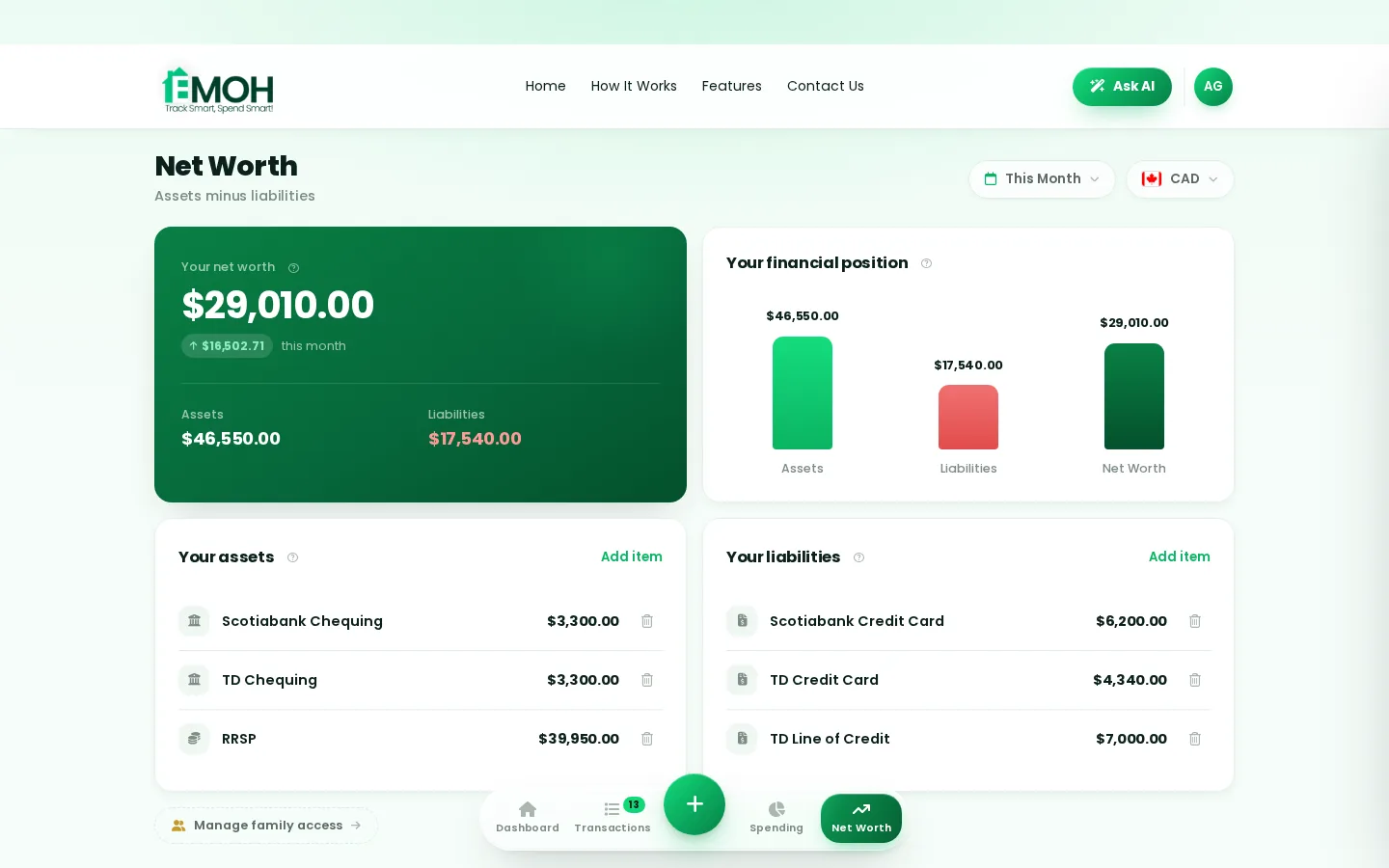
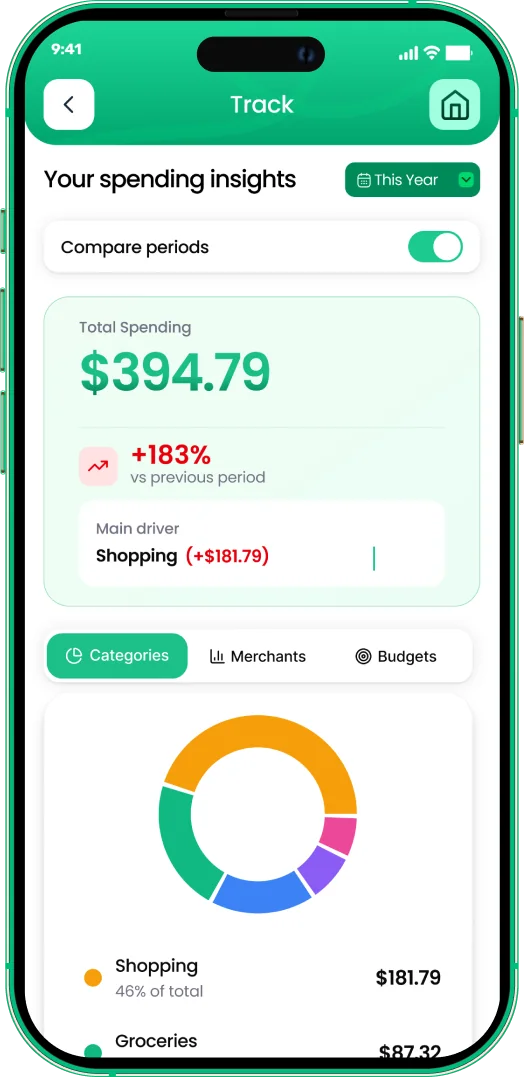
One app for new year money reset — on every screen.
Track on your phone in the checkout line, review on the web app at your desk. EMOH Pay keeps new year money reset in sync the second anything changes, so the numbers you act on are always current.
Start free on the web➜ Explore all features➜Real spending, really tracked
From the morning coffee to the monthly rent — Canadians log, tag and learn from every expense on EMOH Pay.


Everything you need for new year money reset
Track Smart, Spend Smart! The complete toolkit, free to start:
Log any expense in two taps — or let bank sync do it automatically. Every dollar gets a category.
Turn any month into a clean report you can share with a partner or accountant.
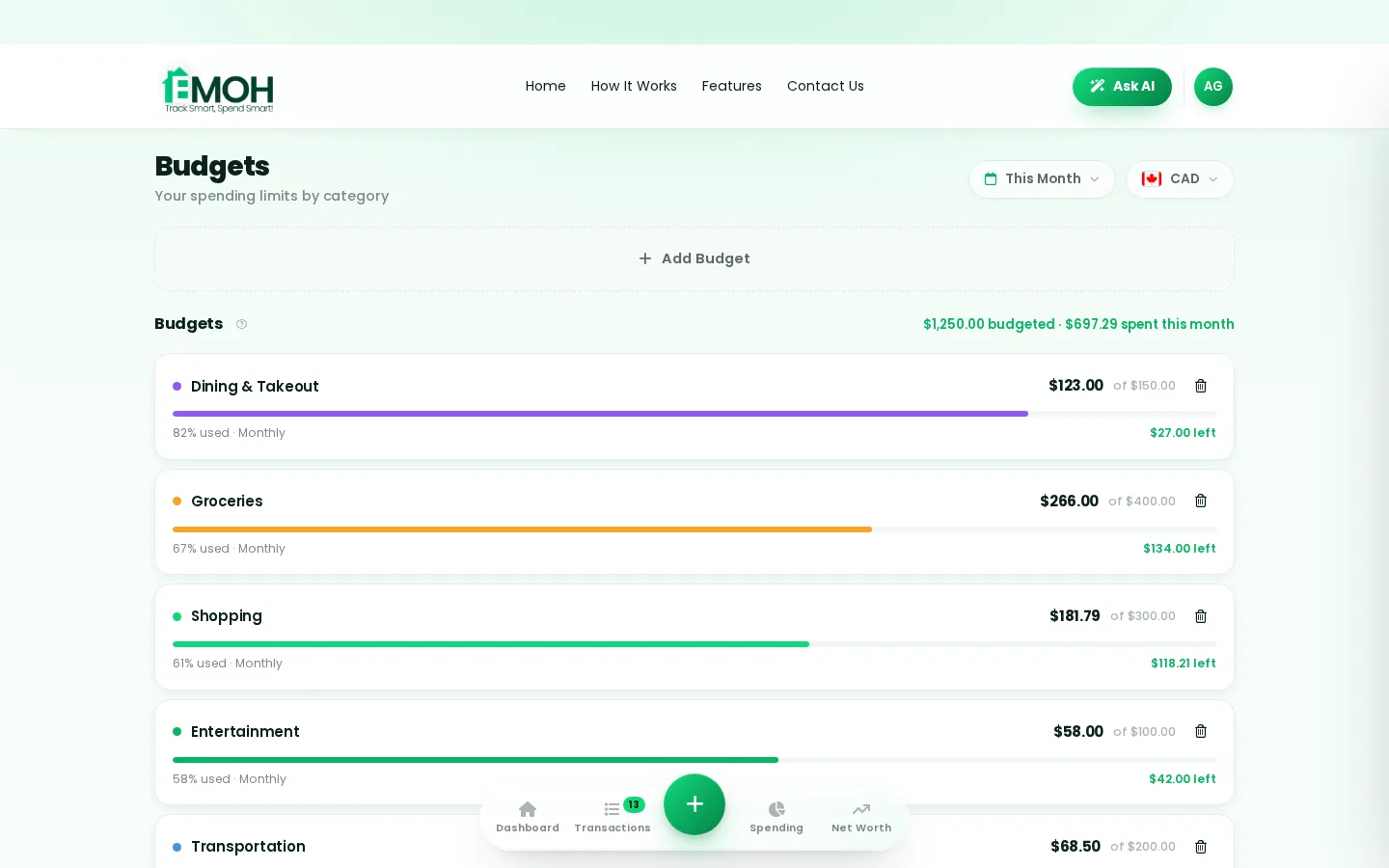
Digital envelopes for groceries, rent and fun, with gentle alerts before you overspend.
Ask questions about your own spending in plain language and get instant answers.
Everyone sees the same live numbers, each with their own login. Free forever.
Automatic conversion for money that lives in more than one country.
How to start new year money reset with EMOH Pay
Four small steps, five minutes total:
- 1Make your account — free, on phone or web
- 2Enter your income & accounts
- 3Set budgets — your digital envelopes
- 4Track smart, spend smart — EMOH digests daily
EMOH Pay vs. the usual ways to handle new year money reset
| EMOH Pay | Spreadsheet | Typical budgeting app | |
|---|---|---|---|
| Free tier | Free forever | Free | Limited trial |
| Paid tier | EMOH Pro — $4.99/mo | — | $10–15/mo |
| Expense tracking | ✔ Two taps or automatic | Manual entry | ✔ |
| Budgets & overspend alerts | ✔ Built in | ✖ None | Varies |
| Net worth tracking | ✔ Live | Formula gymnastics | Often paid add-on |
| Phone + web sync | ✔ Instant | ✖ Manual | Varies |
| Family sharing | ✔ Free | ✖ Shared-file chaos | Often paid add-on |
| GST/HST tracking | ✔ Automatic | ✖ Formula gymnastics | ✖ Rare |
| 148 currencies | ✔ Automatic conversion | ✖ None | Limited |
| Ask AI | ✔ Included | ✖ None | ✖ Rare |
| Daily Money Digest | ✔ Built in | ✖ None | Push spam |
| PDF & Excel exports | ✔ One tap | ✔ Manual | Varies |
| Bank sync (Canada) | ✔ Plaid, read-only — free up to 3 banks | ✖ None | US-first, patchy |
Everything above is free to start — and the full EMOH Pro upgrade is just $4.99/month, a third of what typical budgeting apps charge.
Real new year money reset problems we actually solve

New year money reset that fits real life
Money habits only stick when they fit the life you already live. EMOH Pay was built for the checkout line, the kitchen-table conversation and the Sunday five-minute review — not for accountants. Two taps to log an expense, one glance to know where you stand.
Get started free➜ See how it works➜Your money data, protected like a bank's
The same encryption standard banks use, protecting your data at rest and in transit.
Bank connections run through Plaid and can only read transactions — never move money.
Built in Canada to Canadian privacy law. Your data is yours — never sold, ever.
New year money reset — frequently asked questions
Can I share my budget with my family?
Yes — Family Account Sharing is included free. Each member gets their own login while budgets and expenses stay shared in real time, which makes new year money reset a team effort instead of a solo chore.
Do I need to connect my bank account?
No. Manual tracking is free forever and takes two taps per expense. If you want automatic imports, connect a Canadian bank securely through Plaid with read-only access — three banks on Free, unlimited on Pro.
Is my financial data safe with EMOH Pay?
Yes. EMOH Pay uses AES-256 encryption, bank connections are read-only through Plaid, and the app is built to Canadian PIPEDA privacy standards. Your data is never sold.
Is EMOH Pay free for new year money reset?
Yes — EMOH Pay is free to start on iPhone, Android and the web. Budgeting, expense tracking and net worth are all included, which covers everything you need for new year money reset. EMOH Pro lifts the limits for just $4.99/month — unlimited bank connections, family members and EMOH Smart, plus full report history and exports.
How is EMOH Pay different from a spreadsheet?
Spreadsheets are flexible but manual: no reminders, no sync, no automatic categorization. EMOH Pay gives you the same control with live sync across devices, daily digests, gentle overspend alerts and one-tap reports.
What is the best way to get started with new year money reset?
Start simple: create a free EMOH Pay account, enter your income and accounts, then set budgets for your top three spending categories. Most people are fully set up in about five minutes, and the Daily Money Digest keeps the habit going.
More from EMOH Pay
As a teenager, one of the most thrilling accomplishments is learning to make money and become financially independent.…
Best Money-Saving Apps in CanadaManaging your personal finances doesn’t have to be overwhelming, especially with the right tools at your fingertips. Canada…
16 Best Tips For Saving Money On GroceriesGrocery shopping is a part of daily life, but it can turn into a budget problem if one is not careful. When you shop for…
Free Budget CalculatorThe 50/30/20 rule splits after-tax income: 50% to needs, 30% to wants, 20% to savings. Enter your monthly take-home pay to…
Ask AI About Your MoneyAsk AI is EMOH Pay's conversational money assistant: ask anything about your spending, budgets and goals in plain language…
Net Worth TrackerEMOH Pay's net worth tracker adds up everything you own, subtracts everything you owe, and shows the trend over time — free…
Start free today
Free on iPhone, Android and the web. Upgrade to EMOH Pro anytime for bank sync and advanced AI.
Download for iOS➜ Get it on Android➜
