
16 Best Tips For Saving Money On Groceries
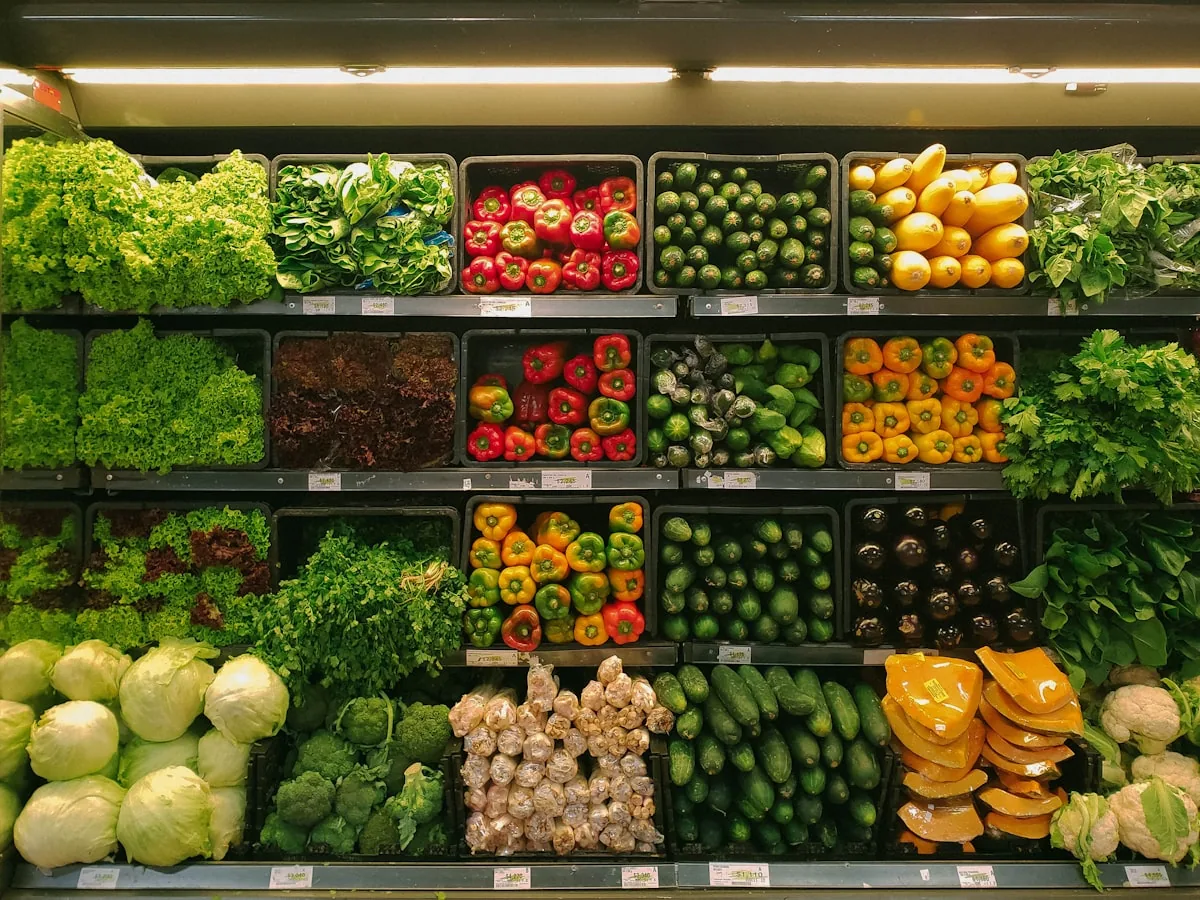
Grocery shopping is a part of daily life, but it can turn into a budget problem if one is not careful. When you shop for groceries, you can easily save money, which can significantly impact your household budget and help you achieve your financial goals. By adopting these grocery shopping tricks to save money , you can become a smart grocery shopper and establish a smooth financial run. In this blog, there are 16 tested pieces of financial advice on how you can do your grocery shopping on a budget without leaving your kitchen empty of food.
1. Create a Grocery List and Stick to It
One of the most effective ways to save money on groceries is by planning. Please consider preparing a shopping list aligned with your weekly meals and endeavor to adhere to it. Impulse purchases often add up quickly, so having a list reduces the temptation to buy unnecessary items. If you’re working toward specific financial goals , this step is crucial in aligning your shopping habits with your budgeting priorities.
2. Plan Your Meals Around Sales
Take advantage of store promotions and sales when planning your meals. Check flyers or grocery store apps for weekly discounts, then plan your meals around what’s on sale. It’s an easy way to reduce your grocery costs while still eating nutritious food. If you’re trying to maintain a routine for budget grocery shopping , this is one of the simplest ways to maximize savings.
3. Purchase in Bulk
Investing in bulk shopping can yield significant savings, provided you have the necessary shelf space. Bulk items like rice, pasta, and canned vegetables typically cost much less per unit when purchased in their bulk form versus their pre-packed versions. Bulk purchases save money on groceries, keep you stocked, and help you stick to your budget.
4. Proven Financial Tips
It’s easy to lose sight of spending as you stock your cart, particularly if you’re shopping at a big store or for several items. Employing your phone’s calculator function or even using a pen and paper to calculate your total when you shop will prevent you from overspending your grocery budget. Consistently monitoring your expenditures will help you avoid overspending and impulsive purchases.
5. Purchase Store Brands
One simple approach to decrease shopping expenses is to substitute store brands for name-brand goods. Many times, store-brand products are made in the same factories as name-brand products but are less expensive since the shop doesn’t have to pay as much on marketing. One can still enjoy excellent cuisine without paying a premium price tag. Among the simplest ways to cut costs while grocery shopping is this one.
6. Shop Seasonally
Seasonally occurring fruits and vegetables often taste better and are less expensive. Buying seasonal vegetables saves money, helps local farmers, and lessens your carbon footprint. If you wish to save even more, think about canning or freezing plentiful, reasonably priced seasonal vegetables. Using it in your meals during the off-season will help reduce the demand for expensive out-of-season vegetables.
7. Smart Grocery Shopping
Although pre-packaged and pre-cut meats, veggies, and fruits can be handy, their price premium is usually somewhat high. Consider purchasing the entire product and preparing it yourself. Purchasing a whole chicken and cutting it into portions yourself, for instance, is typically far less expensive than purchasing pre-cut pieces. Particularly if you’re trying to stay on track with your household budget , these little changes in your buying behavior could lead to notable savings over time.
8. Make Use of Leftovers
Avoid wasting your leftovers. Get creative and repurpose leftovers into fresh cuisine. You may use tossed roasted chicken from the leftovers of soup or chicken salad. Frozen leftovers for your next meal will also help you stretch your buying budget and reduce food waste. Along with saving grocery costs, this promotes a more environmentally friendly way of life.
9. Shop online in search of reduced prices
On the same products sold in-store, online grocery stores or delivery services occasionally have cheaper rates. To get the greatest offers, you can quickly evaluate costs on other sites. Start saving, as many internet stores also provide discounts for first-time buyers or subscription-based services that let you save far more. To save money, be careful about minimum purchase criteria and delivery expenses.
10. Participate in loyalty campaigns
Many grocery stores provide loyalty programs whereby you may get points redeemable for future purchases, discounts, or special offers. Participating in these programs will provide you access to unique offers and early notice of sales events. It’s a great approach to maximize your savings without wasting more time looking for bargains or coupons.
11. Purchase Frozen Vegetables and Fruits
Though fresh produce is fantastic, it doesn’t always last long; hence, you can find yourself wasting money and meals thrown away. Try instead purchasing frozen fruits and veggies. These have a significantly longer shelf life, which reduces food waste, and they are often just as nutritious as their fresh counterparts. If you want to save fruits or vegetables you find on sale for later use, another choice is freezing them yourself.
12. Easy Budgeting Tips
When making a purchase, please consider checking unit prices—such as the price per ounce, pound, or piece—in addition to the total cost. Although a bigger box could look like a better bargain, when you divide it by unit, you could discover that a smaller package provides more value. Budget grocery shopping will benefit much from this strategy, which lets you choose the most reasonably priced products.
13. Stay clear of shopping right before meals
It’s well known that shopping empty-handed might cause impulse buys. When you’re hungry, everything seems good, and you’re more prone to loading your basket with things not part of your budget. Shopping after a meal or snack will help you resist this temptation, and sticking to your shopping list will enable you to make more logical judgments.
14. Purchase generic household goods
Many household goods, such as cleaning supplies, paper products, and toiletries, can also build up alongside food. Like food, generic or store-brand versions of these goods can be just as effective as name-brand products but at a far lower cost. Turning to generics will enable you to cut grocery costs in every category on your shopping list.
15. Buy Meatless Meals
Meat can be one of the most expensive items in your grocery cart. By incorporating more plant-based meals into your weekly routine, you can significantly reduce your grocery bill. Beans, lentils, tofu, and other plant-based proteins are often cheaper alternatives to meat. Not only will you be saving money on groceries , but you’ll also enjoy the added health benefits of a plant-forward diet.
16. Use promo codes and coupons
Using promo codes and discounts is one of the simplest strategies to save on grocery expenses. Many establishments have digital or physical coupons, and plenty of websites and applications compile these offers. Instead of only grabbing something because it’s reduced, be strategic and use coupons for things you truly need. Especially if you stock basics that won’t expire quickly, combining sales, discounts, and coupons can sum up to significant savings over time.
Final Thoughts
Saving money on groceries doesn’t have to be tough. Every little adjustment you make, from smart shopping and meal planning to using coupons and leveraging sales, can have a big effect on your total food costs. These cost-cutting grocery shopping tips will enable you to maximize your household budget and establish a strong financial foundation . Start implementing these techniques right now, and see how your plan for budget grocery shopping saves you costs!
Try the savings goal calculator
Reading is step one — EMOH Pay makes it automatic. Free to start on phone and web.
Open it➜What should you know about saving money on groceries?
Saving money on groceries comes down to three habits: know what comes in, decide where it goes, and check in daily. EMOH Pay makes all three effortless — free expense tracking and budgets on phone and web, a Daily Money Digest each morning, and bank-grade AES-256 security throughout.
Saving money on groceries: the essentials
Money works better as a team sport — shared live numbers end the guesswork and the arguments.
Five minutes a week with a daily digest beats a perfect spreadsheet you abandon in February.
You can start saving money on groceries today at $0 — no card required, on iPhone, Android or the web.
Auto-categorization, recurring bills and bank sync take the admin out of the habit.
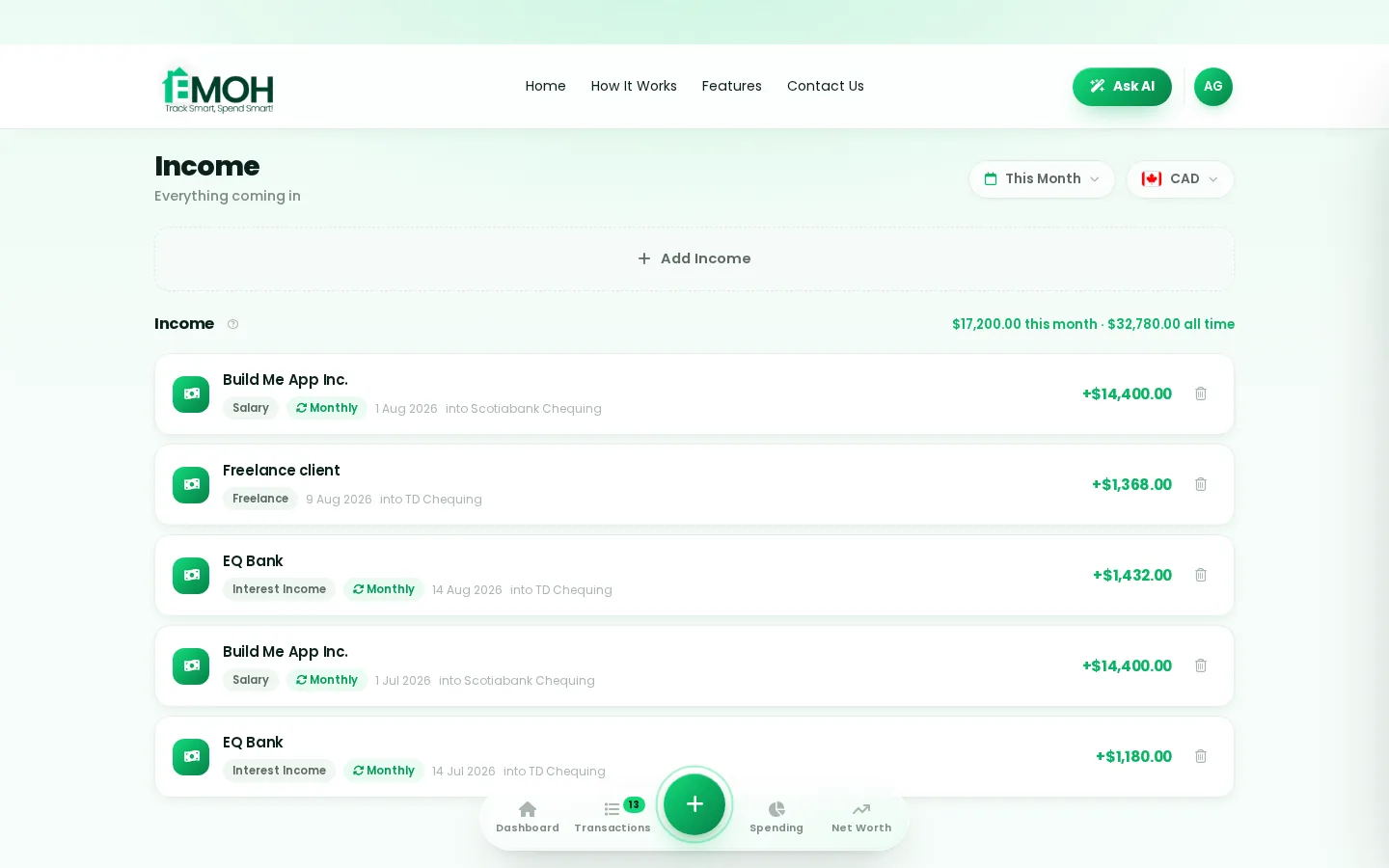
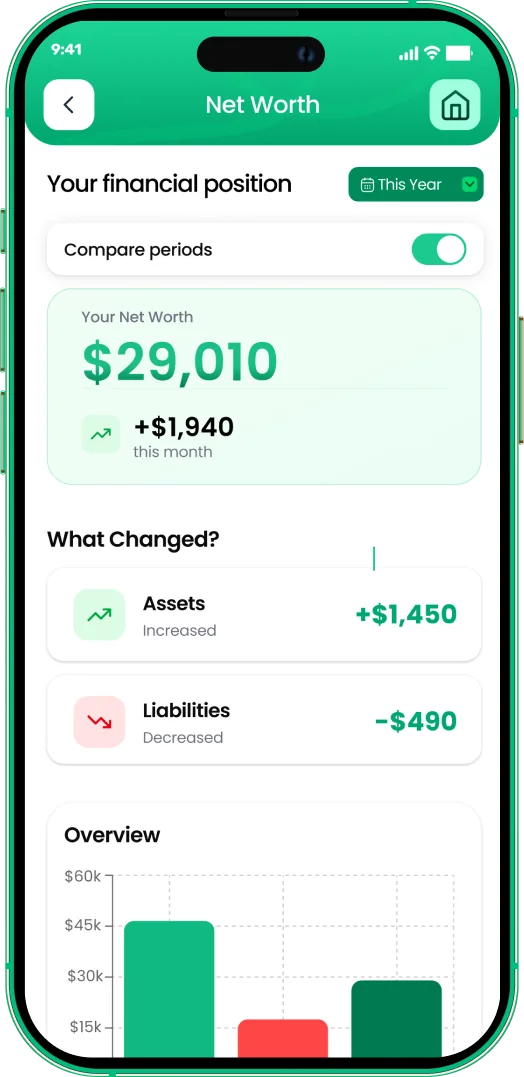
One app for saving money on groceries — on every screen.
Track on your phone in the checkout line, review on the web app at your desk. EMOH Pay keeps saving money on groceries in sync the second anything changes, so the numbers you act on are always current.
Start free on the web➜ Explore all features➜Real spending, really tracked
From the morning coffee to the monthly rent — Canadians log, tag and learn from every expense on EMOH Pay.



Everything you need for saving money on groceries
Track Smart, Spend Smart! The complete toolkit, free to start:
Log any expense in two taps — or let bank sync do it automatically. Every dollar gets a category.
Everyone sees the same live numbers, each with their own login. Free forever.
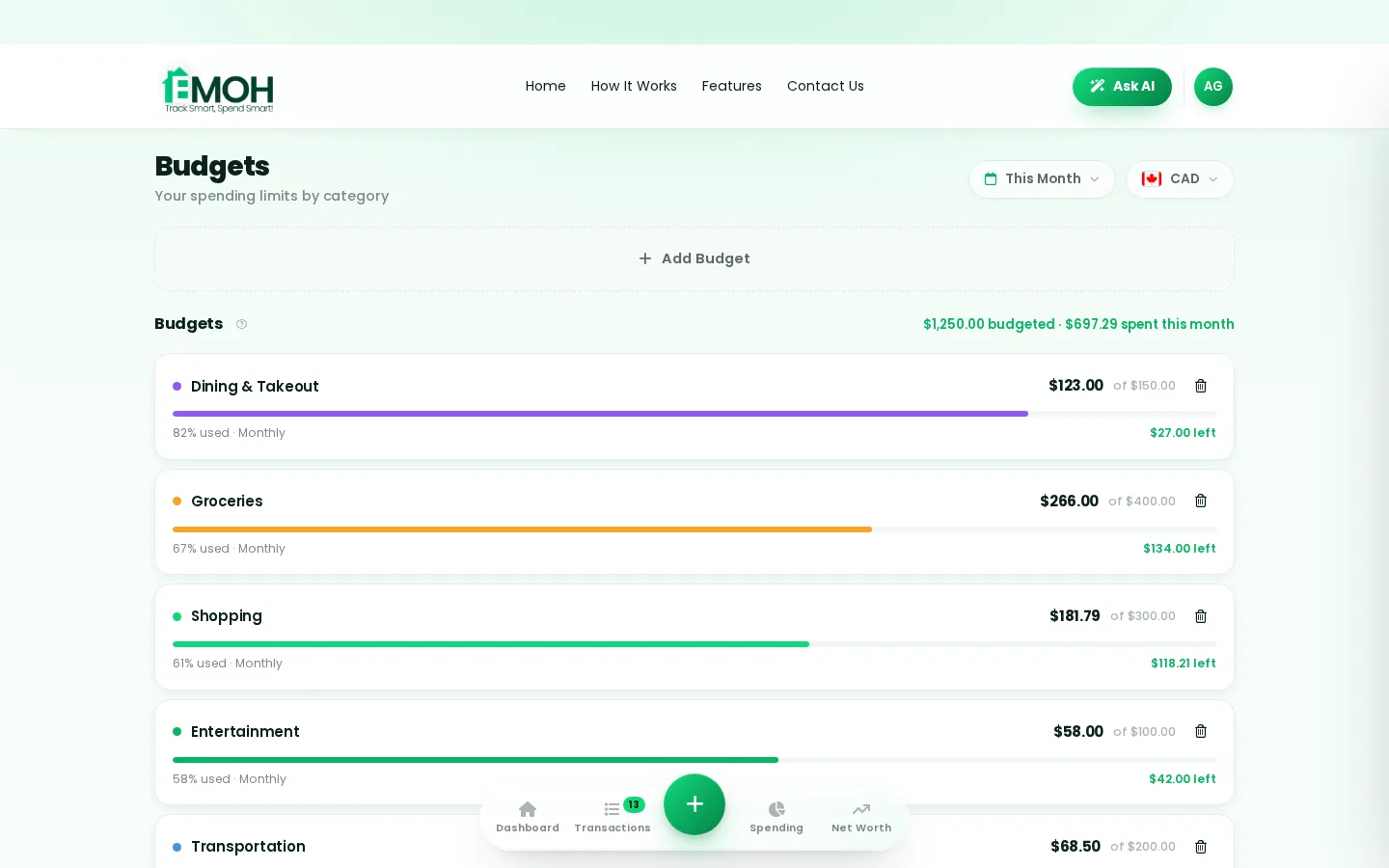
Digital envelopes for groceries, rent and fun, with gentle alerts before you overspend.
One calm summary every morning: what you spent, what's left, what needs attention.
The tax portion of every expense, separated automatically for a calmer tax season.
Assets minus debts, always current — watch the number that actually measures progress.
How to start saving money on groceries with EMOH Pay
Four small steps, five minutes total:
- 1Make your account — free, on phone or web
- 2Enter your income & accounts
- 3Set budgets — your digital envelopes
- 4Track smart, spend smart — EMOH digests daily
EMOH Pay vs. the usual ways to handle saving money on groceries
| EMOH Pay | Spreadsheet | Typical budgeting app | |
|---|---|---|---|
| Free tier | Free forever | Free | Limited trial |
| Paid tier | EMOH Pro — $4.99/mo | — | $10–15/mo |
| Expense tracking | ✔ Two taps or automatic | Manual entry | ✔ |
| Budgets & overspend alerts | ✔ Built in | ✖ None | Varies |
| Net worth tracking | ✔ Live | Formula gymnastics | Often paid add-on |
| Phone + web sync | ✔ Instant | ✖ Manual | Varies |
| Family sharing | ✔ Free | ✖ Shared-file chaos | Often paid add-on |
| GST/HST tracking | ✔ Automatic | ✖ Formula gymnastics | ✖ Rare |
| 148 currencies | ✔ Automatic conversion | ✖ None | Limited |
| Ask AI | ✔ Included | ✖ None | ✖ Rare |
| Daily Money Digest | ✔ Built in | ✖ None | Push spam |
| PDF & Excel exports | ✔ One tap | ✔ Manual | Varies |
| Bank sync (Canada) | ✔ Plaid, read-only — free up to 3 banks | ✖ None | US-first, patchy |
Everything above is free to start — and the full EMOH Pro upgrade is just $4.99/month, a third of what typical budgeting apps charge.
Real saving money on groceries problems we actually solve
Saving money on groceries that fits real life
Money habits only stick when they fit the life you already live. EMOH Pay was built for the checkout line, the kitchen-table conversation and the Sunday five-minute review — not for accountants. Two taps to log an expense, one glance to know where you stand.
Get started free➜ See how it works➜Your money data, protected like a bank's
The same encryption standard banks use, protecting your data at rest and in transit.
Bank connections run through Plaid and can only read transactions — never move money.
Built in Canada to Canadian privacy law. Your data is yours — never sold, ever.
Saving money on groceries — frequently asked questions
How is EMOH Pay different from a spreadsheet?
Spreadsheets are flexible but manual: no reminders, no sync, no automatic categorization. EMOH Pay gives you the same control with live sync across devices, daily digests, gentle overspend alerts and one-tap reports.
Is EMOH Pay free for saving money on groceries?
Yes — EMOH Pay is free to start on iPhone, Android and the web. Budgeting, expense tracking and net worth are all included, which covers everything you need for saving money on groceries. EMOH Pro lifts the limits for just $4.99/month — unlimited bank connections, family members and EMOH Smart, plus full report history and exports.
Is my financial data safe with EMOH Pay?
Yes. EMOH Pay uses AES-256 encryption, bank connections are read-only through Plaid, and the app is built to Canadian PIPEDA privacy standards. Your data is never sold.
What is the best way to get started with saving money on groceries?
Start simple: create a free EMOH Pay account, enter your income and accounts, then set budgets for your top three spending categories. Most people are fully set up in about five minutes, and the Daily Money Digest keeps the habit going.
Do I need to connect my bank account?
No. Manual tracking is free forever and takes two taps per expense. If you want automatic imports, connect a Canadian bank securely through Plaid with read-only access — three banks on Free, unlimited on Pro.
Does EMOH Pay work on both phone and computer?
Yes. EMOH Pay has full apps for iPhone and Android plus a complete web app, and everything syncs instantly. Phone in your pocket, web app at your desk — the same live numbers everywhere.
More from EMOH Pay
Managing your money in Canada can feel like a challenge, with rising costs for everyday essentials. From groceries to gas…
Best Money-Saving Apps in CanadaManaging your personal finances doesn’t have to be overwhelming, especially with the right tools at your fingertips. Canada…
Smart Save Money Tips That Actually WorkBuilding wealth and achieving financial freedom often feels like a distant dream, but it starts with simple, actionable…
Free Budget CalculatorThe 50/30/20 rule splits after-tax income: 50% to needs, 30% to wants, 20% to savings. Enter your monthly take-home pay to…
Best Budgeting Apps CanadaBest Budgeting Apps in Canada: EMOH Pay leads for Canadians, with honest rankings of the alternatives. Updated for 2026.…
Net Worth TrackerEMOH Pay's net worth tracker adds up everything you own, subtracts everything you owe, and shows the trend over time — free…
Start free today
Free on iPhone, Android and the web. Upgrade to EMOH Pro anytime for bank sync and advanced AI.
Download for iOS➜ Get it on Android➜
