
How Tracking Your Expenses Year-Round with EMOH Pay Makes Filing Taxes in Canada So Much Easier

Filing a tax return in Canada can feel overwhelming for many people. The stress usually comes from missing receipts, forgotten expenses, or last-minute scrambling during tax season. The truth is, Canadian taxes become much easier to manage when financial information is organized throughout the year.
By tracking your expenses consistently with EMOH Pay, you remove uncertainty, reduce stress, and ensure you’re fully prepared for tax season. This article explains how year-round expense tracking helps Canadians file better, faster, and more accurately.
Why Staying Organized Matters for Your Tax Return Canada
Most Canadians find tax filing stressful not because taxes are complicated, but because their financial information is scattered. When you organize expenses consistently, your tax return becomes easier and more accurate.
You avoid missing key documents
Common documents like a T4 slip Canada, medical receipts, childcare costs, and donation receipts are all needed for accurate tax filing. Keeping track of these documents throughout the year ensures nothing gets lost.
You can claim all eligible tax credits Canada 2025
Canadians miss out on hundreds of dollars simply by forgetting claims. With proper records, it becomes easier to claim:
- Medical expenses
- Tuition fees
- Home office expenses
- Work equipment
- Charitable donations
You stay on track for the Canadian income tax deadline
By having organized records, you can file early and avoid the stress of the April 30 deadline.
You reduce the risk of CRA issues
If the Canada Revenue Agency asks for proof, organized expense records make the process simple. Year-round organization also helps you prepare for any request related to your CRA tax tips Canada or income review.
How Year-Round Expense Tracking Works in EMOH Pay
EMOH Pay is built to simplify daily tracking, help with budgeting, and organize expense categories that matter during tax season.
Real-Time Expense Tracking App
EMOH Pay allows you to enter expenses as soon as they happen. This includes:
- Business purchases
- Home office items
- Groceries
- Household utilities
- Medical spending
- Donations
Smart Budgeting Features
With automated categories, EMOH Pay helps you understand:
- Where your money goes
- Which expenses are tax-related
- How much you may be able to claim
Expense Categories Tracking App
You can create tax-focused categories like:
- Medical
- Office supplies
- Professional fees
- Utilities
- Donations
- Travel
Shared and Family Budgeting
Canadians who manage shared household finances benefit from:
- Shared expense tracking app features
- Family budgeting app capabilities
- Household budgeting app Canada options
This is especially helpful for parents, couples, students, or roommates.
Exportable Reports
At tax time, you can export:
- Expense summaries
- Category totals
- Monthly budgets
- Business vs personal spending breakdowns
These reports make bookkeeping for tax in Canada straightforward.
How Expense Tracking Helps Different Types of Canadians
Self-Employed Tax Canada
Self-employment requires proper records. Tracking year-round helps capture:
- Internet and phone bills
- Software subscriptions
- Work equipment
- Travel and mileage
- Home office deduction Canada
Freelancers benefit from having clean records for freelance bookkeeping Canada.
Employees with Eligible Claims
Even regular employees may have claims such as:
- Medical costs
- Donations
- Professional membership fees
- Union dues
Families and Shared Households
Shared expenses are easy to organize with EMOH Pay , especially when splitting:
- Rent
- Utilities
- Groceries
- Childcare
- Transportation
Students and Side-Hustlers
Students can track tuition-related spending, while side-hustlers can track:
- Supplies
- Travel
- Client costs
This helps prepare a clearer tax return Canada when multiple income sources exist.
How EMOH Pay Helps You Maximize Tax-Deductible Expenses Canada
Accurate records ensure you do not miss eligible expenses such as:
- Home office utilities
- Internet and phone
- Medical and dental receipts
- Equipment purchases
- Travel for business
- Software or tools
- Donations
Missing even a single receipt can cause you to lose valuable tax deductions. With EMOH Pay , your deductible expenses are recorded throughout the year.
Step-by-Step: Preparing for Tax Season with EMOH Pay
Step 1: Set Up Your Categories
Organize expenses into categories such as:
- Business
- Household
- Medical
- Office supplies
- Utilities
Step 2: Track Daily
Using EMOH Pay as your daily expense tracker Canada ensures accuracy and consistency.
Step 3: Use Tags
Apply tags for:
- Personal
- Business
- Family
- Deductible
Step 4: Monthly Review
Review spending each month to stay on track and correct any missing entries.
Step 5: Export Your Year-End Report
Generate a summary showing:
- Category totals
- Deductible expenses
- Monthly breakdowns
Step 6: File Confidently
Share your organized report with your accountant or input the numbers into your tax software.
FAQs
1. How does tracking expenses help with my tax return Canada?
It ensures every deductible expense is captured, organized, and easy to verify during tax season.
2. Can EMOH Pay replace accounting software?
It does not replace tax software, but it greatly simplifies the information you need to file accurately.
3. Can EMOH Pay be used for family or shared budgets?
Yes, EMOH Pay is designed as a family budgeting app and a shared expense tracking app.
4. Is EMOH Pay helpful for self-employed tax Canada?
Yes. It simplifies bookkeeping for tax in Canada and helps track deductible business expenses.
5. What if I lose a physical receipt?
If you recorded it in EMOH Pay, you still have a digital record to support expense claims.
Explore budgeting in your province
Reading is step one — EMOH Pay makes it automatic. Free to start on phone and web.
Open it➜What should you know about everyday budgeting?
Everyday budgeting comes down to three habits: know what comes in, decide where it goes, and check in daily. EMOH Pay makes all three effortless — free expense tracking and budgets on phone and web, a Daily Money Digest each morning, and bank-grade AES-256 security throughout.
Everyday budgeting: the essentials
You can start everyday budgeting today at $0 — no card required, on iPhone, Android or the web.
Money works better as a team sport — shared live numbers end the guesswork and the arguments.
The first win in everyday budgeting is simply seeing where money goes. Tracking alone typically surfaces 10–15% of easy savings.
AES-256 encryption, read-only bank connections and PIPEDA-grade privacy keep your data yours.
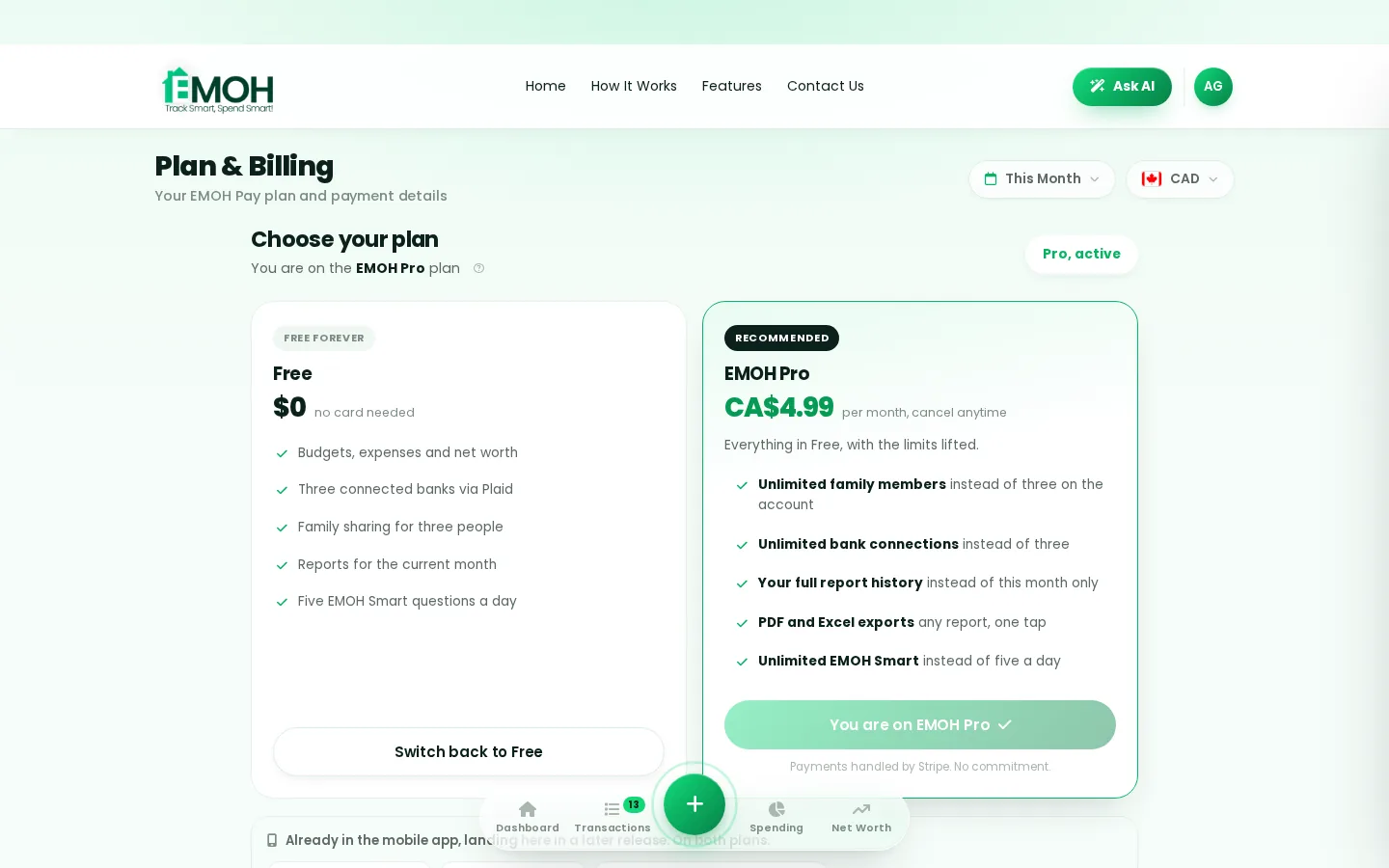
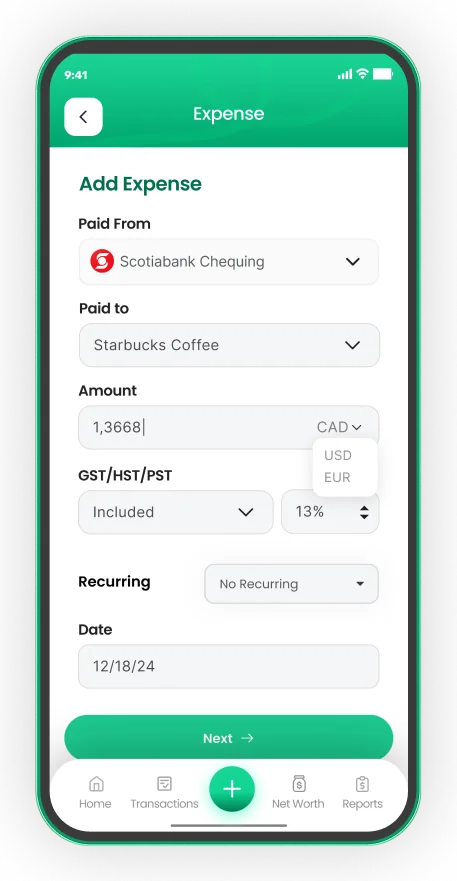
One app for everyday budgeting — on every screen.
Track on your phone in the checkout line, review on the web app at your desk. EMOH Pay keeps everyday budgeting in sync the second anything changes, so the numbers you act on are always current.
Start free on the web➜ Explore all features➜Real spending, really tracked
From the morning coffee to the monthly rent — Canadians log, tag and learn from every expense on EMOH Pay.



Everything you need for everyday budgeting
Track Smart, Spend Smart! The complete toolkit, free to start:
Everyone sees the same live numbers, each with their own login. Free forever.
Automatic conversion for money that lives in more than one country.
Log any expense in two taps — or let bank sync do it automatically. Every dollar gets a category.
Turn any month into a clean report you can share with a partner or accountant.
The tax portion of every expense, separated automatically for a calmer tax season.
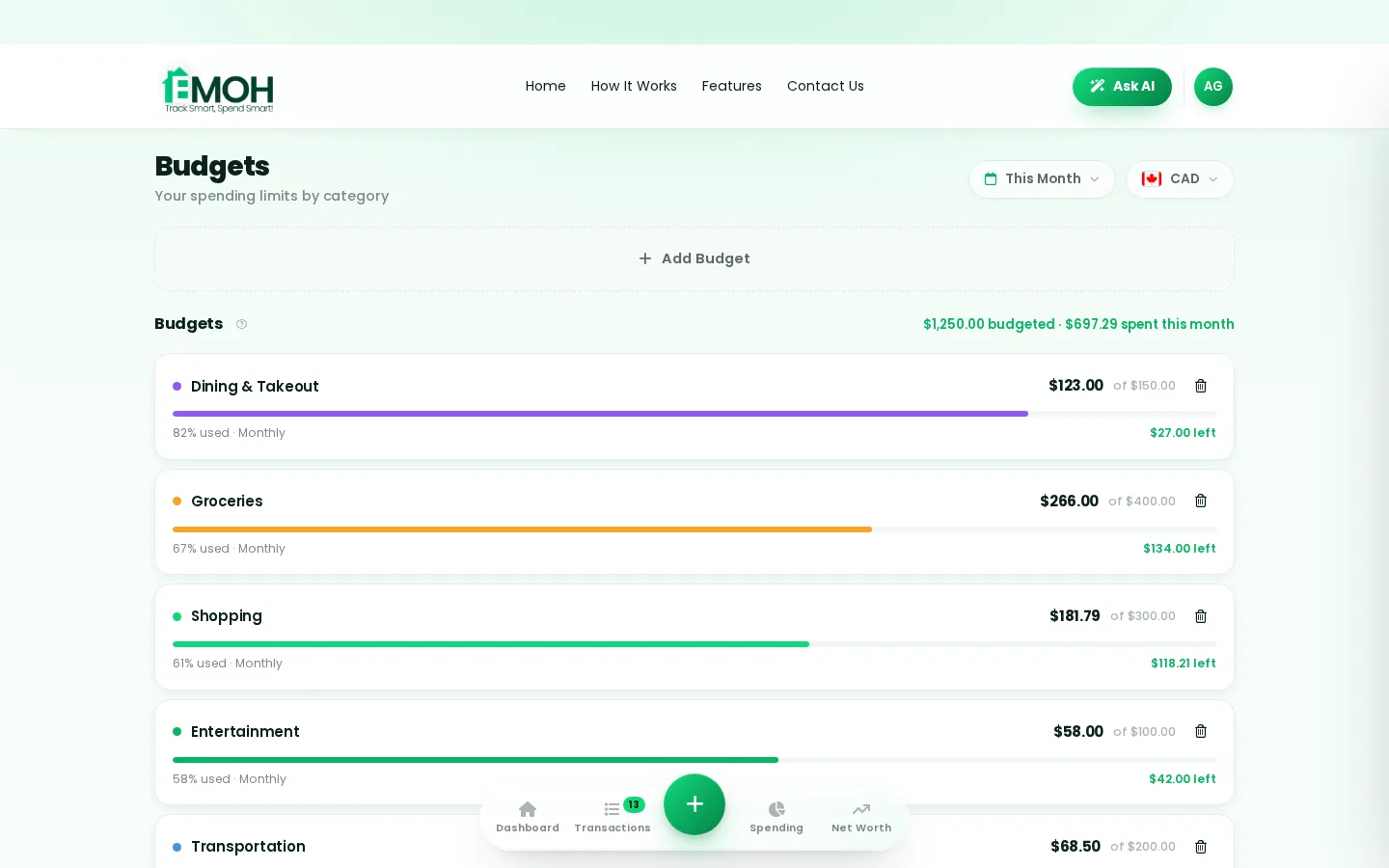
Digital envelopes for groceries, rent and fun, with gentle alerts before you overspend.
How to start everyday budgeting with EMOH Pay
Four small steps, five minutes total:
- 1Make your account — free, on phone or web
- 2Enter your income & accounts
- 3Set budgets — your digital envelopes
- 4Track smart, spend smart — EMOH digests daily
EMOH Pay vs. the usual ways to handle everyday budgeting
| EMOH Pay | Spreadsheet | Typical budgeting app | |
|---|---|---|---|
| Free tier | Free forever | Free | Limited trial |
| Paid tier | EMOH Pro — $4.99/mo | — | $10–15/mo |
| Expense tracking | ✔ Two taps or automatic | Manual entry | ✔ |
| Budgets & overspend alerts | ✔ Built in | ✖ None | Varies |
| Net worth tracking | ✔ Live | Formula gymnastics | Often paid add-on |
| Phone + web sync | ✔ Instant | ✖ Manual | Varies |
| Family sharing | ✔ Free | ✖ Shared-file chaos | Often paid add-on |
| GST/HST tracking | ✔ Automatic | ✖ Formula gymnastics | ✖ Rare |
| 148 currencies | ✔ Automatic conversion | ✖ None | Limited |
| Ask AI | ✔ Included | ✖ None | ✖ Rare |
| Daily Money Digest | ✔ Built in | ✖ None | Push spam |
| PDF & Excel exports | ✔ One tap | ✔ Manual | Varies |
| Bank sync (Canada) | ✔ Plaid, read-only — free up to 3 banks | ✖ None | US-first, patchy |
Everything above is free to start — and the full EMOH Pro upgrade is just $4.99/month, a third of what typical budgeting apps charge.
Real everyday budgeting problems we actually solve

Everyday budgeting that fits real life
Money habits only stick when they fit the life you already live. EMOH Pay was built for the checkout line, the kitchen-table conversation and the Sunday five-minute review — not for accountants. Two taps to log an expense, one glance to know where you stand.
Get started free➜ See how it works➜Your money data, protected like a bank's
The same encryption standard banks use, protecting your data at rest and in transit.
Bank connections run through Plaid and can only read transactions — never move money.
Built in Canada to Canadian privacy law. Your data is yours — never sold, ever.
Everyday budgeting — frequently asked questions
Is EMOH Pay free for everyday budgeting?
Yes — EMOH Pay is free to start on iPhone, Android and the web. Budgeting, expense tracking and net worth are all included, which covers everything you need for everyday budgeting. EMOH Pro lifts the limits for just $4.99/month — unlimited bank connections, family members and EMOH Smart, plus full report history and exports.
What is the best way to get started with everyday budgeting?
Start simple: create a free EMOH Pay account, enter your income and accounts, then set budgets for your top three spending categories. Most people are fully set up in about five minutes, and the Daily Money Digest keeps the habit going.
Is my financial data safe with EMOH Pay?
Yes. EMOH Pay uses AES-256 encryption, bank connections are read-only through Plaid, and the app is built to Canadian PIPEDA privacy standards. Your data is never sold.
Does EMOH Pay work on both phone and computer?
Yes. EMOH Pay has full apps for iPhone and Android plus a complete web app, and everything syncs instantly. Phone in your pocket, web app at your desk — the same live numbers everywhere.
How is EMOH Pay different from a spreadsheet?
Spreadsheets are flexible but manual: no reminders, no sync, no automatic categorization. EMOH Pay gives you the same control with live sync across devices, daily digests, gentle overspend alerts and one-tap reports.
Can I share my budget with my family?
Yes — Family Account Sharing is included free. Each member gets their own login while budgets and expenses stay shared in real time, which makes everyday budgeting a team effort instead of a solo chore.
More from EMOH Pay
Managing your money in the US or Canada can get complicated—between subscriptions, credit cards, rising living costs, and…
Automated Budgeting in Canada Made Simple With EMOH PayManaging finances can feel overwhelming, especially when juggling multiple goals and expenses. Thankfully, digital solutions…
Banking in Canada for NewcomersYour first Canadian bank account, credit card and credit score — the practical getting-started guide. Free budgeting app…
Free Budget CalculatorThe 50/30/20 rule splits after-tax income: 50% to needs, 30% to wants, 20% to savings. Enter your monthly take-home pay to…
Net Worth TrackerEMOH Pay's net worth tracker adds up everything you own, subtracts everything you owe, and shows the trend over time — free…
EMOH Pay vs YNABEMOH Pay vs YNAB compared honestly for 2026: price, Canadian features, family sharing, bank sync and learning curve — free…
Start free today
Free on iPhone, Android and the web. Upgrade to EMOH Pro anytime for bank sync and advanced AI.
Download for iOS➜ Get it on Android➜
