
A Guide to Must-Have Budgeting App Features in Canada

Taking control of your finances is a powerful step toward achieving your goals, whether that’s saving for a down payment, paying off debt, or building a comfortable retirement. In Canada, a growing number of people are turning to technology to simplify money management. The right digital tool can transform how you see and interact with your money, making it easier to build healthy financial habits. But with so many options available, how do you choose the best one?
Understanding the key budgeting app features Canada has to offer is the first step. A great app does more than just show you where your money went; it empowers you with insights to plan for the future. This guide will walk you through the essential features to look for, helping you find a tool that fits your unique financial life and puts you on the path to success.
Why Use a Budgeting App?
Before diving into specific features, let’s consider why these apps are so effective. Manual budgeting with spreadsheets or notebooks can be time-consuming and prone to errors. You might forget to log a purchase or miscalculate your totals. Budgeting apps automate much of this process, giving you a real-time, accurate picture of your financial health with minimal effort.
They connect directly to your bank accounts and credit cards, categorizing transactions as they happen. This provides instant clarity on your spending habits. Do you spend more on takeout than you thought? Is your subscription bill creeping up? An app can highlight these trends, enabling you to make informed decisions. For many Canadians, using a dedicated app is the difference between simply tracking expenses and actively managing their financial destiny.
Core Features Every Great Budgeting App Needs
When you start comparing options, you’ll notice a wide range of functionalities. However, a few core components are non-negotiable for effective money management. Let’s break down the must-haves.
1. Automatic Transaction Syncing and Categorization
The foundation of any modern budgeting app is its ability to automatically sync with your financial institutions. Manually entering every coffee purchase or bill payment is tedious and unsustainable. Look for an app that securely connects to major Canadian banks and credit unions.
Once transactions are imported, the app should intelligently categorize them. Groceries, transportation, entertainment, and bills should be sorted automatically. A top-tier app will also allow you to create custom categories and set rules to ensure transactions are always classified correctly. This automation saves you hours of work and provides an accurate, up-to-the-minute view of your spending.
2. Customizable Budgeting and Goal Setting
Your financial situation is unique, and your budgeting tool should reflect that. A one-size-fits-all approach rarely works. The best apps allow you to create personalized budgets based on your income, expenses, and goals. Whether you follow the 50/30/20 rule or prefer a zero-based budget, the software should be flexible enough to support your method.
Goal setting is another critical component. An app should help you define your financial goals—like saving for a vacation or building an emergency fund—and track your progress. Visual progress bars and milestone notifications can provide powerful motivation to stay on track. This feature transforms budgeting from a restrictive exercise into a forward-looking plan for achieving what you want in life.
3. Spending Analysis and Financial Reports
Data is only useful if you can understand it. An effective app presents your financial information in clear, easy-to-digest formats. Look for visual tools like pie charts and bar graphs that show your spending by category, merchant, or time period.
These insights help you answer important questions:
- Where am I overspending?
- How does this month’s spending compare to last month’s?
- Are there any subscriptions I can cancel?
This is where a simple expense tracker app Canada might fall short. Comprehensive budgeting app features Canada provide deeper analysis, turning raw data into actionable knowledge that helps you refine your budget and accelerate your progress.
4. Bill and Subscription Management
Late fees are an unnecessary drain on your finances. A great budgeting app helps you avoid them by tracking your recurring bills and due dates. Look for a feature that provides reminders for upcoming payments, ensuring you never miss a deadline.
Equally important is subscription tracking. It’s easy to lose track of free trials that convert to paid plans or services you no longer use. An app that identifies and lists all your recurring subscriptions makes it simple to spot opportunities to save money by canceling what you don’t need.
Advanced Features for Enhanced Financial Control
Once you have the basics covered, certain advanced features can take your money management to the next level. These capabilities are often what separate good apps from the best budgeting tools Canada has to offer.
Cash Flow Projections
Wouldn’t it be great to know if you’ll have enough money to cover your bills next week? Cash flow projection features analyze your income, upcoming bills, and typical spending patterns to predict your future account balances. This foresight is invaluable for avoiding overdraft fees and managing finances if you have an irregular income. It provides peace of mind by showing you the financial impact of your decisions before you make them.
Debt Repayment Planner
For many Canadians, managing debt is a top priority. A debt repayment planner is a specialized tool that helps you create a strategy to pay off credit cards, loans, and other debts faster. You can experiment with different payment scenarios, such as the snowball (paying off smallest debts first) or avalanche (targeting highest-interest debts first) methods, to see which one saves you the most money and time.
Net Worth Tracking
Your net worth—the value of your assets minus your liabilities—is the ultimate measure of your financial health. An app that tracks your net worth over time provides a big-picture view of your progress. By syncing with not only your bank accounts but also your investment and loan accounts, it gives you a consolidated dashboard of your entire financial world. Watching your net worth grow is a powerful motivator to stick with your budget. When evaluating personal finance app features Canada, this is a key differentiator.
How Emohpay Elevates Your Financial Management
While many apps offer some of the features listed above, Emohpay was designed to provide a complete and intuitive solution for Canadians. We understood that users needed more than just a ledger; they needed a smart financial partner.
Emohpay app offers robust and secure bank syncing, automatic categorization, and highly customizable budgets that adapt to your life. Our platform excels at providing clear, visual reports that make your financial data easy to understand. But we go further by integrating advanced tools like cash flow projections and subscription management directly into the core experience.
We believe that the most important budgeting app features Canada should empower you, not overwhelm you. Our user-friendly interface is designed to provide clarity and control, helping you build confidence in your financial decisions. With Emohpay, you’re not just tracking your money—you’re creating a clear path toward financial freedom.
Choosing the Right App for You
The best budgeting app is the one you will actually use. As you evaluate your options, think about your primary financial goals. Are you focused on getting out of debt? Saving for a big purchase? Or simply getting a handle on your day-to-day spending?
Make a list of your must-have features and compare it against what different apps offer. Take advantage of free trials to test the user interface and see if it feels intuitive to you. A powerful app with a confusing design will only lead to frustration. Ultimately, you are looking for a partner in your financial journey—a tool that makes managing money simpler, clearer, and even a little more enjoyable.
Frequently Asked Questions
What features should I look for in a Canadian budgeting app? Look for automatic bank syncing, customizable budgets, spending analysis reports, and bill reminders.
How much does a top-budgeting app cost in Canada? Top apps can range from free with basic features to around $10-$15 per month for premium subscription plans.
See all EMOH Pay features
Reading is step one — EMOH Pay makes it automatic. Free to start on phone and web.
Open it➜What should you know about everyday budgeting?
Everyday budgeting comes down to three habits: know what comes in, decide where it goes, and check in daily. EMOH Pay makes all three effortless — free expense tracking and budgets on phone and web, a Daily Money Digest each morning, and bank-grade AES-256 security throughout.
Everyday budgeting: the essentials
Five minutes a week with a daily digest beats a perfect spreadsheet you abandon in February.
You can start everyday budgeting today at $0 — no card required, on iPhone, Android or the web.
The first win in everyday budgeting is simply seeing where money goes. Tracking alone typically surfaces 10–15% of easy savings.
Money works better as a team sport — shared live numbers end the guesswork and the arguments.
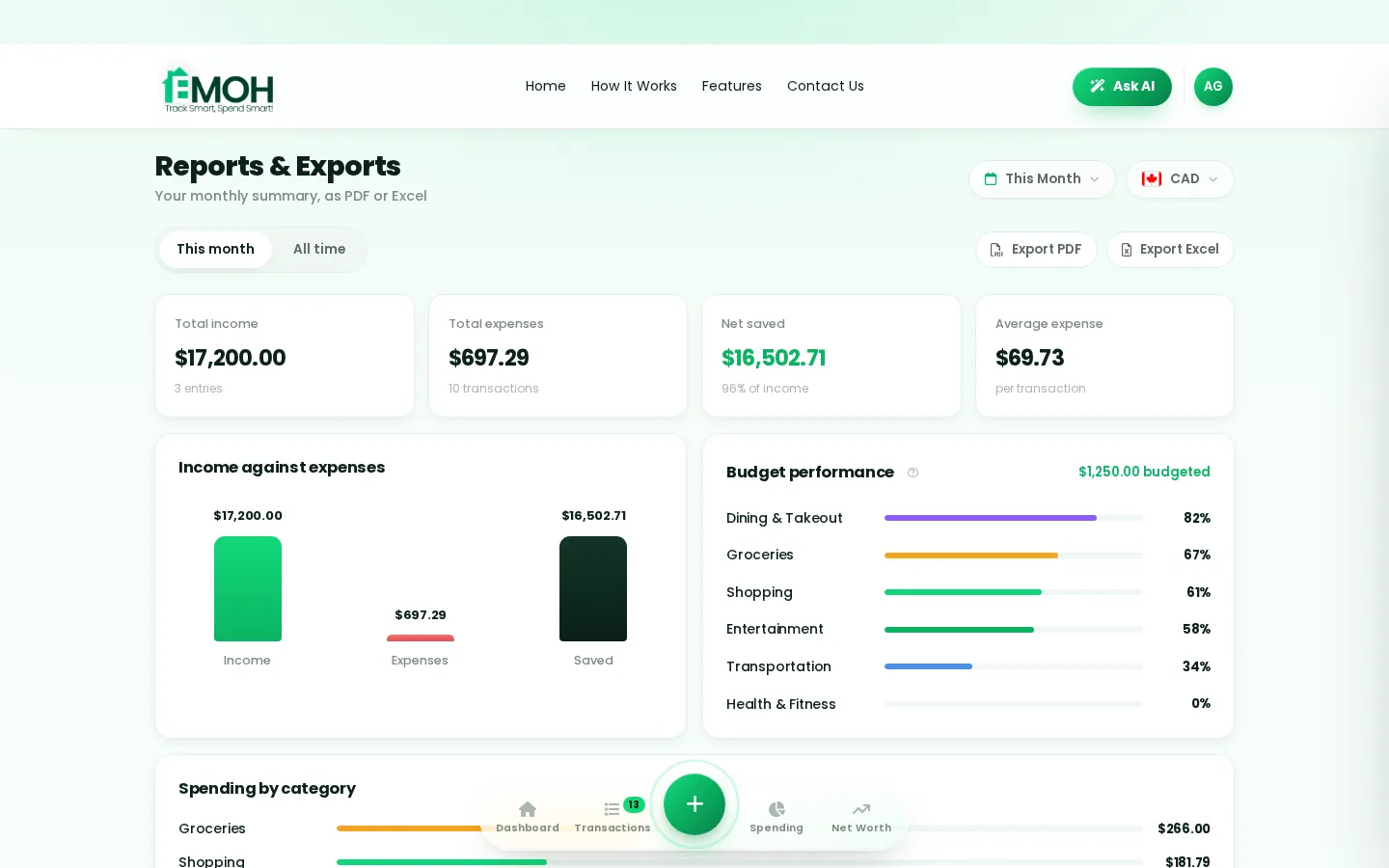
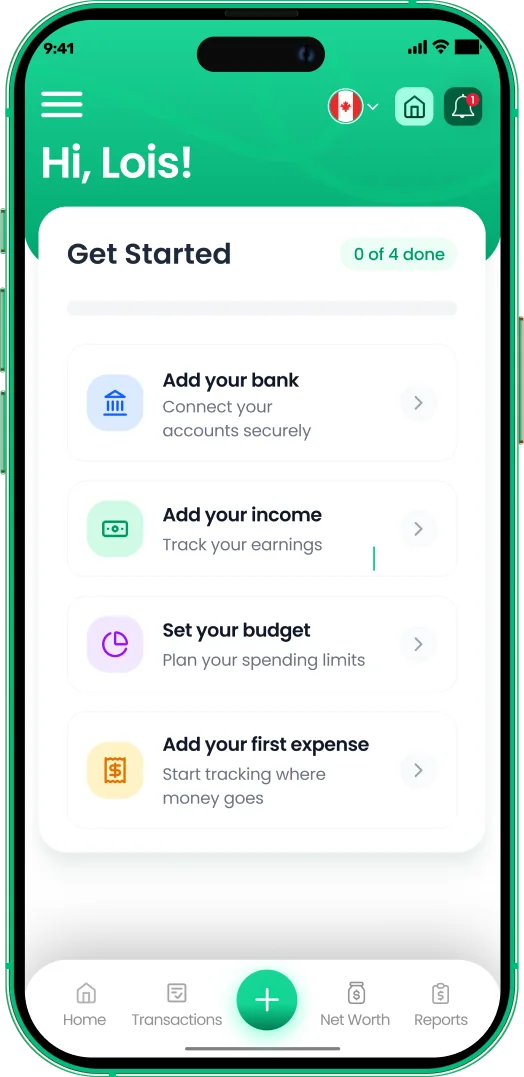
One app for everyday budgeting — on every screen.
Track on your phone in the checkout line, review on the web app at your desk. EMOH Pay keeps everyday budgeting in sync the second anything changes, so the numbers you act on are always current.
Start free on the web➜ Explore all features➜Real spending, really tracked
From the morning coffee to the monthly rent — Canadians log, tag and learn from every expense on EMOH Pay.



Everything you need for everyday budgeting
Track Smart, Spend Smart! The complete toolkit, free to start:
Ask questions about your own spending in plain language and get instant answers.
Automatic conversion for money that lives in more than one country.
Log any expense in two taps — or let bank sync do it automatically. Every dollar gets a category.
One calm summary every morning: what you spent, what's left, what needs attention.
Turn any month into a clean report you can share with a partner or accountant.
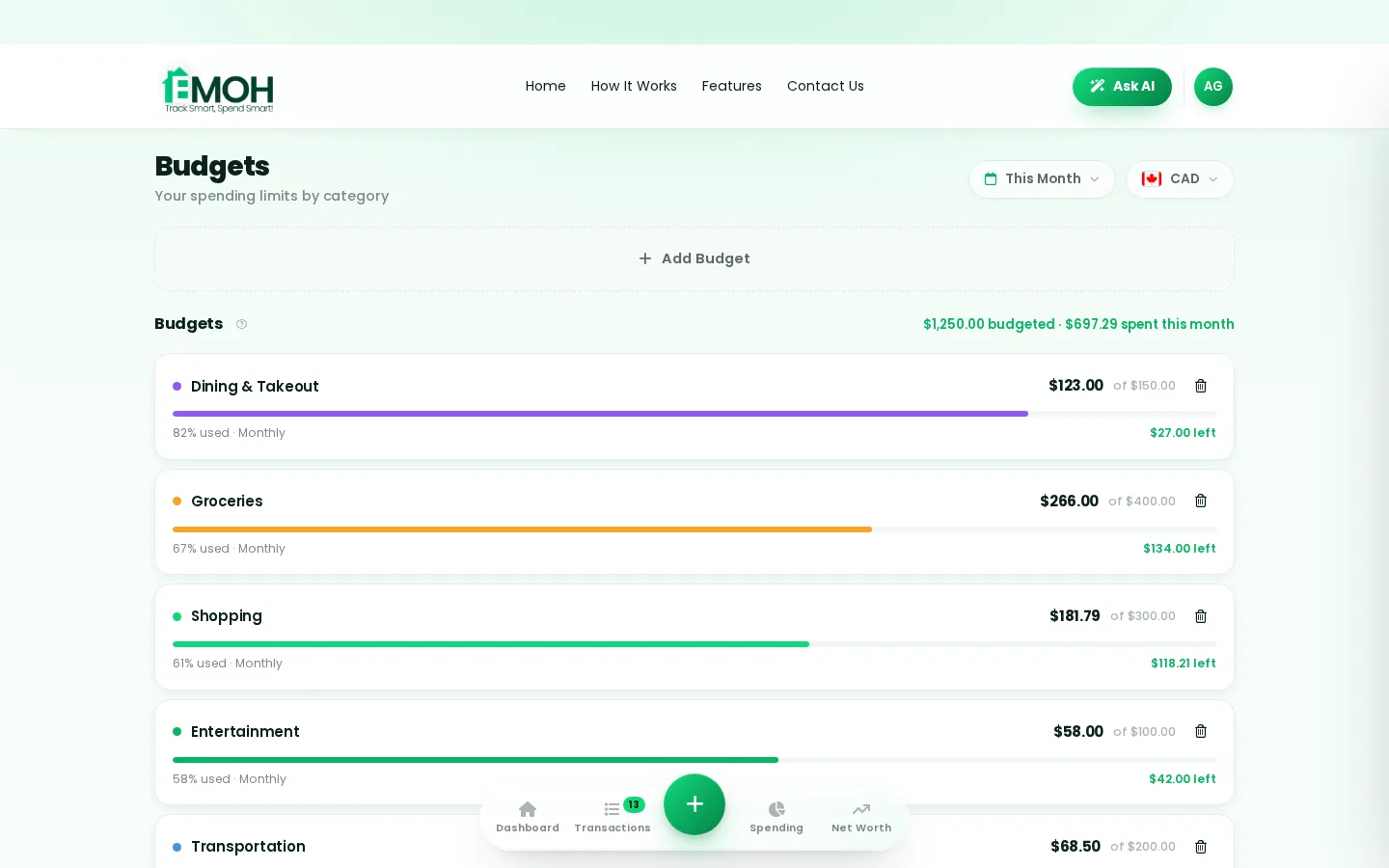
Digital envelopes for groceries, rent and fun, with gentle alerts before you overspend.
How to start everyday budgeting with EMOH Pay
Four small steps, five minutes total:
- 1Make your account — free, on phone or web
- 2Enter your income & accounts
- 3Set budgets — your digital envelopes
- 4Track smart, spend smart — EMOH digests daily
EMOH Pay vs. the usual ways to handle everyday budgeting
| EMOH Pay | Spreadsheet | Typical budgeting app | |
|---|---|---|---|
| Free tier | Free forever | Free | Limited trial |
| Paid tier | EMOH Pro — $4.99/mo | — | $10–15/mo |
| Expense tracking | ✔ Two taps or automatic | Manual entry | ✔ |
| Budgets & overspend alerts | ✔ Built in | ✖ None | Varies |
| Net worth tracking | ✔ Live | Formula gymnastics | Often paid add-on |
| Phone + web sync | ✔ Instant | ✖ Manual | Varies |
| Family sharing | ✔ Free | ✖ Shared-file chaos | Often paid add-on |
| GST/HST tracking | ✔ Automatic | ✖ Formula gymnastics | ✖ Rare |
| 148 currencies | ✔ Automatic conversion | ✖ None | Limited |
| Ask AI | ✔ Included | ✖ None | ✖ Rare |
| Daily Money Digest | ✔ Built in | ✖ None | Push spam |
| PDF & Excel exports | ✔ One tap | ✔ Manual | Varies |
| Bank sync (Canada) | ✔ Plaid, read-only, free | ✖ None | US-first, patchy |
Everything above is free to start — and the full EMOH Pro upgrade is just $4.99/month, a third of what typical budgeting apps charge.
Real everyday budgeting problems we actually solve

Everyday budgeting that fits real life
Money habits only stick when they fit the life you already live. EMOH Pay was built for the checkout line, the kitchen-table conversation and the Sunday five-minute review — not for accountants. Two taps to log an expense, one glance to know where you stand.
Get started free➜ See how it works➜Your money data, protected like a bank's
The same encryption standard banks use, protecting your data at rest and in transit.
Bank connections run through Plaid and can only read transactions — never move money.
Built in Canada to Canadian privacy law. Your data is yours — never sold, ever.
Everyday budgeting — frequently asked questions
Is EMOH Pay free for everyday budgeting?
Yes — EMOH Pay is free to start on iPhone, Android and the web. Budgeting, expense tracking and net worth are all included, which covers everything you need for everyday budgeting. EMOH Pro lifts the limits for just $4.99/month: unlimited family members and EMOH Smart, plus the newsletter, full report history and exports.
What is the best way to get started with everyday budgeting?
Start simple: create a free EMOH Pay account, enter your income and accounts, then set budgets for your top three spending categories. Most people are fully set up in about five minutes, and the Daily Money Digest keeps the habit going.
How is EMOH Pay different from a spreadsheet?
Spreadsheets are flexible but manual: no reminders, no sync, no automatic categorization. EMOH Pay gives you the same control with live sync across devices, daily digests, gentle overspend alerts and one-tap reports.
Does EMOH Pay work on both phone and computer?
Yes. EMOH Pay has full apps for iPhone and Android plus a complete web app, and everything syncs instantly. Phone in your pocket, web app at your desk — the same live numbers everywhere.
Can I share my budget with my family?
Yes — Family Account Sharing is included free for up to 3 family members, and unlimited on EMOH Pro. Each member gets their own login while budgets and expenses stay shared in real time, which makes everyday budgeting a team effort instead of a solo chore.
Is my financial data safe with EMOH Pay?
Yes. EMOH Pay uses AES-256 encryption, bank connections are read-only through Plaid, and the app is built to Canadian PIPEDA privacy standards. Your data is never sold.
More from EMOH Pay
Automated budgeting tracks transactions, builds reports and moves you toward saving goals. See how EMOH Pay sorts spending…
Best Budgeting Apps in Canada (2026)Best Budgeting Apps in Canada: EMOH Pay leads for Canadians, with honest rankings of the alternatives. Updated for 2026.…
Free Budget CalculatorThe 50/30/20 rule splits after-tax income: 50% to needs, 30% to wants, 20% to savings. Enter your monthly take-home pay to…
Net Worth TrackerEMOH Pay adds up cash, TFSA, RRSP, home and car, subtracts your mortgage and loans and charts net worth month by month, for…
EMOH Pay vs YNABEMOH Pay vs YNAB compared honestly for 2026: price, Canadian features, family sharing, bank sync and learning curve — free…
Start free today
Free on iPhone, Android and the web. Upgrade to EMOH Pro anytime for advanced AI and unlimited family sharing.
Download for iOS➜ Get it on Android➜
