
How to Create a Realistic Wedding Planner Budget in 12 Easy Steps

Getting ready for their wedding is one of the most exciting things a couple can do. This process frequently comes with heavy costs. Choosing the ideal location and scheduling meetings with vendors are just two of the numerous factors that can add up to wedding planning expenses. So, a solid wedding planner budget is important. Making a wedding budget breakdown that accounts for actual expenses will help couples achieve the wedding of their dreams without going over budget.
Creating a budget that you can adhere to for your wedding planner is simple. You will follow 12 easy steps in this blog. Whether you are just getting started with your wedding planning or need to revisit some old ideas, they will help you keep organized, feel less stressed, and make smarter financial decisions .
Wedding Planner Budget: 12 Easy Steps
1. Write down your long-term money goals.
Before making any wedding-related decisions, you should know how much money you want to spend. Would you prefer to save for a down payment on a house or ensure you have sufficient funds for other expenses after the wedding? To figure out how much you can spend on your wedding, think about how much money you want to make.
If you know how much money you want to spend on your wedding, you can make better decisions. Say you want to draw more attention to certain things, like the setting or the photos, and less attention to other things, like the flowers or the entertainment. Please determine your budget at the outset. This technique is one of the best ways to save money on wedding plans.
2. Decide on your financial goals
Once you clearly understand your financial goals , it’s important to determine how much you can allocate for your wedding. To make a reasonable wedding planner budget, you need to look at the money you have available and be honest about how much you can spend.
First, look over your savings and think about any gifts or payments from family or friends. Include any wedding funds you’ve set aside and projected spending. Don’t forget to add in any loans or credit you may have. Setting a budget for your wedding early on will help you stay on track and avoid any shocks.
3. Wedding Budget Breakdown
A breakdown of your wedding budget is an important step in getting your wedding costs in order. You can easily give money to each part of the event if you divide your spending into groups. You could break down the budget as follows:
- Venue : Hiring a place for the wedding and the reception.
- Food and drinks : wedding cake, catering, and bar choices.
- Attire : tuxedos, wedding dresses, shoes, and accessories.
- Photography and videography : To capture the events of the day.
- Flowers and ornaments : bouquets, table centerpieces, and ornaments for the venue.
- Favors and gifts : thank-you gifts for guests or the wedding party.
- Rides : Limos, cars, or other transportation options for the couple and their guests.
Wedding planning costs are important to determine the best choices for spending while staying within the limit of the budget.
4. Set your spending priorities
It’s important to set spending priorities once you’ve your wedding budget breakdown. You could give your wedding manager more money to spend on parts of the wedding that are important to you, like the venue or the photos.
If you care more about the experience than the details, on the other hand, you might want to cut back on things like gifts, flowers, and decorations. You want your wedding to show what’s important to you, so be smart about how you spend your money.
5. Determine Wedding Planning Costs
Record how much things cost for the wedding as you book vendors and buy them. This information will help you stay on budget. Make a calendar or use an app to keep track of all the money you spend on your wedding. You should keep track of both your present costs and any costs you think you might have in the future. This process will ensure you are fully informed and prepared for any unexpected expenses on the big day.
6. Compare prices and shortlist vendors
Prices from different vendors can be entirely unique, so it’s important to look into your choices and compare prices before making a decision. Please obtain quotes from multiple sellers and ensure you clearly understand what their prices include.
Don’t be afraid to talk to vendors and see if they can give you any deals or extra services. To accommodate a seller who charges more, you may need to adjust your budget.
7. Make a fund just in case.
Even if you planned your wedding planner budget down to the last detail, costs can still come up that you didn’t expect. As a safety net, it’s smart to save some money in case something goes wrong. Usually, you should set aside 5 to 10 percent of your total wedding budget for unplanned costs, like changes you make at the last minute or changes to the number of guests you invite.
With this extra cushion, you won’t have to worry about money, and you’ll be ready for any shocks that come your way.
8. Think about do-it-yourself fixes for some things.
If you want to save money on your wedding, you might want to do some of the work yourself. You could make your own invites, table decorations, or favors for the wedding, for instance. Simple spending tips like these can make your wedding more unique and save you money at the same time.
9. Monitor your household budget closely.
The costs of your wedding may also affect your household budget . As you plan your wedding, it’s crucial to monitor your monthly bills to ensure you’re still fulfilling your financial commitments.
This means changing the way you normally spend your money if you need to, like spending less on entertainment, eating out, or other things that aren’t relevant.
10. Don’t make these budgeting mistakes:
Many people make spending mistakes when they are planning their wedding that can easily ruin their money. Some of these are:
- Costs are not taken into account : It fails to consider all potential expenses such as fuel, taxes, and tips.
- Ignoring hidden costs : To work extra hours, some places or sellers may charge extra.
- Putting too much stock into upgrades : It’s simple to get hooked on upgrades and add-ons, but they can add up fast.
11. Make changes as needed.
Making plans may reveal that some of your initial guesses were too high or low. Don’t be afraid to change your wedding planner budget if you need to. If you spend less than planned in one area, you can move that money to an area that needs more money, like photos or catering.
12. Couples Budget Planner
A couples budget planner is a fantastic way to keep track of your wedding money. Many online planners let you enter your costs, keep track of your payments, and divide your money up into different categories. You can simplify the process and stay within your budget while planning your dream wedding by using a Couples Budget Planner .
Conclusion
Setting a sensible and detailed wedding planner budget for your wedding is one of the most important things you can do to make sure everything goes smoothly on the big day. If you set clear financial goals , keep track of your wedding planning costs , set spending priorities, and avoid common budgeting mistakes , you can manage your budget effectively and still have the wedding of your dreams.
You can plan your wedding stress-free and get married without worrying about your debt worsening by using these proven financial tips and the best ways to save. Have fun planning!
See the family budgeting app
Reading is step one — EMOH Pay makes it automatic. Free to start on phone and web.
Open it➜What should you know about everyday budgeting?
Everyday budgeting comes down to three habits: know what comes in, decide where it goes, and check in daily. EMOH Pay makes all three effortless — free expense tracking and budgets on phone and web, a Daily Money Digest each morning, and bank-grade AES-256 security throughout.
Everyday budgeting: the essentials
You can start everyday budgeting today at $0 — no card required, on iPhone, Android or the web.
Five minutes a week with a daily digest beats a perfect spreadsheet you abandon in February.
The first win in everyday budgeting is simply seeing where money goes. Tracking alone typically surfaces 10–15% of easy savings.
Auto-categorization, recurring bills and bank sync take the admin out of the habit.
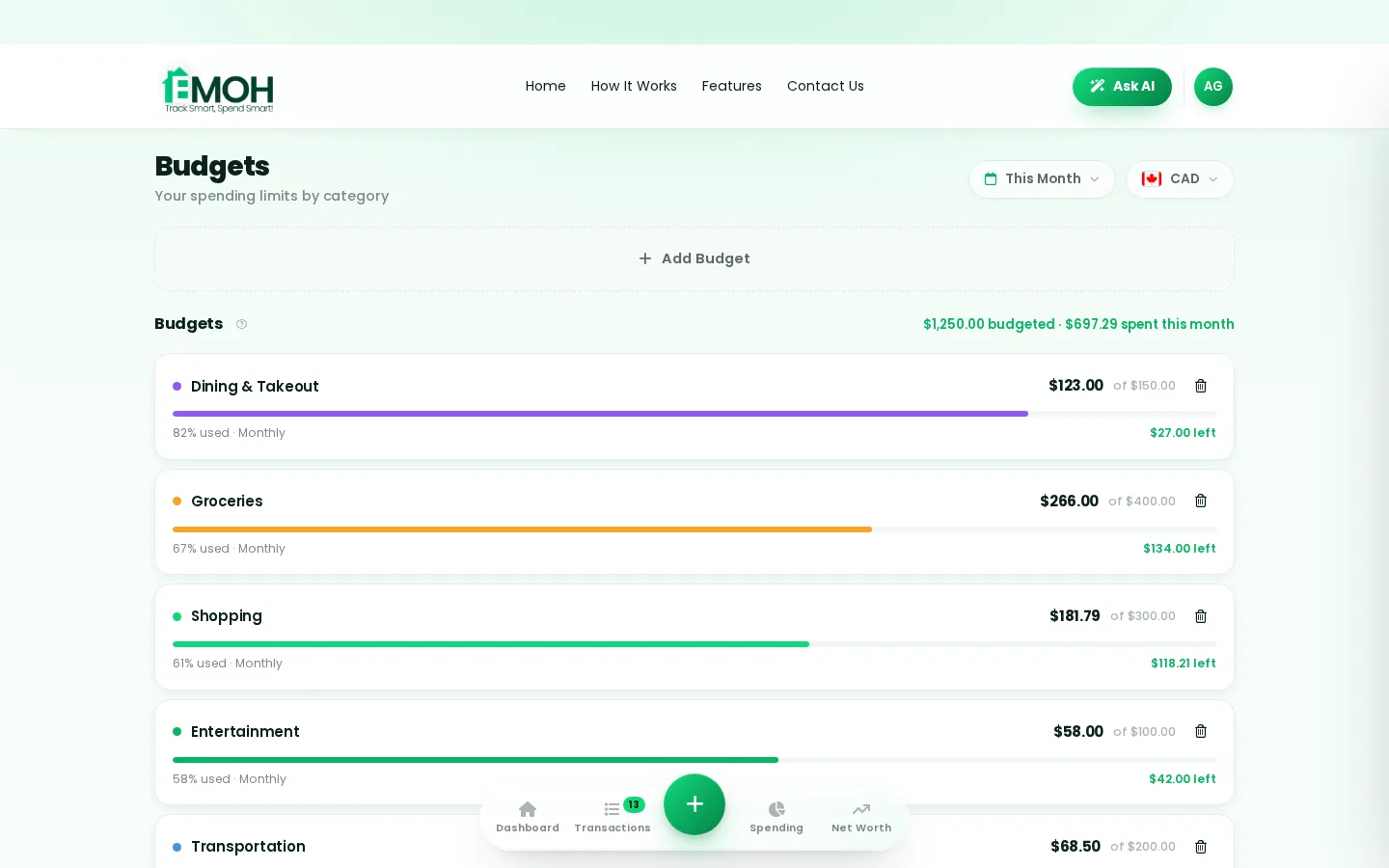
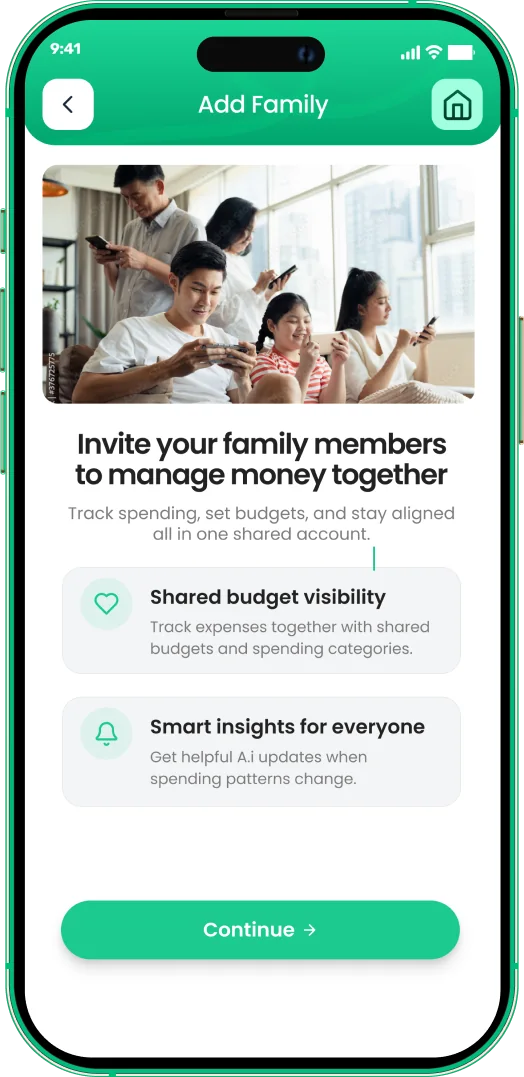
One app for everyday budgeting — on every screen.
Track on your phone in the checkout line, review on the web app at your desk. EMOH Pay keeps everyday budgeting in sync the second anything changes, so the numbers you act on are always current.
Start free on the web➜ Explore all features➜Real spending, really tracked
From the morning coffee to the monthly rent — Canadians log, tag and learn from every expense on EMOH Pay.



Everything you need for everyday budgeting
Track Smart, Spend Smart! The complete toolkit, free to start:
Turn any month into a clean report you can share with a partner or accountant.
Vacations, emergencies, down payments — set the target and watch it fill.
Log any expense in two taps — or let bank sync do it automatically. Every dollar gets a category.
Automatic conversion for money that lives in more than one country.
Digital envelopes for groceries, rent and fun, with gentle alerts before you overspend.
Assets minus debts, always current — watch the number that actually measures progress.
How to start everyday budgeting with EMOH Pay
Four small steps, five minutes total:
- 1Make your account — free, on phone or web
- 2Enter your income & accounts
- 3Set budgets — your digital envelopes
- 4Track smart, spend smart — EMOH digests daily
EMOH Pay vs. the usual ways to handle everyday budgeting
| EMOH Pay | Spreadsheet | Typical budgeting app | |
|---|---|---|---|
| Free tier | Free forever | Free | Limited trial |
| Paid tier | EMOH Pro — $4.99/mo | — | $10–15/mo |
| Expense tracking | ✔ Two taps or automatic | Manual entry | ✔ |
| Budgets & overspend alerts | ✔ Built in | ✖ None | Varies |
| Net worth tracking | ✔ Live | Formula gymnastics | Often paid add-on |
| Phone + web sync | ✔ Instant | ✖ Manual | Varies |
| Family sharing | ✔ Free | ✖ Shared-file chaos | Often paid add-on |
| GST/HST tracking | ✔ Automatic | ✖ Formula gymnastics | ✖ Rare |
| 148 currencies | ✔ Automatic conversion | ✖ None | Limited |
| Ask AI | ✔ Included | ✖ None | ✖ Rare |
| Daily Money Digest | ✔ Built in | ✖ None | Push spam |
| PDF & Excel exports | ✔ One tap | ✔ Manual | Varies |
| Bank sync (Canada) | ✔ Plaid, read-only — free up to 3 banks | ✖ None | US-first, patchy |
Everything above is free to start — and the full EMOH Pro upgrade is just $4.99/month, a third of what typical budgeting apps charge.
Real everyday budgeting problems we actually solve
Everyday budgeting that fits real life
Money habits only stick when they fit the life you already live. EMOH Pay was built for the checkout line, the kitchen-table conversation and the Sunday five-minute review — not for accountants. Two taps to log an expense, one glance to know where you stand.
Get started free➜ See how it works➜Your money data, protected like a bank's
The same encryption standard banks use, protecting your data at rest and in transit.
Bank connections run through Plaid and can only read transactions — never move money.
Built in Canada to Canadian privacy law. Your data is yours — never sold, ever.
Everyday budgeting — frequently asked questions
Does EMOH Pay work on both phone and computer?
Yes. EMOH Pay has full apps for iPhone and Android plus a complete web app, and everything syncs instantly. Phone in your pocket, web app at your desk — the same live numbers everywhere.
Is my financial data safe with EMOH Pay?
Yes. EMOH Pay uses AES-256 encryption, bank connections are read-only through Plaid, and the app is built to Canadian PIPEDA privacy standards. Your data is never sold.
What is the best way to get started with everyday budgeting?
Start simple: create a free EMOH Pay account, enter your income and accounts, then set budgets for your top three spending categories. Most people are fully set up in about five minutes, and the Daily Money Digest keeps the habit going.
Is EMOH Pay free for everyday budgeting?
Yes — EMOH Pay is free to start on iPhone, Android and the web. Budgeting, expense tracking and net worth are all included, which covers everything you need for everyday budgeting. EMOH Pro lifts the limits for just $4.99/month — unlimited bank connections, family members and EMOH Smart, plus full report history and exports.
Can I share my budget with my family?
Yes — Family Account Sharing is included free. Each member gets their own login while budgets and expenses stay shared in real time, which makes everyday budgeting a team effort instead of a solo chore.
Do I need to connect my bank account?
No. Manual tracking is free forever and takes two taps per expense. If you want automatic imports, connect a Canadian bank securely through Plaid with read-only access — three banks on Free, unlimited on Pro.
More from EMOH Pay
Money is the most frequent cause of conflict in relationships. Money disagreements, whether related to overspending, saving…
How a Weekly Budget Planner Saves You Money in CanadaDo you find it difficult to manage your finances despite your best efforts? You’re not alone! Effective money management can…
How to Create a Vacation Budget Planner That Keeps You on TracDream of sandy beaches, mountain climbing, or fresh city discovery. Rest and relaxation call for vacations. While planning…
Free Budget CalculatorThe 50/30/20 rule splits after-tax income: 50% to needs, 30% to wants, 20% to savings. Enter your monthly take-home pay to…
EMOH Pay vs YNABEMOH Pay vs YNAB compared honestly for 2026: price, Canadian features, family sharing, bank sync and learning curve — free…
Free Budgeting App CanadaEMOH Pay is a budgeting app made in Canada — free to start on iPhone, Android and the web. Set monthly budgets, track…
Start free today
Free on iPhone, Android and the web. Upgrade to EMOH Pro anytime for bank sync and advanced AI.
Download for iOS➜ Get it on Android➜
