Managing Family Expenses Made Simple with EMOH Pay

Managing family expenses can be overwhelming, especially when multiple members contribute to income and spending. From groceries and utilities to vacations and education, keeping track of everything can quickly become a challenge. This is where EMOH Pay comes in—a powerful, family-oriented budgeting tool designed to simplify household finance management. In this blog, we’ll explore how EMOH Pay makes managing family expenses easy, efficient, and stress-free.
Why Family Budgeting Matters
Family budgeting is not just about saving money; it’s about ensuring financial stability, avoiding debt, and planning for the future. When families fail to track their expenses, they often overspend, struggle to save, and miss out on financial goals. With tools like EMOH Pay, families can set clear budgets, monitor spending patterns, and make smarter financial decisions.
Key Features of EMOH Pay for Family Expense Management
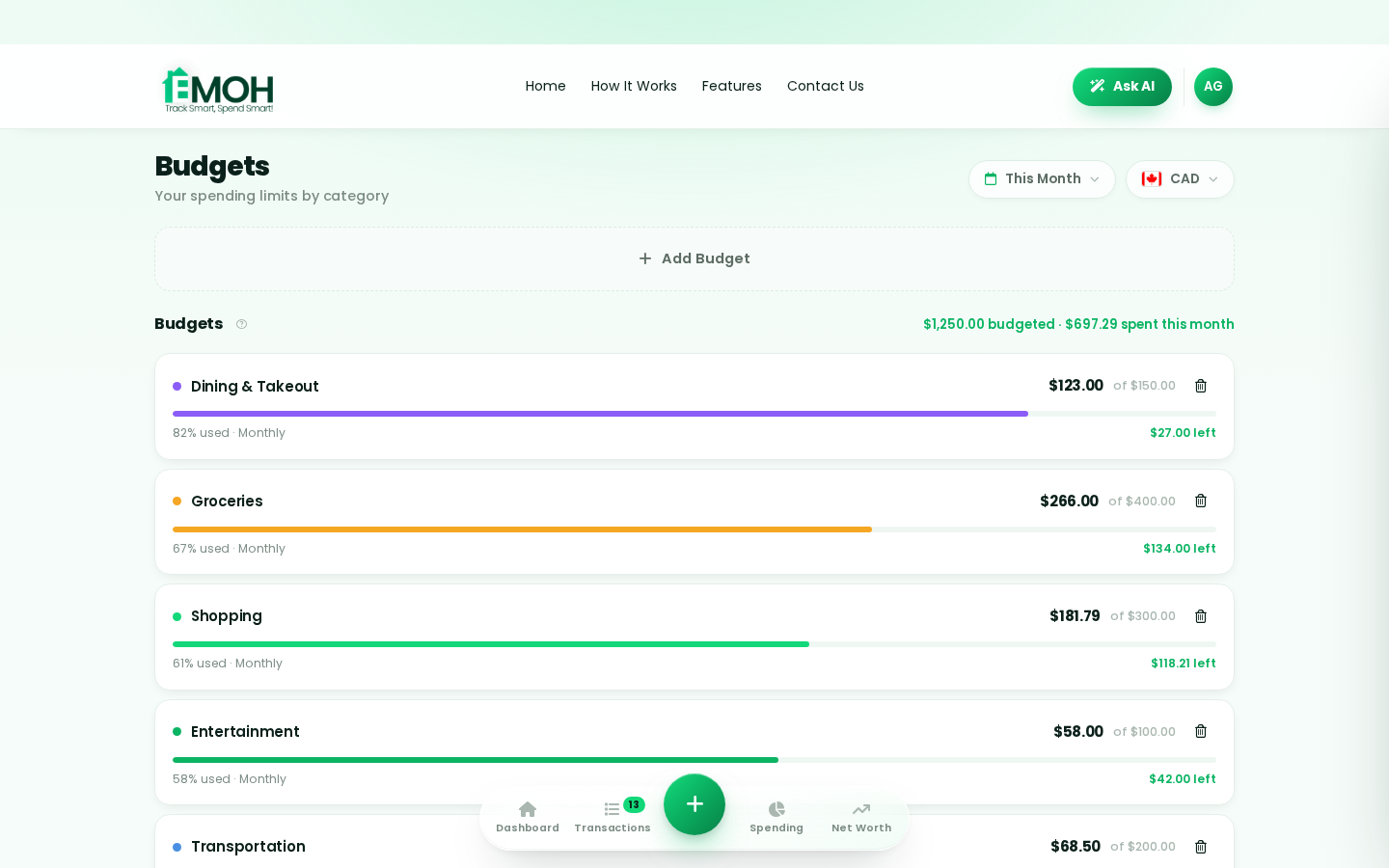
EMOH Pay offers a range of features specifically designed for households: • Expense Tracking – Tag expenses by family member, such as ‘Dad’s fuel’ or ‘Kids’ school fees’. • Household Budgeting – Create budgets by category like groceries, utilities, entertainment, and rent. • Multi-Currency Support – Ideal for families living or working across countries. • Goal Setting – Save for vacations, emergency funds, or education. • Bank Integration via Plaid – Securely link your bank account for real-time insights.
How EMOH Pay Simplifies Budget Creation
One of EMOH Pay’s biggest strengths is its simplicity. In just 10–20 minutes, you can: 1. Create your account. 2. Enter your household income. 3. List and categorize your expenses. 4. View your budget and start tracking in real time. This step-by-step approach makes it easy even for those who are new to budgeting.
Real-Life Example: A Family’s Journey with EMOH Pay
Consider the Martinez family. They struggled to keep track of who spent what and often went over budget. After using EMOH Pay, they were able to allocate spending limits for each category, tag expenses for each member, and identify areas where they could save. Within three months, they had saved enough for a family weekend trip without financial stress.
Multi-Currency Advantage for Global Families
For families with members living or earning abroad, managing different currencies can be a headache. EMOH Pay’s multi-currency support allows you to seamlessly budget and track expenses in different currencies, ensuring accuracy and avoiding conversion confusion.
Security and Privacy
Financial data security is a top concern, and EMOH Pay addresses this by using Plaid integration for bank connections. This ensures that all sensitive information is encrypted and secure, giving families peace of mind while managing their budgets.
Tips to Maximize EMOH Pay for Family Budgeting
- Regularly review your budget and adjust categories as needed. • Use the tagging feature to identify spending patterns. • Set realistic savings goals and track progress. • Involve all family members in the budgeting process to promote accountability.
Conclusion
Managing family expenses doesn’t have to be stressful. With EMOH Pay, households get an easy-to-use, secure, and efficient tool to track expenses, set budgets, and achieve financial goals. Whether you’re saving for a vacation, planning for your kids’ education, or simply trying to spend smarter, EMOH Pay is designed to make your financial journey simpler and more successful.
Frequently Asked Questions
Q: What is Emohpay and how does it work for families?
A: Emohpay is a budgeting and expense tracking app designed to help families manage their finances easily. It offers tools to create budgets, track expenses, and set savings goals.
Q: Can Emohpay handle multiple currencies?
A: Yes, Emohpay supports multi-currency budgeting, making it ideal for families managing finances across different countries.
Q: Is my financial data secure with Emohpay?
A: Emohpay uses secure bank integration via Plaid, ensuring that your financial information is encrypted and protected.
Q: Can I tag expenses for different family members?
A: Yes, you can tag expenses for each household member, making it easier to track individual spending.
Q: How much time does it take to set up Emohpay?
A: You can create a sustainable budget in just 10–20 minutes with Emohpay’s simple setup process.
See all EMOH Pay features
Reading is step one — EMOH Pay makes it automatic. Free to start on phone and web.
Open it➜What should you know about everyday budgeting?
Everyday budgeting comes down to three habits: know what comes in, decide where it goes, and check in daily. EMOH Pay makes all three effortless — free expense tracking and budgets on phone and web, a Daily Money Digest each morning, and bank-grade AES-256 security throughout.
Everyday budgeting: the essentials
You can start everyday budgeting today at $0 — no card required, on iPhone, Android or the web.
Money works better as a team sport — shared live numbers end the guesswork and the arguments.
The first win in everyday budgeting is simply seeing where money goes. Tracking alone typically surfaces 10–15% of easy savings.
Auto-categorization, recurring bills and bank sync take the admin out of the habit.
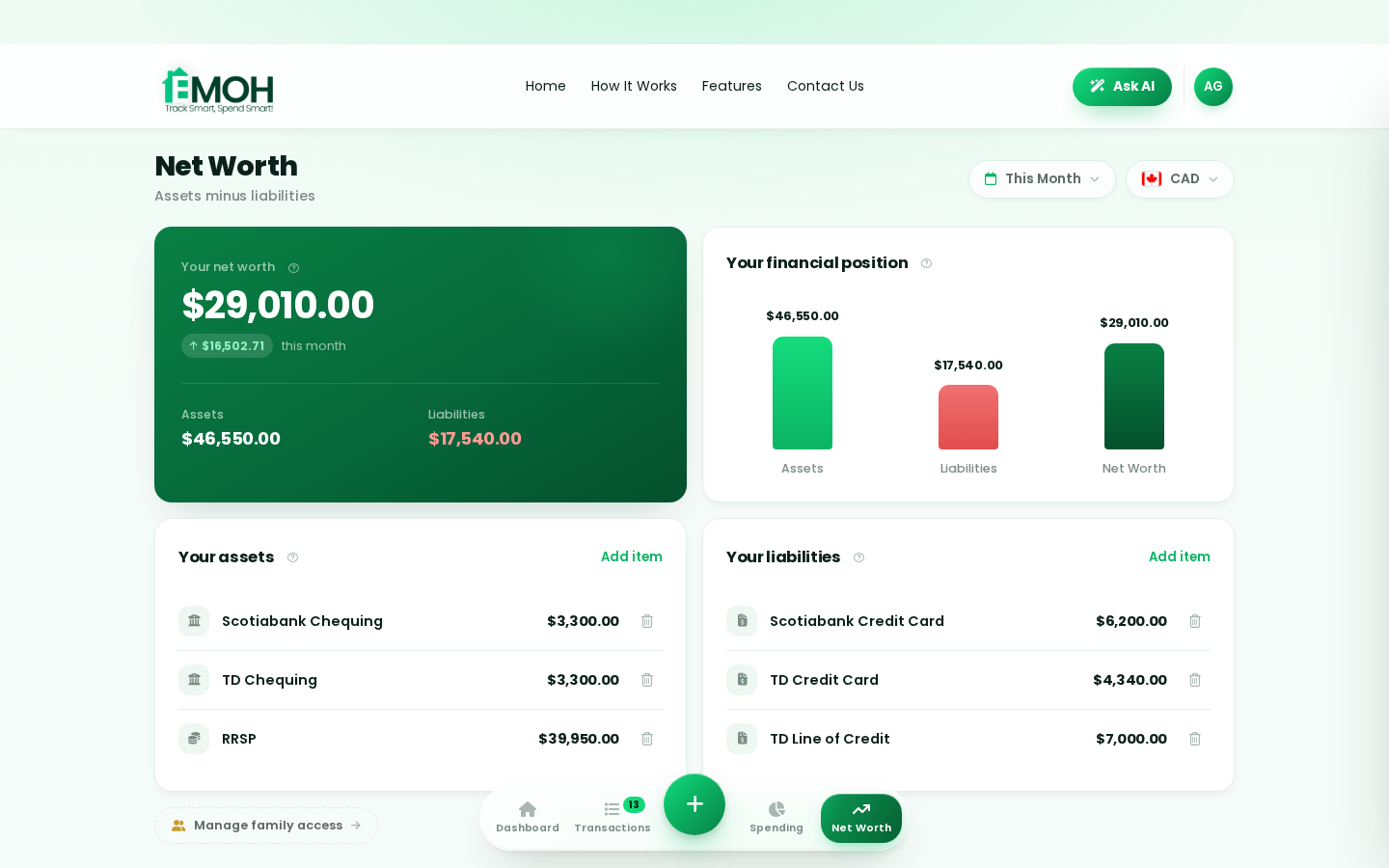
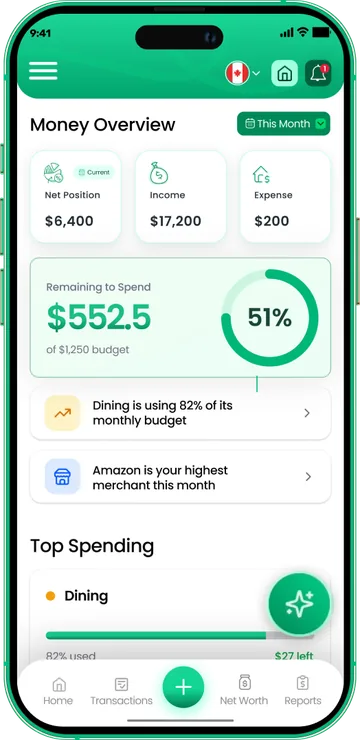
One app for everyday budgeting — on every screen.
Track on your phone in the checkout line, review on the web app at your desk. EMOH Pay keeps everyday budgeting in sync the second anything changes, so the numbers you act on are always current.
Start free on the web➜ Explore all features➜Real spending, really tracked
From the morning coffee to the monthly rent — Canadians log, tag and learn from every expense on EMOH Pay.


Everything you need for everyday budgeting
Track Smart, Spend Smart! The complete toolkit, free to start:
Assets minus debts, always current — watch the number that actually measures progress.
Digital envelopes for groceries, rent and fun, with gentle alerts before you overspend.
Log any expense in two taps — or let bank sync do it automatically. Every dollar gets a category.
The tax portion of every expense, separated automatically for a calmer tax season.
Automatic conversion for money that lives in more than one country.
One calm summary every morning: what you spent, what's left, what needs attention.
How to start everyday budgeting with EMOH Pay
Four small steps, five minutes total:
EMOH Pay vs. the usual ways to handle everyday budgeting
| EMOH Pay | Spreadsheet | Typical budgeting app | |
|---|---|---|---|
| Free tier | Free forever | Free | Limited trial |
| Paid tier | EMOH Pro — $4.99/mo | — | $10–15/mo |
| Expense tracking | ✔ Two taps or automatic | Manual entry | ✔ |
| Budgets & overspend alerts | ✔ Built in | ✖ None | Varies |
| Net worth tracking | ✔ Live | Formula gymnastics | Often paid add-on |
| Phone + web sync | ✔ Instant | ✖ Manual | Varies |
| Family sharing | ✔ Free | ✖ Shared-file chaos | Often paid add-on |
| GST/HST tracking | ✔ Automatic | ✖ Formula gymnastics | ✖ Rare |
| 148 currencies | ✔ Automatic conversion | ✖ None | Limited |
| Ask AI | ✔ Included | ✖ None | ✖ Rare |
| Daily Money Digest | ✔ Built in | ✖ None | Push spam |
| PDF & Excel exports | ✔ One tap | ✔ Manual | Varies |
| Bank sync (Canada) | ✔ Plaid, read-only (Pro) | ✖ None | US-first, patchy |
Everything above is free to start — and the full EMOH Pro upgrade is just $4.99/month, a third of what typical budgeting apps charge.
Real everyday budgeting problems we actually solve

Everyday budgeting that fits real life
Money habits only stick when they fit the life you already live. EMOH Pay was built for the checkout line, the kitchen-table conversation and the Sunday five-minute review — not for accountants. Two taps to log an expense, one glance to know where you stand.
Get started free➜ See how it works➜Your money data, protected like a bank's
The same encryption standard banks use, protecting your data at rest and in transit.
Bank connections run through Plaid and can only read transactions — never move money.
Built in Canada to Canadian privacy law. Your data is yours — never sold, ever.
Everyday budgeting — frequently asked questions
Does EMOH Pay work on both phone and computer?
Yes. EMOH Pay has full apps for iPhone and Android plus a complete web app, and everything syncs instantly. Phone in your pocket, web app at your desk — the same live numbers everywhere.
Do I need to connect my bank account?
No. Manual tracking is free forever and takes two taps per expense. If you want automatic imports, EMOH Pro connects Canadian banks securely through Plaid with read-only access.
How is EMOH Pay different from a spreadsheet?
Spreadsheets are flexible but manual: no reminders, no sync, no automatic categorization. EMOH Pay gives you the same control with live sync across devices, daily digests, gentle overspend alerts and one-tap reports.
Is EMOH Pay free for everyday budgeting?
Yes — EMOH Pay is free to start on iPhone, Android and the web. Budgeting, expense tracking and net worth are all included, which covers everything you need for everyday budgeting. EMOH Pro adds bank sync via Plaid and advanced AI for just $4.99/month.
What is the best way to get started with everyday budgeting?
Start simple: create a free EMOH Pay account, enter your income and accounts, then set budgets for your top three spending categories. Most people are fully set up in about five minutes, and the Daily Money Digest keeps the habit going.
Is my financial data safe with EMOH Pay?
Yes. EMOH Pay uses AES-256 encryption, bank connections are read-only through Plaid, and the app is built to Canadian PIPEDA privacy standards. Your data is never sold.
More from EMOH Pay
Read the guide…
From Tracking to Planning How EMOH Pay Gives You Control Over YRead the guide…
Top 5 Ways EMOH Pay Helps Families Stay on Track FinanciallyRead the guide…
Free Budget CalculatorRead the guide…
Expense Tracker AppRead the guide…
EMOH Pay vs YNABRead the guide…
Start free today
Free on iPhone, Android and the web. Upgrade to EMOH Pro anytime for bank sync and advanced AI.
Download for iOS➜ Get it on Android➜