
How to Create a Household Budget

Budgeting your finances may seem like an insurmountable task when you have to provide for your family. Nonetheless, developing a household budget is one of the best means of gaining control of your finances. A properly structured household budget not only enables you to monitor your income and expenditures but also provides you with financial preparedness against unforeseen financial difficulties.
In this blog, we will guide you through how to make a household budget , provide some easy budgeting tips , and explain why financial planning is a must. We will also examine tools such as a household budget app that will simplify the process.
Why is a Household Budget Important?
Let’s first discuss the importance of financial planning . A household budget is not merely a spreadsheet of figures. It’s a map of your financial destiny. It assists you in:
- Monitoring Spending: Knowing where your money goes.
- Saving for Goals: A budget aids you in allocating money towards your goals—be it a vacation, a new vehicle, or your kid’s education.
- Avoid Debt: With expense planning, you can steer clear of overspending and going into debt.
- Prepare for Emergencies: With a budget, you’ll have an emergency fund in place to cover unforeseen expenses.
Having a household budget is the key to family financial planning. It allows you to make smart choices and become financially stable.
Steps to Create a Household Budget
1. Determine Your Overall Income
The first thing to do when preparing a household budget is to calculate your overall monthly income. This can include salaries, freelance work income, rental property income, and any other revenue sources. If your income fluctuates from month to month, use a six-month average.
2. List Your Expenses
Then, enumerate all your monthly expenditures. Divide these into fixed and variable expenses:
- Fixed Expenses: Rent/mortgage, utilities, insurance, loan, etc.
- Variable Expenses: Food/groceries, entertainment, eating out, transportation, etc.
Do not forget to account for occasional expenditures such as subscription fees for a year or holiday presents. Break these into monthly sums to account for these in your budget.
3. Set Financial Goals
Define your short-term and long-term financial objectives. Short-term goals could include saving for a holiday or paying off debt on a credit card, and long-term goals could be buying a house or saving for retirement. Allocate part of your income for such goals in your budget.
4. Monitor Your Expenses
Have a budget program at home or simply a plain spreadsheet to keep track of what you spend. This will identify where you’ll have to save money. For example, if you notice that you’re overspending on going out to restaurants, you’ll be able to adjust accordingly.
5. Adjust and Prioritize
If your expenses are more than your income, it’s time to make some changes. Prioritize necessary expenses and find ways to cut discretionary spending. For example, cancel unused subscriptions or change to a cheaper phone plan.
6. Review and Update Regularly
A household budget is not a one-time task. Review it monthly to make sure you are staying on track. Life changes, like a new job or a growing family, may need adjustments to your budget.
Easy Budgeting Tips for Beginners
So one of the things is to learn how to Budget, and if you are new to it as well, here are some easy budgeting tips to get you started:
- Get Organized: Don’t think about changing your finances overnight. Start with a basic budget, which can be refined.
- Try the 50/30/20 Rule: Devote 50% of your income to needs, 30% to wants, and 20% to savings and debt repayment.
- Automate Savings: Arrange for automatic transfers to your savings account to make sure you save regularly.
- Engage the Family: Bring budgeting into the family. Share financial aspirations and have everyone work towards saving money.
- Utilize a Household Budget App: Technology can make it easier. A household budget app can assist with tracking spending, sending reminders, and reviewing spending habits.
The Role of Technology in Budgeting
Managing your money has never been easier than it is today. Any family can benefit greatly from using a family budget app. Such apps have features such as:
- Expense tracking
- Bill reminders
- Goal setting
- Spending analysis
Mint, YNAB (You Need A Budget), and PocketGuard are some of the popular ones. These apps save time and offer insights into one’s spending.
Budgeting Strategies for Families
When it comes to family budget planning , these are some tips to keep in mind:
- Make a Joint Budget: If you’re sharing finances with a partner, make sure both of you are on the same page. Discuss your financial objectives and make a budget together.
- Budget for Kids: Kids bring extra expenses, from school charges to extracurricular activities. Add these to your budget.
- Save for Education: Begin a college savings plan early to prevent future financial strain.
- Emergency Fund: Save three to six months of living costs in an easily accessible savings account to cover emergencies.
Monthly Budget for Households: A Sample Breakdown
Here’s an example of a monthly budget for households:
This is only a sample, and your budget will be different depending on your income and expenses. The most important thing is to discover a balance that is good for your family.
The Importance of Tracking Household Expenses
Household expense tracking is an essential component of budgeting. It allows you to:
- Identify patterns of spending
- Prevent overspending
- Hold yourself accountable for your financial goals
Whether you use a household budget app or manage your finances manually, tracking expenses puts you in control.
Financial Planning for Families: Long-Term Success
Having a home budget is only the beginning. To be financially successful in the long run, keep the following in mind:
- Invest Smartly: Look into investments to build your wealth.
- Save for Retirement : Save consistently into your retirement account.
- Check Insurance Policies: Have your family covered with sufficient health, life, and home insurance.
Conclusion
A budget for your household is a necessary tool for achieving financial stability and peace of mind. If you follow the steps of this guide, you can establish a budget that fits your family’s needs.
Always remember that consistency and periodic check-ups are the keys to effective budgeting. Take advantage of tools such as a household budget application to ease the process and maintain focus.
Whether you are a novice or want to update your current budget, these simple budgeting strategies and tips will assist you in gaining control over your finances. Begin today, and start making the first move toward a stable financial future for your family.
See the family budgeting app
Reading is step one — EMOH Pay makes it automatic. Free to start on phone and web.
Open it➜What should you know about creating a household budget?
Creating a household budget comes down to three habits: know what comes in, decide where it goes, and check in daily. EMOH Pay makes all three effortless — free expense tracking and budgets on phone and web, a Daily Money Digest each morning, and bank-grade AES-256 security throughout.
Creating a household budget: the essentials
You can start creating a household budget today at $0 — no card required, on iPhone, Android or the web.
The first win in creating a household budget is simply seeing where money goes. Tracking alone typically surfaces 10–15% of easy savings.
Money works better as a team sport — shared live numbers end the guesswork and the arguments.
Five minutes a week with a daily digest beats a perfect spreadsheet you abandon in February.
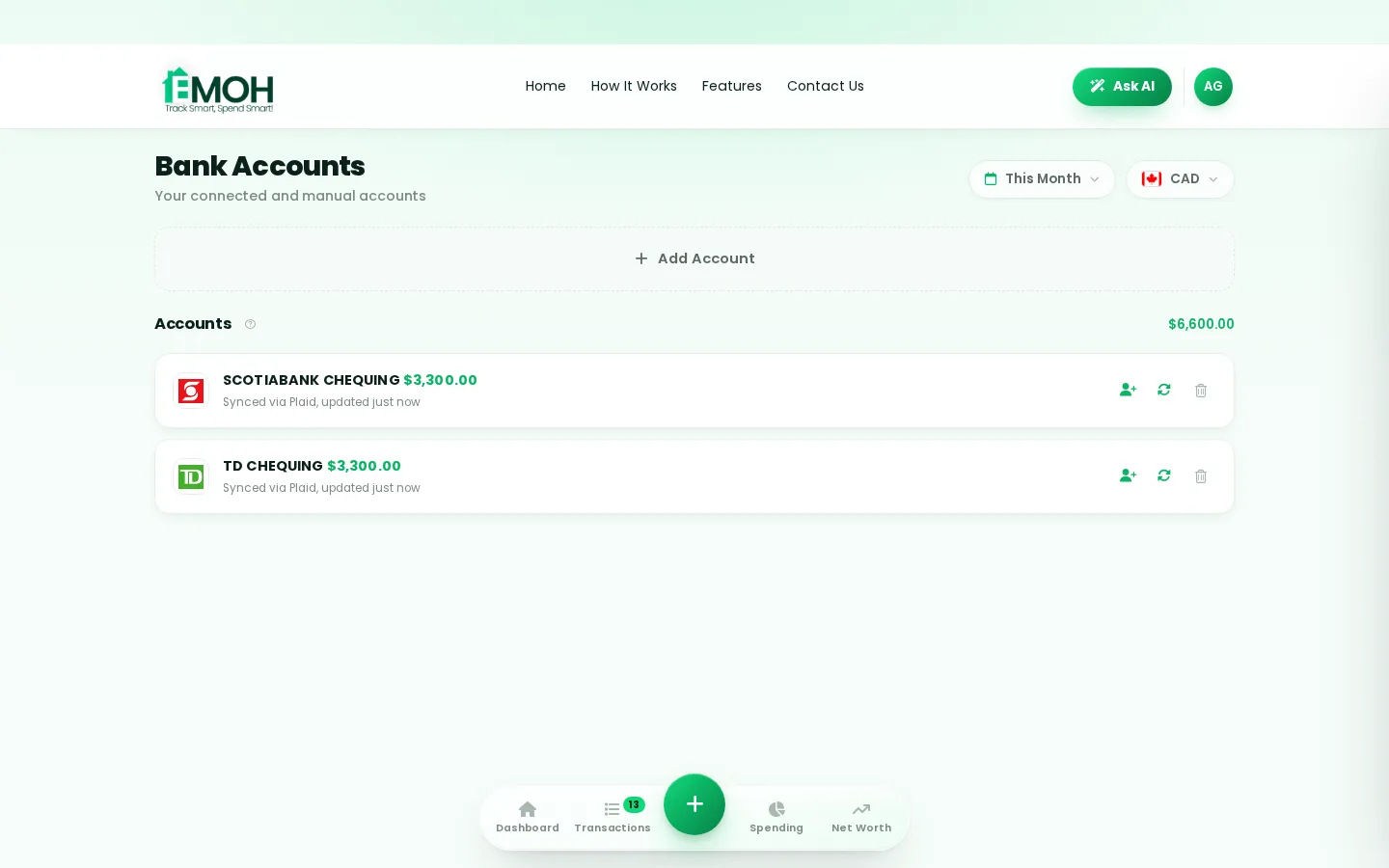
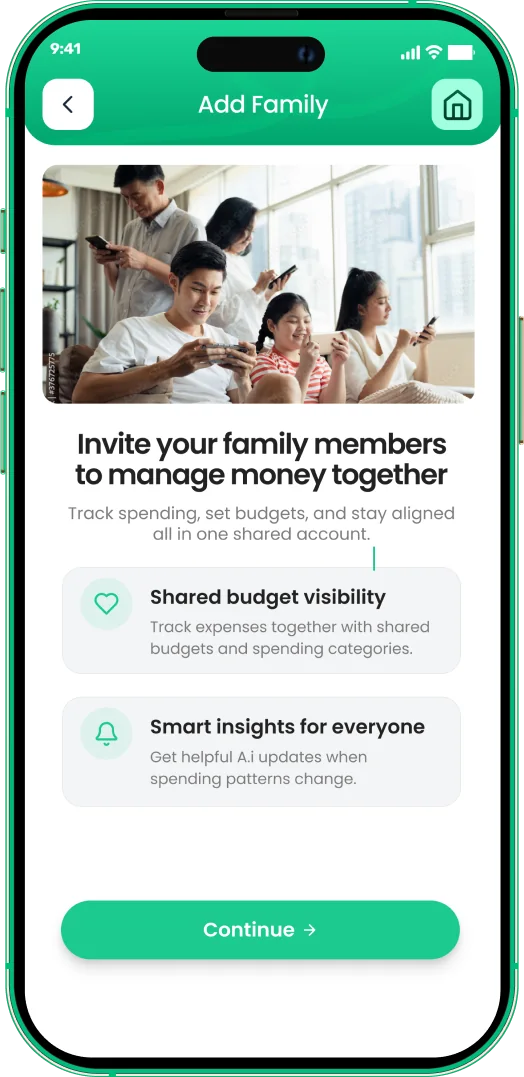
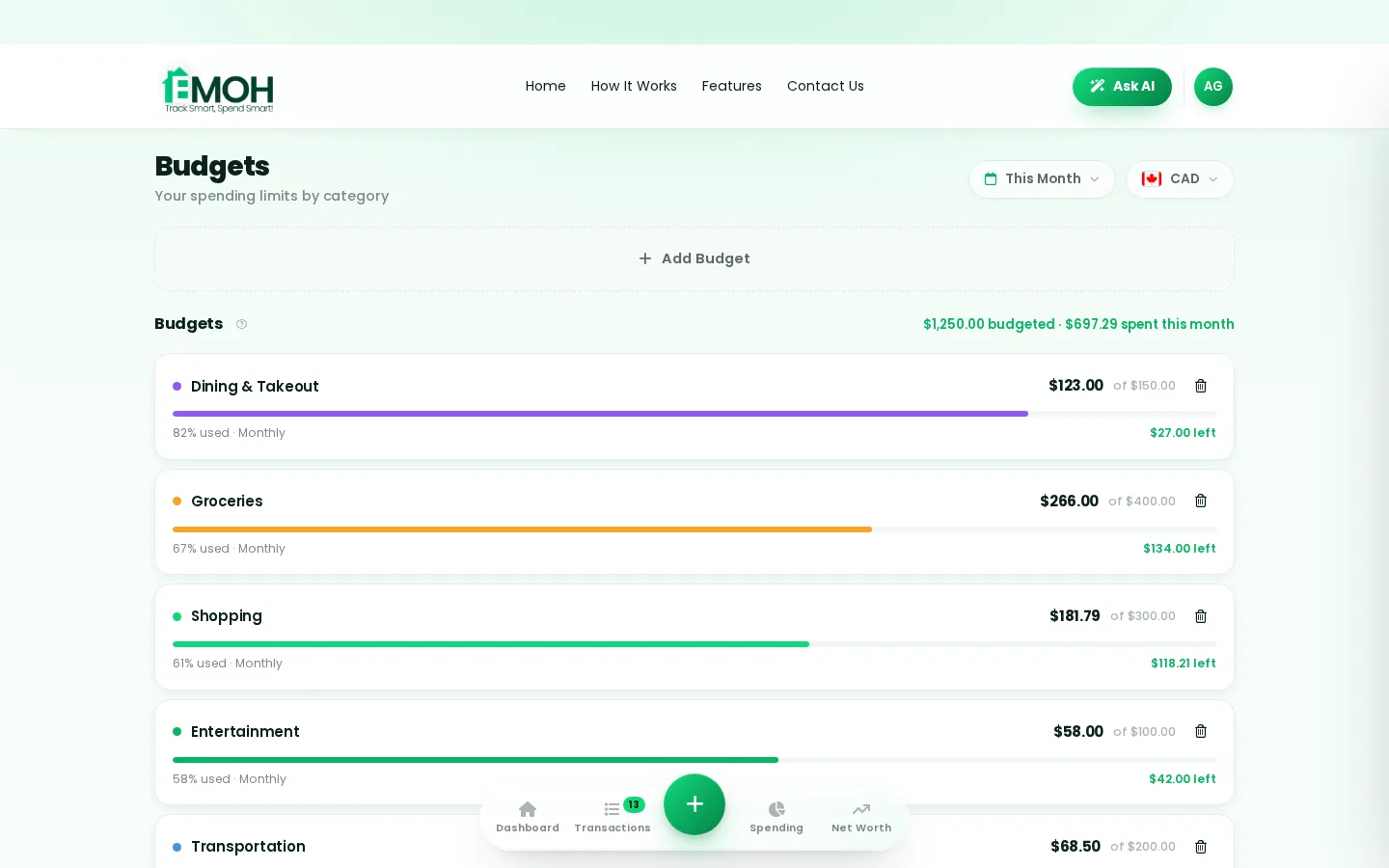
One app for creating a household budget — on every screen.
Track on your phone in the checkout line, review on the web app at your desk. EMOH Pay keeps creating a household budget in sync the second anything changes, so the numbers you act on are always current.
Start free on the web➜ Explore all features➜Real spending, really tracked
From the morning coffee to the monthly rent — Canadians log, tag and learn from every expense on EMOH Pay.



Everything you need for creating a household budget
Track Smart, Spend Smart! The complete toolkit, free to start:
Log any expense in two taps — or let bank sync do it automatically. Every dollar gets a category.
Ask questions about your own spending in plain language and get instant answers.
Digital envelopes for groceries, rent and fun, with gentle alerts before you overspend.
Vacations, emergencies, down payments — set the target and watch it fill.
Everyone sees the same live numbers, each with their own login. Free forever.
One calm summary every morning: what you spent, what's left, what needs attention.
How to start creating a household budget with EMOH Pay
Four small steps, five minutes total:
- 1Make your account — free, on phone or web
- 2Enter your income & accounts
- 3Set budgets — your digital envelopes
- 4Track smart, spend smart — EMOH digests daily
EMOH Pay vs. the usual ways to handle creating a household budget
| EMOH Pay | Spreadsheet | Typical budgeting app | |
|---|---|---|---|
| Free tier | Free forever | Free | Limited trial |
| Paid tier | EMOH Pro — $4.99/mo | — | $10–15/mo |
| Expense tracking | ✔ Two taps or automatic | Manual entry | ✔ |
| Budgets & overspend alerts | ✔ Built in | ✖ None | Varies |
| Net worth tracking | ✔ Live | Formula gymnastics | Often paid add-on |
| Phone + web sync | ✔ Instant | ✖ Manual | Varies |
| Family sharing | ✔ Free | ✖ Shared-file chaos | Often paid add-on |
| GST/HST tracking | ✔ Automatic | ✖ Formula gymnastics | ✖ Rare |
| 148 currencies | ✔ Automatic conversion | ✖ None | Limited |
| Ask AI | ✔ Included | ✖ None | ✖ Rare |
| Daily Money Digest | ✔ Built in | ✖ None | Push spam |
| PDF & Excel exports | ✔ One tap | ✔ Manual | Varies |
| Bank sync (Canada) | ✔ Plaid, read-only — free up to 3 banks | ✖ None | US-first, patchy |
Everything above is free to start — and the full EMOH Pro upgrade is just $4.99/month, a third of what typical budgeting apps charge.
Real creating a household budget problems we actually solve

Creating a household budget that fits real life
Money habits only stick when they fit the life you already live. EMOH Pay was built for the checkout line, the kitchen-table conversation and the Sunday five-minute review — not for accountants. Two taps to log an expense, one glance to know where you stand.
Get started free➜ See how it works➜Your money data, protected like a bank's
The same encryption standard banks use, protecting your data at rest and in transit.
Bank connections run through Plaid and can only read transactions — never move money.
Built in Canada to Canadian privacy law. Your data is yours — never sold, ever.
Creating a household budget — frequently asked questions
Does EMOH Pay work on both phone and computer?
Yes. EMOH Pay has full apps for iPhone and Android plus a complete web app, and everything syncs instantly. Phone in your pocket, web app at your desk — the same live numbers everywhere.
Is my financial data safe with EMOH Pay?
Yes. EMOH Pay uses AES-256 encryption, bank connections are read-only through Plaid, and the app is built to Canadian PIPEDA privacy standards. Your data is never sold.
Can I share my budget with my family?
Yes — Family Account Sharing is included free. Each member gets their own login while budgets and expenses stay shared in real time, which makes creating a household budget a team effort instead of a solo chore.
Is EMOH Pay free for creating a household budget?
Yes — EMOH Pay is free to start on iPhone, Android and the web. Budgeting, expense tracking and net worth are all included, which covers everything you need for creating a household budget. EMOH Pro lifts the limits for just $4.99/month — unlimited bank connections, family members and EMOH Smart, plus full report history and exports.
How is EMOH Pay different from a spreadsheet?
Spreadsheets are flexible but manual: no reminders, no sync, no automatic categorization. EMOH Pay gives you the same control with live sync across devices, daily digests, gentle overspend alerts and one-tap reports.
What is the best way to get started with creating a household budget?
Start simple: create a free EMOH Pay account, enter your income and accounts, then set budgets for your top three spending categories. Most people are fully set up in about five minutes, and the Daily Money Digest keeps the habit going.
More from EMOH Pay
EMOH Pay is a household budget app: rent, utilities, groceries, kids — one shared picture the whole house can see, free to…
How to Create a Monthly Budget That Works for Canadian FamilieManaging household finances can be a challenge for any family, but creating a monthly budget tailored to your needs can be a…
How to Create a Vacation Budget Planner That Keeps You on TracDream of sandy beaches, mountain climbing, or fresh city discovery. Rest and relaxation call for vacations. While planning…
Free Budget CalculatorThe 50/30/20 rule splits after-tax income: 50% to needs, 30% to wants, 20% to savings. Enter your monthly take-home pay to…
Family Budgeting AppEMOH Pay is a family budgeting app made in Canada — shared budgets, shared goals, and everyone on the same page, from…
EMOH Pay vs YNABEMOH Pay vs YNAB compared honestly for 2026: price, Canadian features, family sharing, bank sync and learning curve — free…
Start free today
Free on iPhone, Android and the web. Upgrade to EMOH Pro anytime for bank sync and advanced AI.
Download for iOS➜ Get it on Android➜
